Validating input before it ruins your day
Use Zod's safeParse to reject bad input at the boundary before it reaches your database, with the exact credentials and newLink schemas from Linkstash.

Nothing that reaches your database should be trusted just because it arrived as valid JSON. Valid JSON and valid data are two completely different claims, and the gap between them is where most of an API's ugliest bugs live: a title that's an empty string, a url that's actually the word "banana," a password four characters long. Linkstash closes that gap with two schemas, both defined right at the top of app.ts, before a single route.
The schemas
const credentials = z.object({
  email: z.email(),
  password: z.string().min(12, "Use at least 12 characters"),
});

const newLink = z.object({
  url: z.url(),
  title: z.string().min(1).max(200),
});
z.email() and z.url() aren't hand-rolled regex, they're Zod's built-in format checks, which matters because email and URL validation both have surprisingly sharp edges (internationalized domains, plus-addressing, query strings with encoded characters) that a five-minute regex almost always gets wrong somewhere. password requires a minimum of 12 characters, with a custom message Zod attaches to the error automatically. title has both a floor and a ceiling, at least one character, at most 200, because an empty title is useless and an unbounded one is a way for someone to store a small novel in what's supposed to be a link label.
safeParse, not parse
Zod gives you two ways to check a value: .parse(), which throws on failure, and .safeParse(), which returns a result object either way. Linkstash uses .safeParse() everywhere, and the reason shows up the moment you look at how the result gets used:
app.post("/auth/register", async (req, res) => {
  const parsed = credentials.safeParse(req.body);
  if (!parsed.success) {
    res.status(400).json({ error: "ValidationError", fields: parsed.error.issues.map((i) => ({ path: i.path.join("."), message: i.message })) });
    return;
  }
  try {
    const user = await registerUser(db, parsed.data.email, parsed.data.password);
    res.status(201).json(user);
  } catch (err) {
    if (err instanceof EmailTakenError) {
      res.status(409).json({ error: "EmailTaken" });
      return;
    }
    throw err;
  }
});
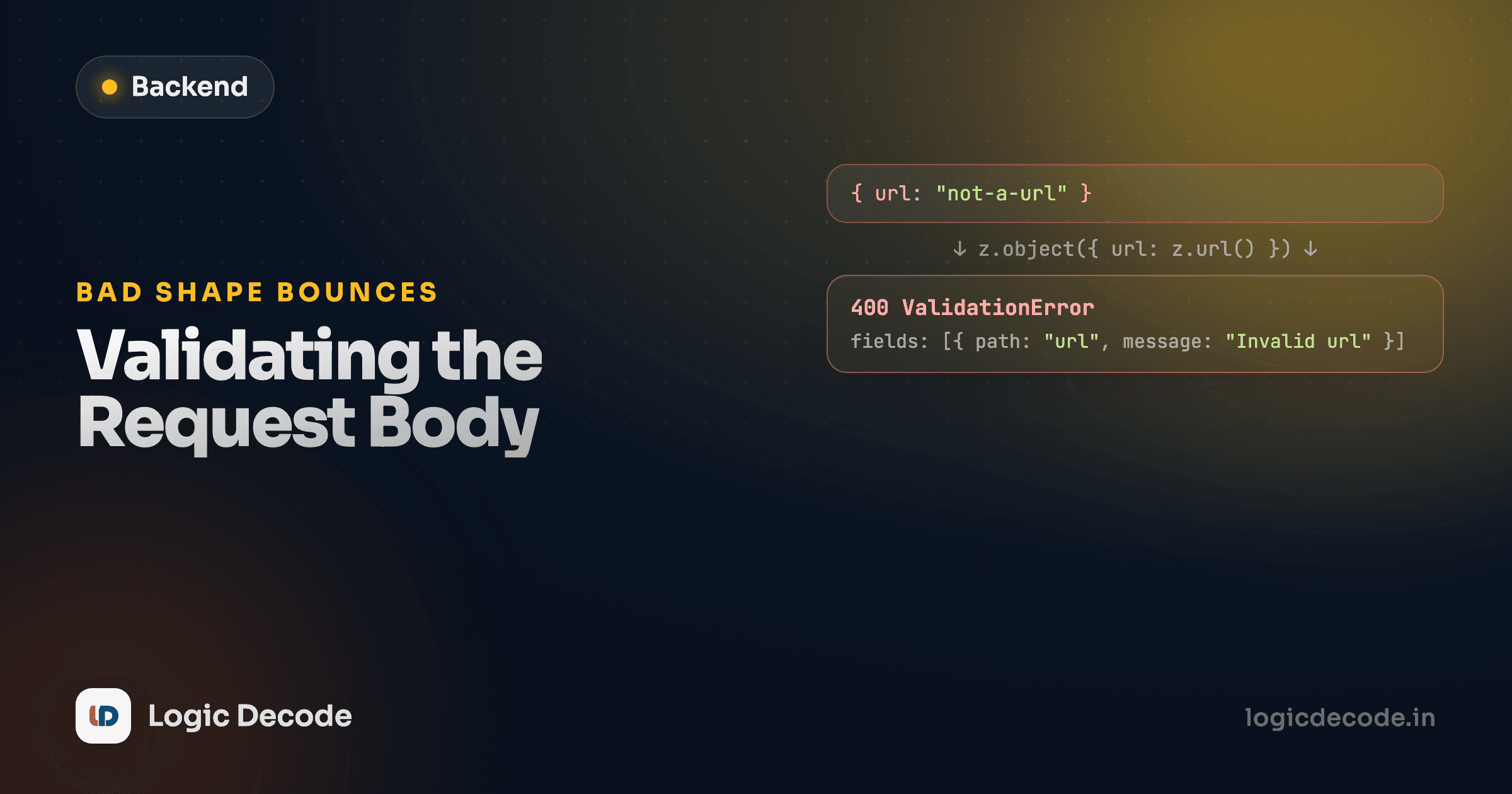
parsed.success is a boolean, checked with a plain if, no try/catch needed for the validation step itself. On failure, parsed.error.issues is an array Zod builds for you, one entry per thing wrong with the input, and the handler maps it into { path, message } pairs the client can act on directly, "email: Invalid email," "password: Use at least 12 characters," instead of one vague "bad request" string that makes the client guess which field broke.
That mapped fields array is doing real work for whoever's building against this API. Compare a response that just says { error: "ValidationError" } to one that says exactly which field failed and why. The first sends a developer back to the docs. The second tells them what to fix without leaving their editor.
.parse() would have thrown right there instead, and an uncaught ZodError reaching Express 5's error handler would produce a generic 500, telling the client the server broke when what actually happened is the client sent something invalid. That's a meaningfully wrong status code: 500 says "we're broken, try again later." 400 says "you sent something we can't accept, fix it and retry." Getting that distinction right is most of what makes an API's error responses trustworthy.
safeParse over parse, as a default
Reach for .safeParse() whenever bad input is an expected, routine outcome, which for a request body it always is. Save .parse() (or a caught .parse()) for places where a failure genuinely means your own code has a bug, like validating a config file you control at startup.
The POST /links route follows the identical shape with newLink instead of credentials:
app.post("/links", requireAuth, (req, res) => {
  const parsed = newLink.safeParse(req.body);
  if (!parsed.success) {
    res.status(400).json({ error: "ValidationError", fields: parsed.error.issues.map((i) => ({ path: i.path.join("."), message: i.message })) });
    return;
  }
  res.status(201).json(createLink(db, req.userId!, parsed.data));
});
Send { "url": "not-a-url", "title": "" } and you get back both failures at once, url and title, in a single 400 response. The client doesn't have to fix one field, resubmit, and get told about the next one. Zod collects every issue on the first pass, which is a small thing that makes a form built against this API noticeably less annoying to use.
Where validation happens, and where it doesn't
Notice newLink.safeParse(req.body) runs inside the POST /links route, before createLink ever gets called. createLink itself, back in links.ts, does zero validation, it trusts its input: { url: string; title: string } completely. That's on purpose, not a gap: validation belongs at the boundary, the point where untrusted input first enters your system, not scattered through every function that happens to touch that data later. createLink gets called exactly once in the whole app, from a route that's already checked its input, so re-checking inside createLink would just be duplicate work protecting against a case that can't occur.
This also means TypeScript gets to help you for free past this point. parsed.data isn't req.body (typed as any), it's inferred from the Zod schema itself, so parsed.data.email is a string the compiler actually believes in, not a hopeful cast. Validate once, at the edge, and everything downstream gets to assume the shape is correct instead of re-checking it.
Quick check
Why does createLink() in links.ts perform no validation of its own, even though it's a public function anyone could theoretically call with bad data?
Registration and login both use the same credentials schema, but only one of them checks whether that email is already taken, and it does it in a way that's easy to get subtly wrong. That's next: authentication, sessions vs JWT.

Written by
Rhythm Bhiwani
Engineer and relentless builder, happiest reverse-engineering hard problems until they click.
Enjoyed this?
Tap the heart to leave some love.
Be the first to react
Comments
Join the conversation.
Loading comments…