Rate limiting, abuse and denial of wallet
A negative ?limit= that returns every row in a table, why SQLite treats it as no limit at all, and the real clamp that fixes it in Linkstash.

Not every attack in this series needs a clever payload. Some just need an endpoint that trusts a number.
GET /links in Linkstash takes a ?limit= query parameter, same as pagination on any list endpoint you've built. A reasonable client sends ?limit=20. An unreasonable one, or an attacker who's actually read the code, sends ?limit=-5. What happens next depends entirely on one clamp that either exists or doesn't.
Why a negative limit is not just a weird edge case
LIMIT in SQL is supposed to cap how many rows come back. SQLite's actual behavior for a negative value is the part almost nobody checks: it treats a negative LIMIT as "no limit at all." Not zero rows, not an error. Every row in the table.
SELECT id, userId, url, title, createdAt
FROM links WHERE userId = ?
ORDER BY id DESC
LIMIT -5 OFFSET 0;
-- returns every matching row, LIMIT -5 is treated as unlimited
Query-string values arrive as strings from a client you don't control, and Number("-5") parses to a perfectly normal integer, -5. If that value flows straight into a SQL LIMIT clause with no bounds check, "give me 5 items" silently becomes "give me everything," and the person asking never had to do anything more sophisticated than type a minus sign.
This isn't SQL injection
No quote breaking, no string concatenation, nothing from the SQL injection lesson applies here. The query is fully parameterized and completely safe from injection. The bug is purely in what a legitimate, correctly-bound integer parameter is allowed to be.
What it costs
Picture a links table with a few hundred thousand rows across every user, and an endpoint meant to page through 20 at a time. ?limit=-1 on an unclamped endpoint pulls the entire table in one request, every time it's called. Do that from a handful of scripts running in parallel and you've turned a lightweight pagination endpoint into a full table scan on demand, repeatable as many times as an attacker wants.
That's a resource-exhaustion attack, and on infrastructure billed by compute or by egress, it has a second name that makes the cost concrete: denial of wallet. Nobody's account got locked out and no page went offline, necessarily, but every one of those requests still burns CPU, memory, and bandwidth you're paying for. A cloud bill spiking overnight because of unclamped pagination parameters is a real, common incident, not a theoretical one.
The real fix, quoted from Linkstash
Every query-string number in Linkstash passes through one function before it ever reaches a query:
/** Query-string numbers are strings from an untrusted client, so every one is
 *  parsed, rejected if it is not a whole number, and clamped into range. A
 *  negative LIMIT is the dangerous case: SQLite reads it as "no limit," which
 *  turns a pagination bug into an unbounded result set. */
function intParam(raw: unknown, fallback: number, min: number, max: number): number {
  const n = Number(raw);
  if (!Number.isInteger(n)) return fallback;
  return Math.min(Math.max(n, min), max);
}
And here's where it's actually called:
app.get("/links", requireAuth, (req, res) => {
  const limit = intParam(req.query.limit, 20, 1, 100);
  const offset = intParam(req.query.offset, 0, 0, Number.MAX_SAFE_INTEGER);
  const q = typeof req.query.q === "string" ? req.query.q : undefined;
  res.json({ data: listLinks(db, req.userId!, { limit, offset, q }), limit, offset });
});
-5 passes Number.isInteger without complaint, it's a perfectly valid integer, and that's exactly the trap the type check alone can't catch. The clamp is what actually saves it: Math.max(n, min) with min = 1 turns -5 into 1, the floor. ?limit=99999 gets pulled back down to 100, the ceiling. Anything that isn't a whole number at all, "abc", "20.5", an empty string, falls through to the fallback value instead of propagating an unexpected type into a query. Three problems (below range, above range, not a number), one function, one call site per parameter.
Quick check
Why does Number.isInteger(-5) returning true matter for this bug, even though intParam eventually clamps the value correctly?
Rate limiting is the other half of this
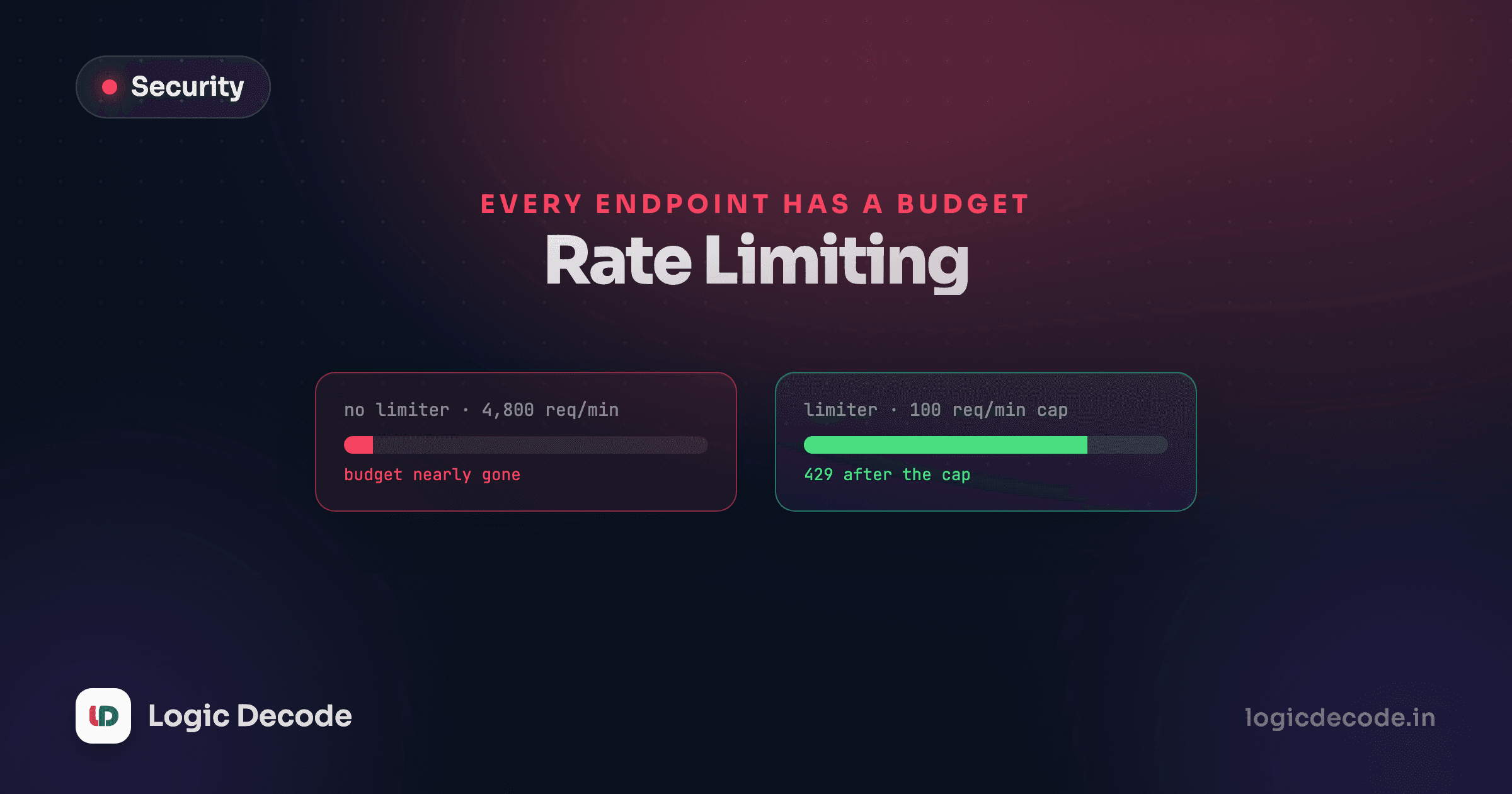
Clamping limit protects a single request. It doesn't stop the same client from firing that request, correctly bounded to 100 rows now, ten thousand times a minute. That's what rate limiting is for: capping how often a client can call an endpoint at all, independent of what any single call asks for.
A basic per-IP or per-token limiter for an endpoint like GET /links might look like this with a library such as express-rate-limit:
import rateLimit from "express-rate-limit";

const linksLimiter = rateLimit({
  windowMs: 60_000,
  limit: 60, // 60 requests per minute per client
  standardHeaders: true,
});

app.get("/links", linksLimiter, requireAuth, (req, res) => {
  // ...
});
Put the limiter before requireAuth when the endpoint is also worth protecting from unauthenticated abuse (login and registration are the classic cases, tied back to the authentication attacks lesson and credential stuffing), or after it when you specifically want the cap to apply per logged-in user rather than per IP. Either way, the two defenses aren't substitutes for each other. Clamping bounds the damage of one request. Rate limiting bounds how many of those requests get through at all.
The general habit
Any numeric input from a client, a limit, an offset, a page size, a quantity, deserves the same two questions before it reaches a query or a loop: is this actually the type I expect, and is it inside the range I'm prepared to handle? Number.isInteger answers the first. It's tempting to stop there, and Linkstash's own bug history shows exactly why that's not enough.
Next, the last lesson in this series: project: attack and harden Linkstash, where you put every fix from this series into one review pass.

Written by
Rhythm Bhiwani
Engineer and relentless builder, happiest reverse-engineering hard problems until they click.
Enjoyed this?
Tap the heart to leave some love.
Be the first to react
Comments
Join the conversation.
Loading comments…