SQL Indexes and Query Performance
Make SQL queries fast: what an index is, when to add one with CREATE INDEX, reading EXPLAIN QUERY PLAN, and the trade-offs, explained simply, with examples.

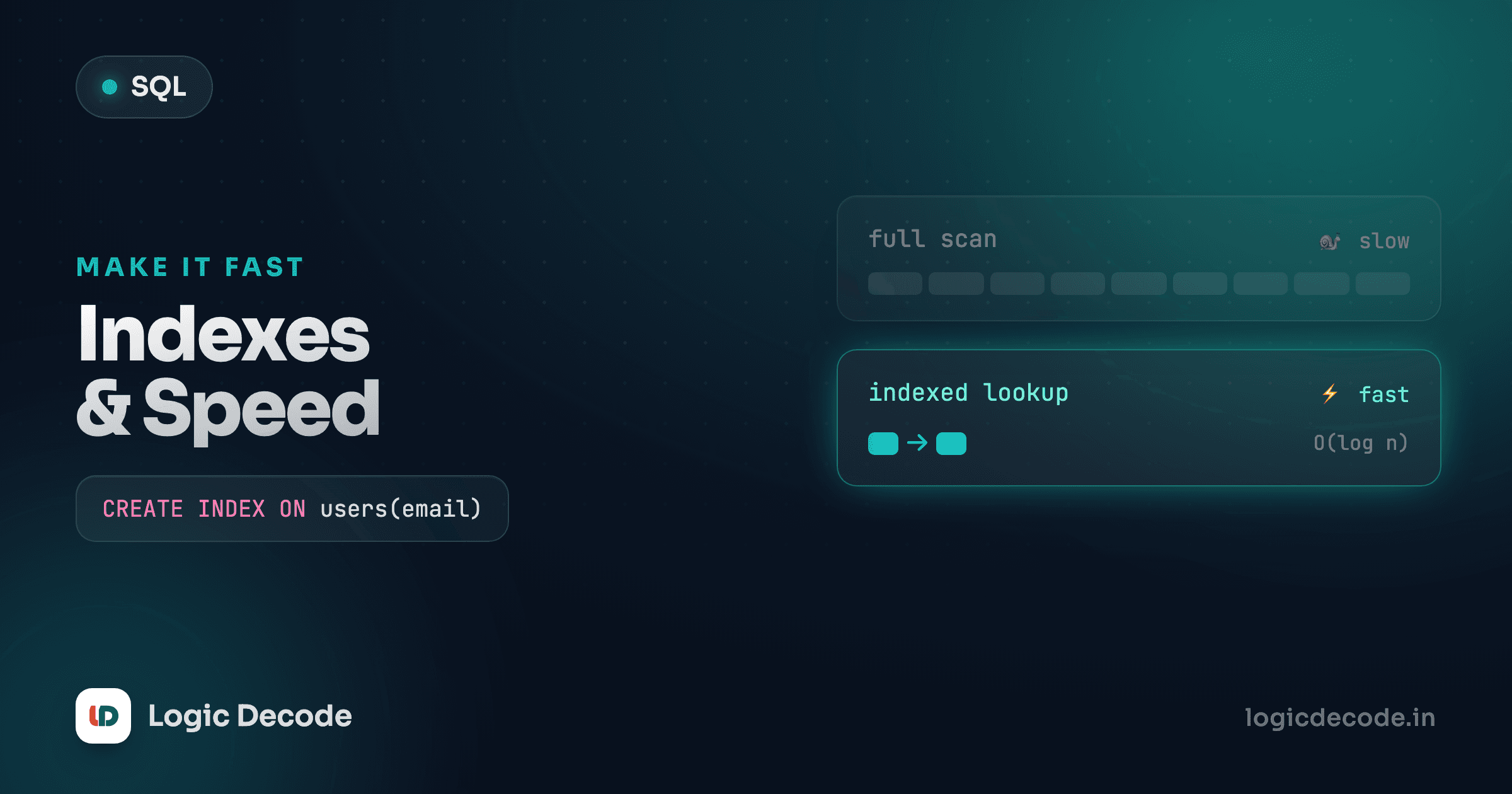
Your query worked perfectly on eight rows. Then the table grew to eight million, and the same query that felt instant now takes four seconds and your app times out. Nothing about the SQL changed. What changed is that the database is now reading every single row to find the handful you asked for. An index fixes that. It's the difference between flipping to page 412 in a book and reading the whole book to find one fact.
Here's the move. We tell the database to keep a sorted lookup of the city column, then ask for everyone in Mumbai:
You get the same three Mumbai customers you'd get without the index. That's the point: an index never changes your results, only how fast the database finds them. Our sample table is tiny, so you won't feel a speed difference here, but the mechanism is exactly the one that turns a four-second query into a four-millisecond one at scale.
The mental model: an index is a book's index
Imagine a 600-page textbook with no index. You want every mention of "recursion." Your only option is to start at page one and read to the end, scanning every page. That's what a database does without an index. It's called a full table scan: read every row, check each one against your WHERE condition, throw away the ones that don't match.
Now flip to the index at the back. "Recursion ... 41, 88, 213." You jump straight to three pages. You skipped the other 597 entirely. That's an index: a separate, sorted copy of one column (or a few), each value paired with a pointer to the full row it came from. Because it's sorted, the database can binary-search it (halve the search space with every step) instead of scanning linearly.
The sorted part is everything. A phone book is useful because it's alphabetical, so finding "Sharma" is fast. Shuffle every entry into random order and it's worthless. You're back to reading the whole thing. An index keeps the column sorted for you, behind the scenes, so the lookup stays fast even as the table grows.
Creating an index
The syntax is short. You name the index, say which table, and list the column:
CREATE INDEX idx_customers_city ON customers(city);idx_customers_city is just a name. The database doesn't care what you call it, but a convention like idx_<table>_<column> keeps things readable when you have dozens. After this runs, any query that filters or sorts on city can use the index instead of scanning.
You can index more than one column at once. This is a composite index, and the column order matters:
CREATE INDEX idx_orders_cust_date ON orders(customer_id, order_date);This one helps queries that filter on customer_id, or on customer_id and order_date together, think "this customer's orders, newest first." It's like a phone book sorted by last name, then first name: great for finding "Sharma, Aarav," useless for finding everyone named "Aarav" regardless of surname. The leading column is the one that does the heavy lifting.
Primary keys are already indexed
You don't need to index a column that's a PRIMARY KEY. The database does it automatically the moment you create the table. That's why looking up a row by its id is always fast. Same goes for columns marked UNIQUE. So when you see advice to "index your IDs," the primary key already has you covered.
Which columns to index
Don't index everything (more on why in a second). Index the columns the database actually searches on. In practice, that's columns that show up in:
WHEREclauses: the filters.WHERE city = 'Mumbai',WHERE price < 20. This is the biggest win.JOINconditions: when you joinorderstocustomersoncustomer_id, an index oncustomer_idlets the database match rows without scanning.- Foreign keys: almost always worth indexing. They're constantly used in joins, and unlike primary keys, SQLite does not index them for you automatically. The previous lesson on relationships and foreign keys set these up, and indexing them is the natural follow-up.
ORDER BYcolumns: since the index is already sorted, the database can read rows in order straight from it, skipping a separate sort step.
A column you only ever SELECT (display, never filter or sort by) doesn't need an index. The index helps the database find and order rows, not return them.
Seeing it work: EXPLAIN QUERY PLAN
You don't have to guess whether an index is being used. SQLite has a tool that shows you the plan it'll follow: put EXPLAIN QUERY PLAN in front of any query and instead of running it, the database tells you how it would run it.
First, the same query with no index. Watch the plan:
Read the detail column. You'll see something like SCAN customers, a full table scan, reading every row. Now create the index first, then ask for the plan again:
The plan changes to something like SEARCH customers USING INDEX idx_customers_city, where the database jumps to the matching rows through the index instead of scanning. SCAN means "read everything." SEARCH ... USING INDEX means "jump to what we need." That one-word difference is the whole game. When a query is slow, EXPLAIN QUERY PLAN is the first thing to run. It tells you in plain words whether you're scanning when you shouldn't be.
Quick check
In an EXPLAIN QUERY PLAN, what does a line starting with 'SCAN' tell you?
Tiny tables tell white lies
On our 8-row sample, SQLite sometimes scans even when an index exists. For a handful of rows, reading the whole table is genuinely cheaper than the index round-trip, so the optimizer skips the index on purpose. That's correct behaviour, not a bug. Indexes earn their keep on thousands or millions of rows. Trust the concept here, not the stopwatch. The sample data is too small to feel the difference.
The trade-off: why not index every column?
If indexes make reads faster, why not slap one on every column and call it a day? Because indexes aren't free. They buy you read speed with three costs:
Slower writes. Every index is a separate sorted structure the database has to keep in sync. Insert a row, and the database updates the table and every index on it. Five indexes means five extra little updates on every INSERT, UPDATE, and DELETE. On a write-heavy table, over-indexing can make the thing you were trying to speed up slower overall.
More storage. An index is a real copy of its column's data plus pointers. Index ten columns and you've roughly doubled the disk the table uses. Usually fine, occasionally it matters.
Maintenance and clutter. Unused indexes still cost writes and space while helping nobody. Dropping the bad ones is part of the job:
DROP INDEX idx_customers_city;So the rule isn't "index everything" or "index nothing." It's: index the columns you actually filter, join, and sort on, measure with EXPLAIN QUERY PLAN, and drop indexes that don't pull their weight. For a table you read constantly and rarely write to, lean toward more indexes. For one that's hammered with inserts, be stingy. SQLite's own query planner documentation walks through exactly how it decides to use an index, and it's worth a read once the basics click.
Read-heavy vs write-heavy
A products catalogue gets read thousands of times for every time it's edited, so index it generously. A logging table that's written to constantly and read occasionally is the opposite, so keep indexes minimal. Match your indexing to how the table is actually used, not to a blanket rule.
Recap and what's next
An index is a sorted lookup that lets the database jump straight to the rows you want instead of scanning the whole table: a book's index, not a cover-to-cover read. Create one with CREATE INDEX name ON table(column), and reach for it on the columns you filter (WHERE), join, sort (ORDER BY), and especially your foreign keys. Primary keys come pre-indexed for free. Use EXPLAIN QUERY PLAN to see whether the query gets a SCAN (bad, reading everything) or a SEARCH ... USING INDEX (good). And remember the trade-off: faster reads cost you slower writes and more storage, so index deliberately, not reflexively.
Next we go from finding rows fast to doing serious analysis across them, with window functions: running totals, rankings, and row-by-row comparisons that plain GROUP BY can't express.

Written by
Rhythm Bhiwani
Engineer and relentless builder, happiest reverse-engineering hard problems until they click.
Enjoyed this?
Tap the heart to leave some love.
Be the first to react
Comments
Join the conversation.
Loading comments…