SQL Window Functions, Explained Simply
Window functions in SQL without the headache: OVER, PARTITION BY, ROW_NUMBER, RANK, and running totals. Keep every row while you rank and total, live.

You already know how to total things up with GROUP BY: feed it a category, get one row back per category with the count or sum. The catch is that it eats the detail. You asked "how many products per category" and the individual products vanished into a single summary row. But the question you actually have at work is usually "show me each product and how it ranks against the others in its category," every row plus a calculation that looks across the whole group. That's what window functions do, and once it clicks you'll wonder how you lived without them.
The one idea: compute across rows, keep every row
Here's the difference in one screen. First the GROUP BY you know, average price per category, three categories collapse to a handful of summary rows:
Four rows out, one per category. The products themselves are gone. Now the window-function version of "average price per category," using OVER:
All eight products are still here. Each one carries its own name, category, and price, and a category_avg column showing the average for the category it belongs to. The Keyboard, Mouse, and Monitor all show the same Electronics average next to them, while keeping their individual prices. That's the whole pitch: GROUP BY aggregates and collapses, while a window function aggregates without collapsing. You get the summary and the detail in the same result.
Why 'window'?
The "window" is the set of rows the function looks at for each row it's computing. With OVER (PARTITION BY category), the window for the Keyboard is "all Electronics products." The function peeks through that window to do its math, then writes the answer onto the Keyboard's own row without merging anything.
The OVER clause is the whole trick
Any aggregate you already use (SUM, AVG, COUNT, MIN, MAX) turns into a window function the moment you bolt OVER (...) onto it. An empty OVER () means "the window is every row in the result":
AVG(price) OVER () computes one average across all eight products and stamps it onto every row. Then price - AVG(price) OVER () tells you how far each product sits from that overall average, positive for the pricey ones, negative for the cheap ones. Try writing that with GROUP BY and you'll tie yourself in knots, because you need each product's price and the aggregate in the same row. Window functions hand you both for free.
The shape is always the same: <aggregate>(column) OVER (<window definition>). Leave the parentheses empty for "the whole result," or fill them in to slice and order the window, which is the next two sections.
PARTITION BY: one calculation per group, no collapsing
PARTITION BY splits the rows into groups and runs the window function separately within each group. It's the GROUP BY of window-world, except it doesn't merge rows. It just decides which rows share a window.
Read across any row. The Notebook (Stationery, 4.50) shows cheapest_in_category 4.50 and dearest_in_category 12.00, the min and max of Stationery only, because that's its partition. The Monitor shows 19.99 and 179.00, the Electronics range. Same query, different window per row, and not a single product lost. That single clause answers "how does this item compare to its peers" in a way plain aggregates simply can't.
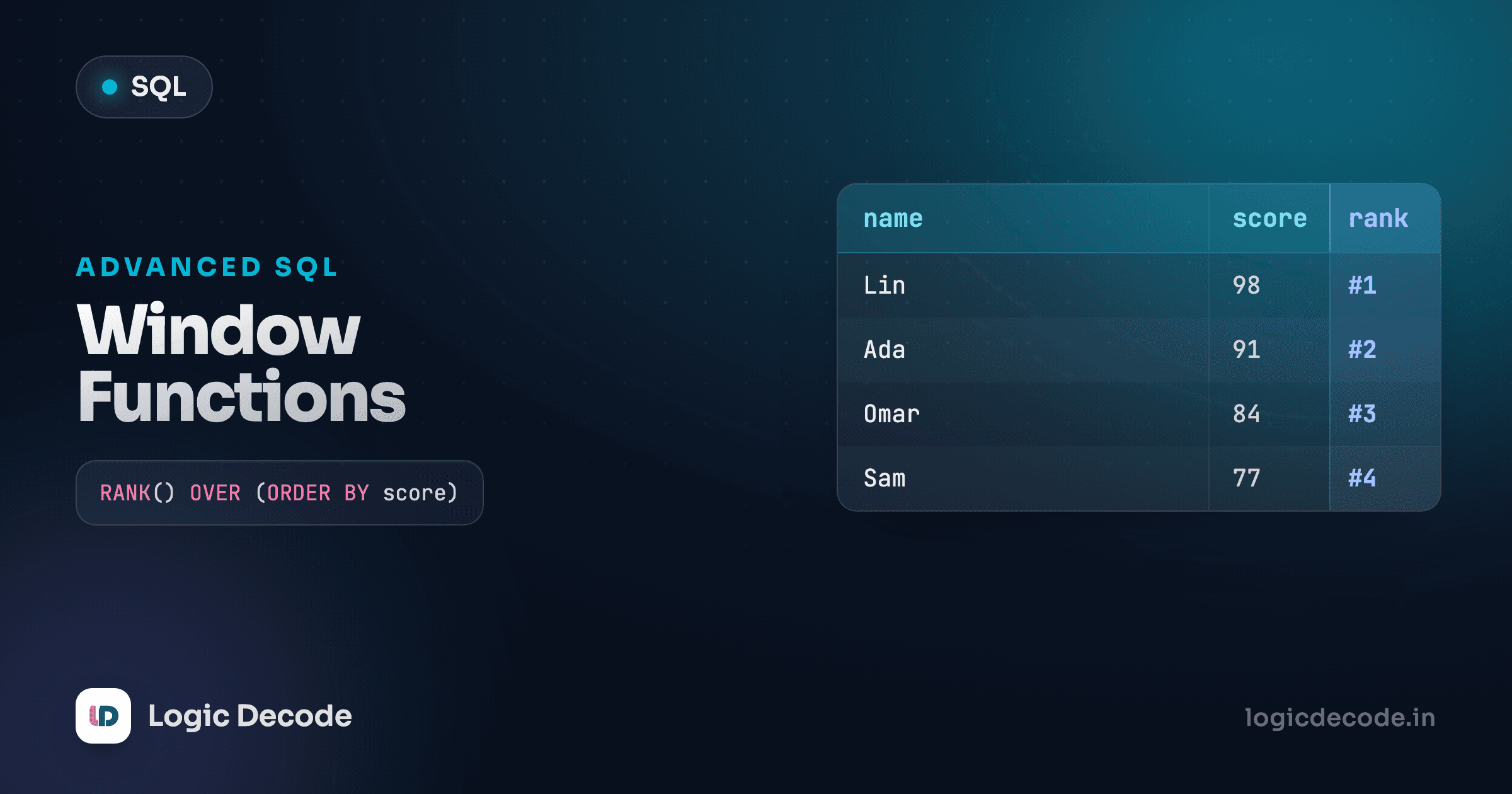
Rank rows with ROW_NUMBER, RANK and DENSE_RANK
This is where window functions earn their keep. Three functions number your rows, and they need an ORDER BY inside the OVER to know what "first" means. Rank the products by price, most expensive first:
The ORDER BY price DESC lives inside OVER, not at the end of the query. It orders the window, deciding who's "1st." With our products every price is distinct, so all three columns look identical here. The difference shows up the instant there's a tie, and that's exactly when you need to know which one to reach for:
ROW_NUMBER()always gives a unique number (1, 2, 3, 4) even for tied values. Two products at the same price get different row numbers (the database picks an order). Use it when you need a strict "pick exactly one per slot," like deduping.RANK()gives tied rows the same rank, then skips numbers. Two products tied for 1st are both rank 1, and the next is rank 3 (2 is skipped). This is the "Olympic" ranking everyone knows.DENSE_RANK()also ties rows, but doesn't skip. Two at rank 1, next is rank 2. No gaps.
The real power move is ranking within each group: combine PARTITION BY with ORDER BY to rank products by price inside each category.
Now each category restarts at rank 1. In Electronics, Monitor is 1, Keyboard 2, Mouse 3. In Stationery, Pen Set is 1 and Notebook 2. PARTITION BY says "rank within these groups," ORDER BY says "rank by this, in this direction." Filter that down to price_rank = 1 in an outer query and you've got "the most expensive product in every category," a classic interview question that's a one-liner with window functions.
Quick check
Three products are tied at the top price. With RANK() OVER (ORDER BY price DESC), what rank does the very next (cheaper) product get?
Running totals with SUM(...) OVER (ORDER BY ...)
Add an ORDER BY to a SUM(...) OVER (...) and something magic happens: instead of one grand total, you get a running total, each row summing itself plus everything before it in the order. This is the report every business actually wants: cumulative quantity over time.
Walk down the running_total column. The first order has quantity 1, so the running total is 1. The next is quantity 5, total 6. Then +1 → 7, +2 → 9, and it keeps climbing to the final cumulative figure across every order. Each row's total is "everything ordered up to and including this date." That ordered SUM over a date is the engine behind every cumulative sales chart you've ever seen.
The reason it works: when you add ORDER BY to an aggregate's OVER, the window quietly becomes "all rows from the start up to the current one" instead of "all rows." Drop the ORDER BY and you'd get the flat grand total on every row, same as OVER (). The ordering is what turns a total into a running total.
You can partition a running total too, so it resets per group. A running total of quantity per customer, in date order:
PARTITION BY customer_id restarts the count for each customer, and ORDER BY order_date accumulates within them. Customer 1 builds up 1 → 6 → 9 across their three orders, then customer 2 starts fresh from 0. One clause for the grouping, one for the running, both inside OVER.
ORDER BY in two different places
Don't confuse the ORDER BY inside OVER (...) with the one at the end of the query. The inner one defines how the window accumulates or ranks. The outer one sorts the final output for display. They're independent. In the queries above we set both so the running total and the rows you see line up, but they do different jobs.
When to use which
A quick map for the road, because the names blur together at first:
- Want one summary row per group, detail thrown away? Plain
GROUP BY. - Want every row plus a group-level number alongside it?
AVG/SUM/MIN/MAX ... OVER (PARTITION BY ...). - Want to number or rank rows?
ROW_NUMBER(always unique),RANK(ties, with gaps),DENSE_RANK(ties, no gaps), withORDER BYinsideOVER. - Want a cumulative figure over time or sequence?
SUM(...) OVER (ORDER BY ...), optionally partitioned to reset per group.
There's a whole family beyond these: LAG/LEAD to peek at the previous or next row, NTILE to bucket rows into quartiles, moving averages with explicit frames. But OVER, PARTITION BY, the three ranking functions, and the running SUM cover the overwhelming majority of what you'll write. The SQLite window functions docs lay out the full grammar and every function when you're ready to go deeper.
Recap and what's next
Window functions compute across a set of rows while keeping every row. That's the one idea, and the rest is syntax. OVER () runs an aggregate over the whole result. PARTITION BY slices that window into per-group calculations without collapsing rows. ROW_NUMBER, RANK, and DENSE_RANK (with ORDER BY inside the OVER) number and rank rows, differing only in how they handle ties. And SUM(...) OVER (ORDER BY ...) turns a total into a running total you can partition per group. Anywhere you've wanted "the detail and the summary in one query," this is the tool.
This followed indexes and performance. You've now got the full SQL toolkit (SELECT, joins, aggregates, schema, and the advanced bits), so next we put all of it together and build something real in the SQL project: build a database.

Written by
Rhythm Bhiwani
Engineer and relentless builder, happiest reverse-engineering hard problems until they click.
Enjoyed this?
Tap the heart to leave some love.
Be the first to react
Comments
Join the conversation.
Loading comments…