GitLab's 2017 Database Deletion: Five Backups, None Worked
An engineer ran rm -rf on GitLab's primary database in 2017. Every recovery path failed. What that outage still teaches about testing your backups.

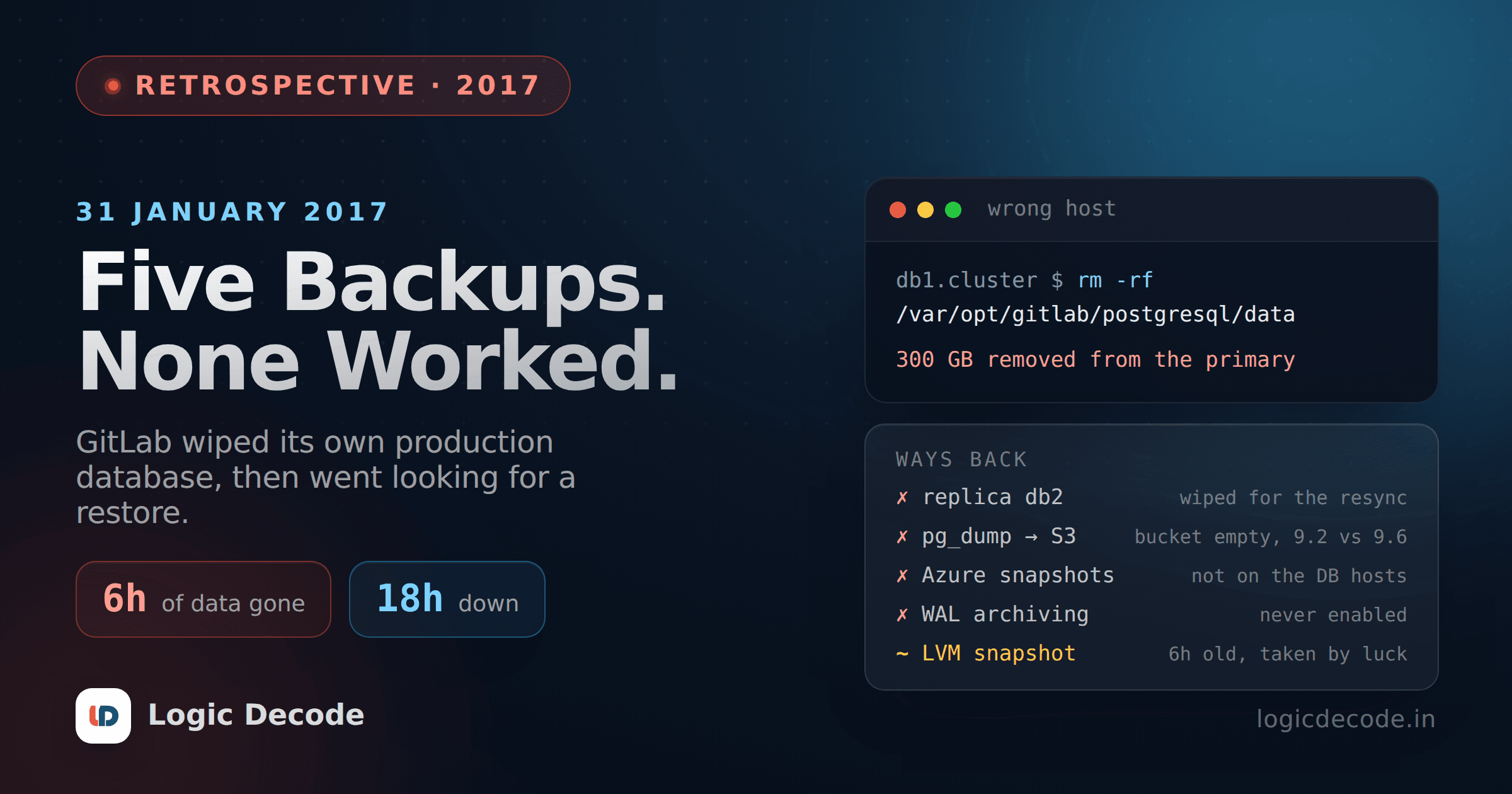
On 31 January 2017, a GitLab engineer wiped a PostgreSQL data directory at around 23:30 UTC. Right command, wrong host. They killed it a second or two after spotting the mistake, by which point roughly 300 GB was gone from the production primary.
Then came the part people still quote. From the notes GitLab published live that night, while the site was down:
So in other words, out of five backup/replication techniques deployed none are working reliably or set up in the first place. We ended up restoring a six-hour-old backup.
That sentence is why this is worth reading nine years later. The deletion was a bad night and a confusing terminal, and it could happen to anyone. The five dead recovery paths were something else. They had been quietly broken for months, and nothing in the system was checking.
What happened on 31 January 2017
The postmortem GitLab published on 10 February is unusually detailed, and nothing in the timeline reads as reckless.
| Time (UTC) | What happened |
|---|---|
| 17:20 | An engineer takes a manual LVM snapshot of production and loads it into staging, to test pgpool-II against fresh data |
| 19:00 | Database load spikes. Partly suspected spam, partly a background job hard-deleting an employee account that a troll had wrongly flagged for abuse |
| 23:00 | The secondary falls behind. The primary had already recycled the WAL segments it needed, and WAL archiving was off, so replication cannot catch up |
| 23:00+ | Fixing that means wiping the secondary's data directory and running pg_basebackup. It hangs with no output |
| 23:30 | An engineer wipes the PostgreSQL data directory to retry, believing they are on the secondary. They are on db1.cluster.gitlab.com, the primary |
The hang was the trap. pg_basebackup sits silently waiting for the primary to start sending data, which can take minutes. That behaviour was documented neither in GitLab's runbooks nor in the pg_basebackup docs at the time, so the engineers reasonably assumed it was stuck and kept trying to clear the way for a clean run.
There was a detour in the middle worth noting. Raising max_wal_senders from 3 to 32 made PostgreSQL refuse to start, complaining about semaphores, because max_connections had been sitting at 8000 for about a year. They dropped it to 2000 and Postgres came back. Two config values nobody had looked at in a year, surfacing at the worst possible moment.
The five safety nets
GitLab's live notes counted five backup and replication techniques. The formal postmortem groups them into four documented procedures. Either way, the number that helped was one, and only by accident.
Read down that list and a pattern shows up. Only one of the four was designed for disaster recovery, and it was the one that had been wiped. The replica existed for failover, not for restores. The LVM snapshots existed to refresh staging. Azure snapshots existed for disk failure and were only turned on for the NFS servers, because, in GitLab's own words, "we assumed that our other backup procedures were sufficient enough".
The daily pg_dump to S3 was the only real backup in the set. It had not produced a file in a long time.
Two silent failures, stacked
This is the bit I think about most, because both halves are ordinary.
Half one. GitLab's Omnibus package supported PostgreSQL 9.2 and 9.6 side by side. To decide which binaries to use, it read PG_VERSION out of the database's data directory. Find 9.6, use 9.6. Find nothing, fall back to 9.2.
The backup cron ran on a regular application server. Application servers have no PostgreSQL data directory. So Omnibus found no PG_VERSION, fell back to pg_dump 9.2, and pointed it at a 9.6 cluster. pg_dump refuses to dump a server newer than itself, so it printed an error and quit. Every night. For months. Old backups had aged out of the bucket in the meantime, so by January the S3 bucket was empty.
Half two. The cron job did send failure notifications. By email. GitLab used DMARC, DMARC was not set up for those cronjob emails, and the receiving mail server rejected them. The smoke alarm was wired to a bell in an empty building.
Neither of these is exotic
A version fallback that quietly picks the wrong binary. An alerting path nobody has tested end to end. Both are boring. Both are probably in your infrastructure right now, and the only way you find out is a restore drill or an outage.
Quick check
GitLab's nightly pg_dump to S3 produced nothing for months. Why did nobody notice?
The restore, at 60 Mbps
The only usable copy was that manual LVM snapshot from 17:20, taken six hours before the deletion for completely unrelated reasons. The alternative was the scheduled snapshot from nearly 24 hours earlier.
It lived in staging, on Azure classic without premium storage, on network disks throttled to around 60 Mbps. Copying the data directory back to production took about 18 hours. No CPU bottleneck, no network bottleneck, just cheap disks doing what cheap disks do.
GitLab ran the whole recovery in public. Live notes in a shared Google Doc, and a YouTube stream that peaked near 5,000 viewers and sat at number two live on YouTube for several hours. On 1 February at 17:00 UTC the database came back, and by 18:00 UTC the last pieces were in place.
Two details from the restore are easy to skim past and worth stealing:
- Webhooks had to be recovered separately. The staging sync deliberately strips webhooks so staging cannot fire real ones at customers, which is good hygiene and exactly what made the snapshot an incomplete backup.
- They incremented every database sequence by 100,000, so new rows could not reuse IDs that had belonged to deleted rows. Without that, links and caches out in the world would have started pointing at the wrong objects.
The final damage: database changes made after 17:20 UTC were gone. Roughly 5,000 projects, 5,000 comments, and about 700 new user accounts, on GitLab's own estimate. Git repositories and wikis survived, because they were stored separately. GitLab.com was down for about 18 hours.
One number to treat carefully
GitLab's summary paragraph gives the lost window as 17:20 to 00:00 UTC, while the data-loss section further down the same postmortem says 17:20 to 23:30. The restore point is not in doubt, and neither are the estimates above. If you see a retelling quoting a tidier figure, check it against the postmortem itself.
What GitLab decided to change
The obvious lesson would be "make rm safer". GitLab explicitly rejected that:
Our main focus is to improve disaster recovery, and making it more obvious as to what host you're using; instead of preventing production engineers from running certain commands.
Their reasoning is sound. Aliasing rm protects you from one typo and does nothing about disk corruption, a bad migration, a dropped table, or the next unfamiliar way to lose data. Recovery covers all of them.
Here is what that looks like in practice.
Check the tool against the server, in the backup script itself. This is the exact failure that emptied the bucket, and it is five lines:
#!/usr/bin/env bash
set -euo pipefail

server=$(psql -Atqc 'SHOW server_version' "$DATABASE_URL")
client=$(pg_dump --version | awk '{print $3}')

if [ "${server%%.*}" != "${client%%.*}" ]; then
  echo "pg_dump $client cannot dump a $server server" >&2
  exit 1
fi

pg_dump --format=custom "$DATABASE_URL" \
  > "/backups/db-$(date -u +%Y%m%dT%H%M%SZ).dump"
Monitor the artifact, not the job. A cron that fails is invisible. A file that is missing or tiny is measurable, so alert on freshness and size rather than exit codes:
#!/usr/bin/env bash
# Non-zero exit if the newest dump is stale or suspiciously small.
newest=$(ls -t /backups/*.dump 2>/dev/null | head -n1)
[ -n "$newest" ] || { echo "no backups at all"; exit 1; }

age_h=$(( ( $(date +%s) - $(stat -c %Y "$newest") ) / 3600 ))
size_mb=$(( $(stat -c %s "$newest") / 1024 / 1024 ))

[ "$age_h" -lt 26 ]   || { echo "newest backup is ${age_h}h old"; exit 1; }
[ "$size_mb" -gt 100 ] || { echo "newest backup is only ${size_mb}MB"; exit 1; }
echo "ok: $newest (${age_h}h, ${size_mb}MB)"
Point that at a real alerting channel, then test the channel by breaking something on purpose. If you have never seen the alert fire, you do not have alerting, you have a config file. There is more on this in logs, monitoring and knowing when it breaks.
Restore on a schedule, not on the worst day of your year. Spin up an empty instance, run pg_restore, count the rows, and record how long it took. That number is your real recovery time, and it is usually a shock the first time. GitLab discovered theirs was 18 hours, in the middle of the outage.
Make the shell tell you where you are. GitLab's own follow-up list includes updating PS1 across every host, which is a two-minute change that would have prevented the whole incident:
case "$(hostname)" in
  *prod*|db1.*) colour='\[\e[41;97m\]' ;;   # white on red
  *)            colour='\[\e[42;30m\]' ;;   # black on green
esac
PS1="${colour} \h \[\e[0m\] \w \$ "
Keep backups off the machine they back up. LVM snapshots live on the host whose disk they snapshot. Fate-sharing storage is not a backup, it is a faster undo for a narrow class of mistakes.
Turn on WAL archiving. No archived WAL meant no point-in-time recovery, which is the difference between losing six hours and losing six seconds. GitLab's follow-up list has this too, filed as issue 1097.
The version of this you have today
Most teams reading this do not run their own Postgres. You get automated backups from RDS or Supabase or Neon, and the dashboard says the last one succeeded.
That solves the half GitLab got wrong in the most spectacular way. It does not touch the other half. You still do not know how long a restore takes, whether the restored database comes back with the data your app needs, whether anything lives outside the database that has to be recovered alongside it (GitLab's webhooks, your object storage, your search index), or who is on the hook for finding out. GitLab's five-whys chain ends on exactly that: "Because there was no ownership, as a result nobody was responsible for testing this procedure."
There is a newer wrinkle too. Shell access on production is no longer only humans typing at 11pm. Agents run commands now, and an AI agent with production credentials is a fresh way to reach the same cliff. The defence has not changed. Recovery you have practised beats prevention you are hoping for.
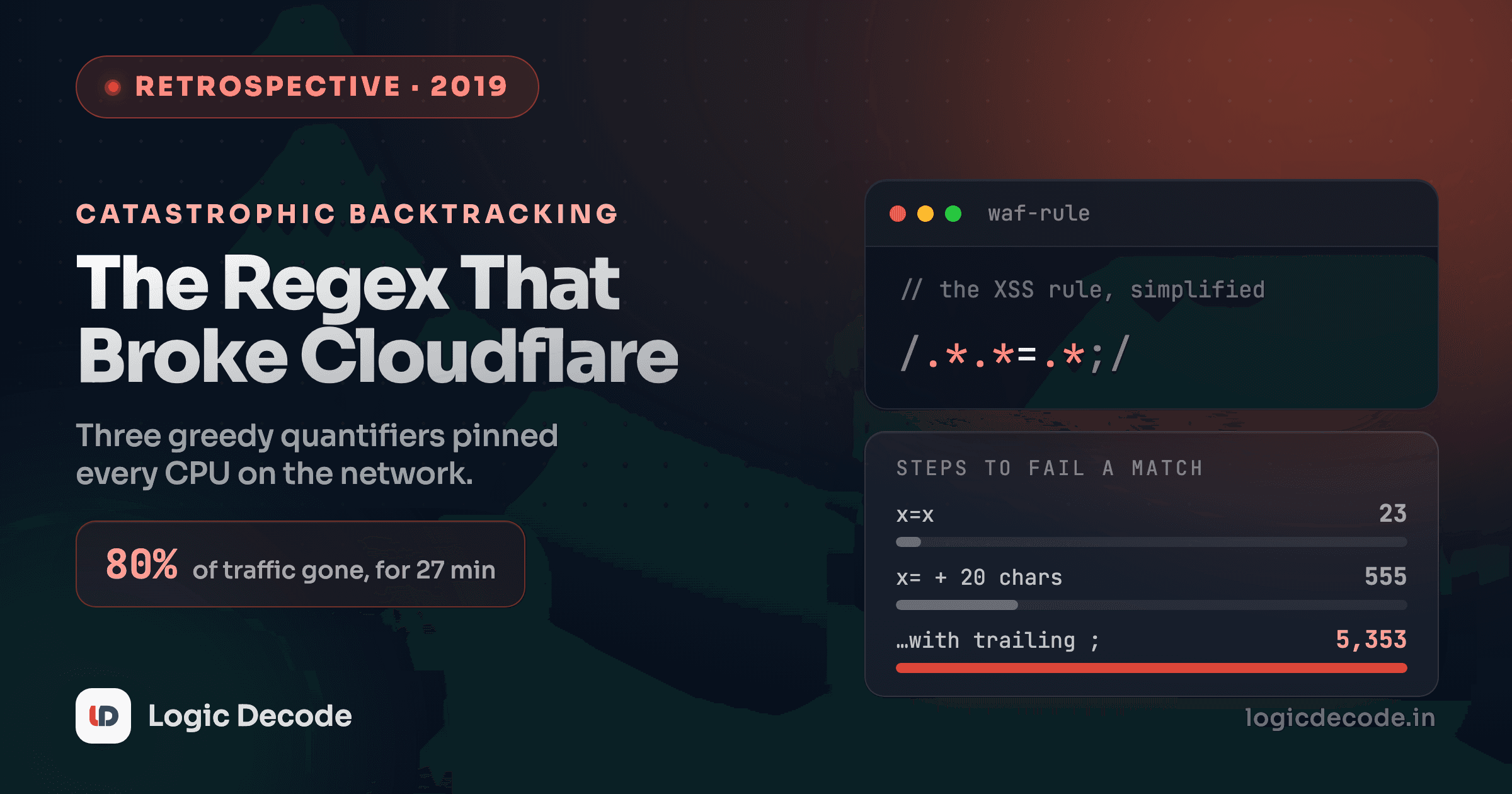
A backup is a hypothesis until you have restored from it. Go restore one this week, time it, and write the number down. If you enjoy this genre, the regex that broke Cloudflare is the other postmortem I keep sending people.

Written by
Rhythm Bhiwani
Engineer and relentless builder, happiest reverse-engineering hard problems until they click.
Enjoyed this?
Tap the heart to leave some love.
Be the first to react
Comments
Join the conversation.
Loading comments…