Modern CSS in 2026: :has(), Container Queries
The modern CSS worth knowing now: custom properties, :has(), container queries, and nesting, with practical examples you can edit live.

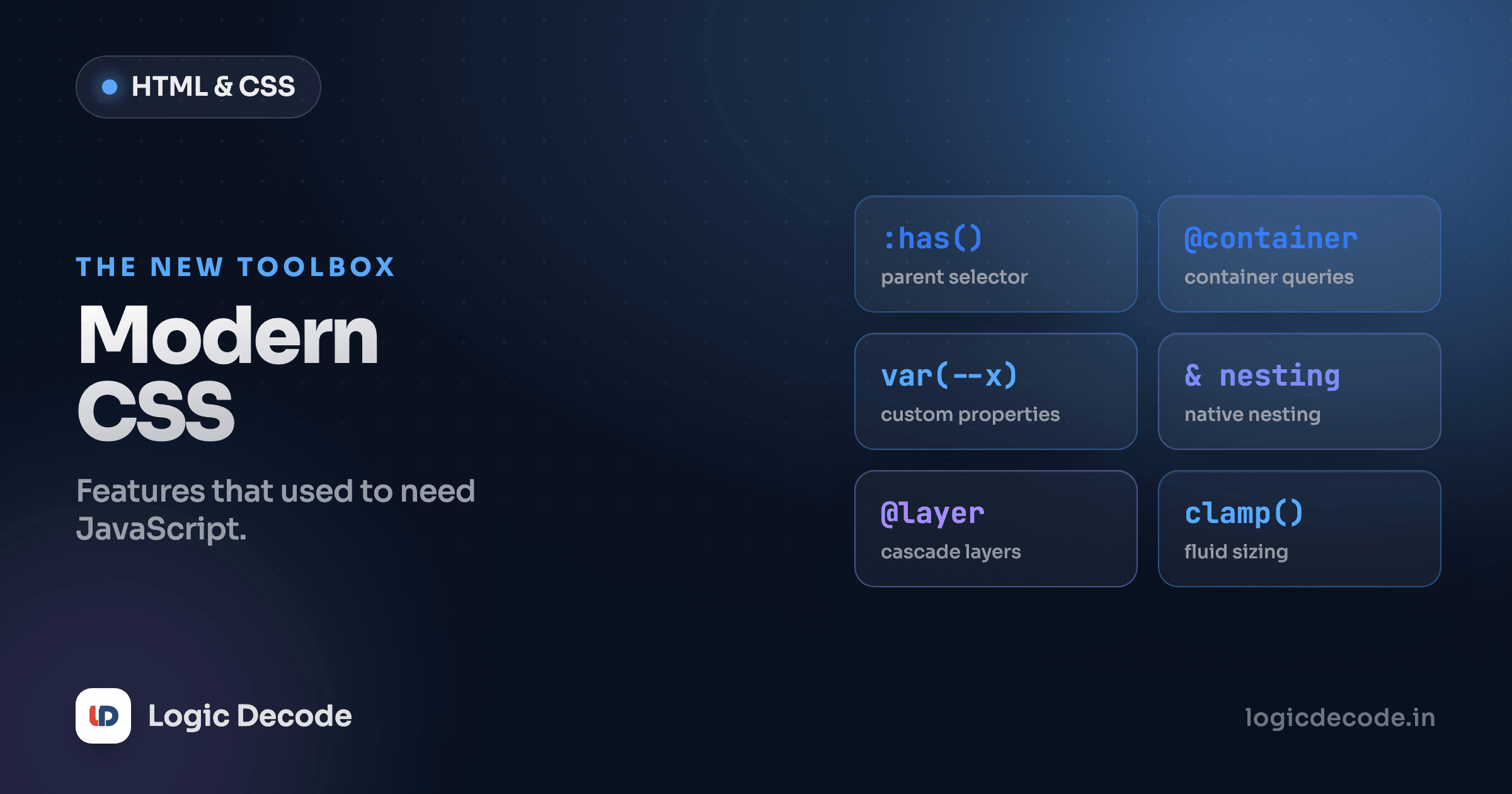
A lot of the CSS hacks you may have learned are now dead weight. Sass just to nest rules, a JavaScript resize listener to restyle a component, a wall of --brand-blue-but-darker overrides. CSS does all of that natively now, and it ships in every browser people actually use. This lesson is the modern toolkit: the features that change how you write CSS day to day, with editable examples so you can poke at them.
Custom properties (CSS variables)
Stop hardcoding the same color in forty places. A custom property is a value you name once and reuse. You declare one with a -- prefix and read it back with var().
:root {
  --brand: #6366f1;
  --space: 1rem;
}

button {
  background: var(--brand);
  padding: var(--space);
}
:root is the top of the document, so anything declared there is available everywhere. These are your global tokens. The real trick is that custom properties cascade and inherit like any other CSS, so you can override one for a subtree and everything inside it picks up the new value. That's the entire foundation of theming. Set a few variables on :root for light mode, flip them inside a .dark block, and your whole page reskins without touching a single component rule.
Both cards use the exact same CSS rules. The .dark card just redefines --bg and --text on itself, and everything inside inherits the new values. Change --brand on :root and both buttons change at once, one edit instead of two. This is broadly safe. Custom properties have worked in every browser for years.
The :has() parent selector
For most of CSS history you could only style down the tree. A parent could target its children, never the other way around. :has() flips that. It selects an element based on what it contains, which people called "the parent selector" for two decades while it didn't exist.
/* a card that contains an image gets extra padding */
.card:has(img) {
  padding-top: 0;
}

/* a form label turns red when its input is invalid */
label:has(input:invalid) {
  color: #dc2626;
}
Read .card:has(img) as "a .card that has an img somewhere inside it." That second example is the one that earns its keep: you can style a label based on the state of the input it wraps, with zero JavaScript. Before :has() that required a script listening for input events. Here's it working live. Type a bad email and the whole field group reacts.
That whole interaction (red when invalid, green when valid, the entire wrapper reacting to a child's state) is pure CSS. :has() is shipping in every major browser as of late 2023, so you can use it in production today. It's genuinely one of the biggest things to happen to CSS in years.
Quick check
What does .card:has(.badge) select?
Container queries: components that size themselves
Media queries ask one question: how big is the viewport? That's the wrong question for a reusable component. A card might sit in a wide main column on one page and a narrow sidebar on another. Same component, but a media query can't tell the difference because the window is the same size either way.
Container queries fix this by asking how big the component's container is. You mark an element as a container, then write rules that respond to its width instead of the screen's.
.card-wrap {
  container-type: inline-size;
}

/* when the WRAPPER is at least 400px wide, go side-by-side */
@container (min-width: 400px) {
  .card {
    display: grid;
    grid-template-columns: 120px 1fr;
  }
}
container-type: inline-size tells the browser to track that element's width. Then @container (min-width: 400px) applies its rules based on the nearest such container, not the viewport. Drop the same card into a wide spot and it goes horizontal. Drop it into a narrow spot and it stacks, automatically, no matter what the window is doing. In the demo below, the same card markup appears in a wide column and a narrow one. Drag the playground preview wider and narrower and watch each card decide independently.
The card in the wide main goes horizontal. The identical card in the narrow aside stays stacked, at the same instant, on the same screen. That's the thing media queries can never do. Container queries shipped across all major browsers in 2023 and are safe to use now. For anything you intend to reuse (cards, sidebars, widgets) they're the better default. We'll lean on them hard in the next lesson, Build a responsive card layout.
Native CSS nesting
Nesting was the headline reason people reached for Sass. Now it's in plain CSS. You write child and state rules inside the parent, and & stands in for the parent selector.
.menu {
  background: #1e293b;

  a {
    color: #cbd5e1;
    text-decoration: none;

    &:hover {
      color: white;
    }
  }
}
That compiles to the same thing as .menu a and .menu a:hover written flat, but the related rules live together instead of scattered across the file. The & is required when you're chaining onto the parent itself, like &:hover. It means "this same element." Keep nesting shallow. Three levels deep and you've recreated the specificity mess that made people quit Sass in the first place. One or two levels for grouping a component's parts is the sweet spot. Native nesting works in every current browser.
Nesting is for grouping, not depth
The win is keeping a component's rules in one place — the menu, its links, its hover state. It is not an invitation to nest five selectors deep. Flat-ish wins on readability and specificity every time.
Two more worth a one-liner
Two smaller features you'll reach for constantly. color-mix() blends two colors in a given color space. color-mix(in srgb, var(--brand) 80%, black) gives you a darker brand shade without hand-picking a new hex, which pairs beautifully with custom properties for generating hover and border tints. And clamp(min, preferred, max) sets a value that scales with the viewport but never escapes its bounds. font-size: clamp(1rem, 2.5vw, 1.5rem) gives you fluid type that won't get tiny on phones or absurd on monitors, replacing a stack of media-query font overrides with one line. Both are widely supported and worth folding into your defaults.
Where to go next
Custom properties give you tokens and theming with var(). :has() finally lets you style an element by what it contains, including child state, with no script. Container queries make components respond to their own space instead of the window, the right tool for anything reusable. Native nesting keeps a component's rules together, and color-mix() plus clamp() cover dynamic colors and fluid sizing in a line each. The honest summary for 2026: all of this is broadly usable in current browsers, so you can stop reaching for preprocessors and JavaScript for things CSS now does itself. The deepest reference for any of it is MDN — start with the :has() page and follow the links.
This builds on the visual polish from CSS transitions and animations in the last lesson, where variables and color-mix() pair perfectly with transitions. Next we put the whole toolkit to work: Build a responsive card layout, a real component using container queries, Grid, and custom properties together.

Written by
Rhythm Bhiwani
Engineer and relentless builder, happiest reverse-engineering hard problems until they click.
Enjoyed this?
Tap the heart to leave some love.
Be the first to react
Comments
Join the conversation.
Loading comments…