Python Variables, print() and input() Explained
Write your first real Python program: print output, store data in variables, read user input, and convert between types, with runnable examples.

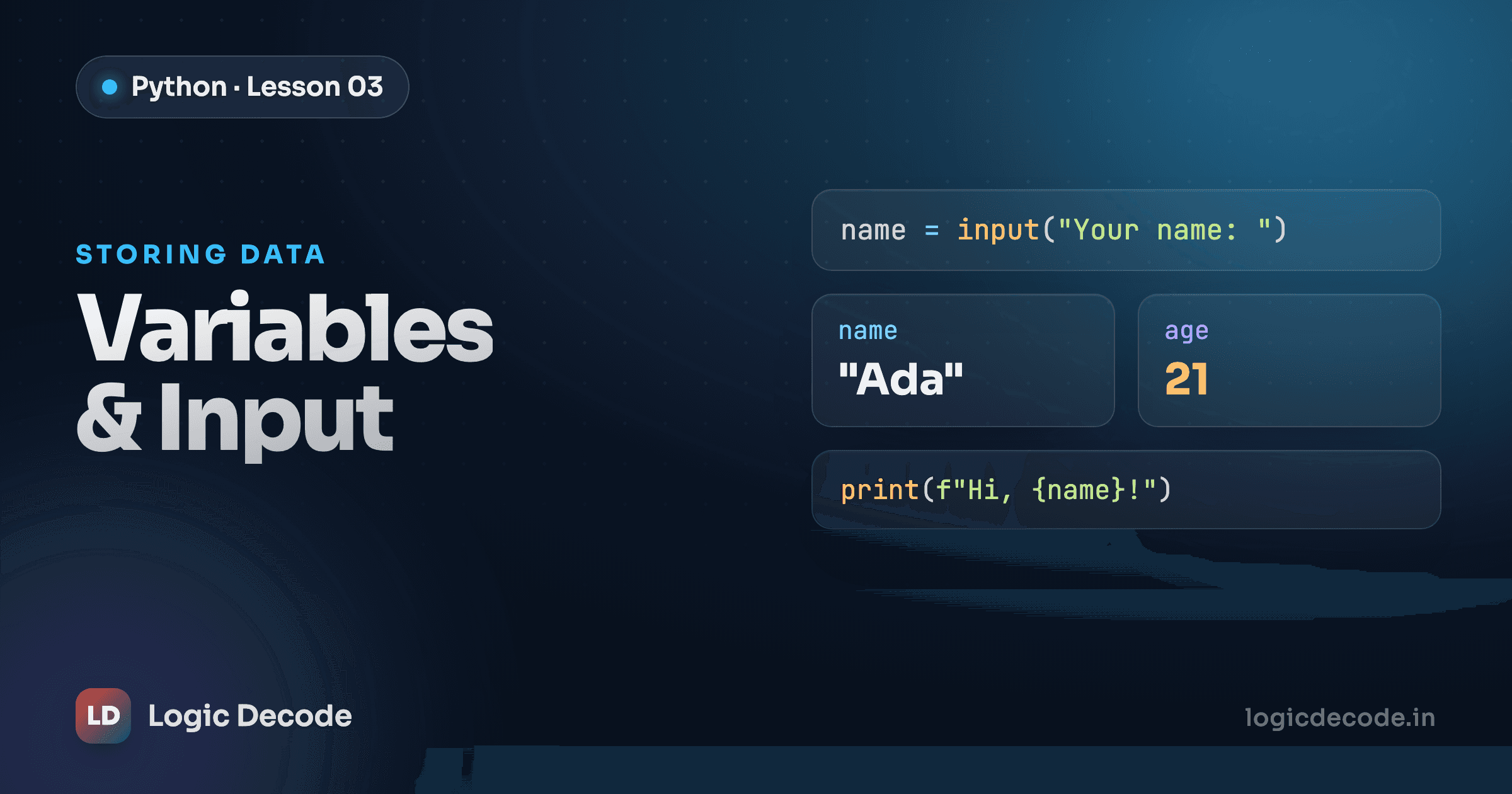
So far you've run Python that just prints a fixed line. Now you'll write a program that asks for someone's name and age, then talks back with an answer it worked out, a real little program that does something with what you type. Three tools get you there: print(), variables, and input(). Let's take them in order.
Printing output
print() is how your program says something out loud. You hand it whatever you want shown, and it puts it on the screen:
Each print() gets its own line in the output. You can also hand it several things at once, separated by commas, and it joins them with a space:
That prints Python is fun, three separate values, one space between each. This matters more than it looks, because in a minute you'll mix fixed text with a variable in the same line: print('Hi', name).
While we're here: anything after a # is a comment. Python ignores it completely. Comments are notes to humans (your future self, mostly) explaining why the code does what it does.
# This line is for me, not the computer
print('Comments are skipped')  # you can also tack one onto the end of a line
Variables
A variable is a name you stick onto a value so you can reuse it. You create one with =:
Read x = 5 as "put 5 into a box labelled x," not as math. The name goes on the left, the value on the right. After that line, typing x anywhere means 5.
A few rules for naming, some hard, some just good manners:
- Names can use letters, digits, and underscores, but can't start with a digit.
score1is fine, but1scoreis an error. - They're case-sensitive:
ageandAgeare two different variables. - The convention in Python is
snake_case, lowercase words joined by underscores, likeuser_nameortotal_score. NotuserName, notUserName. Stick to it and your code will look like everyone else's, which is the point.
Pick names that say what they hold. user_age beats a every time, because in two weeks you won't remember what a was.
You can also reassign a variable. Point the name at something new, and the old value is gone:
And a variable will hold any type of value. The same name can be a number now and text later:
Python doesn't make you declare what type a variable is up front. It figures it out from whatever you assign. That flexibility is handy, and it's also exactly why the next two sections matter.
Reading input
input() is how your program asks the user a question and reads back what they type. You give it a prompt, the program pauses, the user types something and hits Enter, and input() hands you the answer:
name = input('What is your name? ')
print('Nice to meet you,', name)
Run that in a real terminal (not the in-page editor, more on that below) and it'll wait for you, then greet whatever you typed.
Here's the one fact that trips up every beginner: input() always gives you back a string. Always. Type 25 and you don't get the number 25, you get the text '25'. Even if it looks like a number, Python treats it as a sequence of characters until you tell it otherwise.
Quick check
What type does input() always return?
Warning
Because input() returns text, math goes sideways. '5' + '5' is '55', not 10, because the + glues two strings together instead of adding numbers. Whenever you need to do arithmetic on something the user typed, convert it to a number first with int() or float().
Note
The runnable editors on this page run Python in your browser, where there's no keyboard to read from, so input() can't work here. That's why the input() examples are shown as plain code. Paste them into Python on your own machine to try them. (Need Python installed? See installing Python.) The runnable demos below use hard-coded values instead, with a comment showing where input() would normally go.
Converting types
To turn that input string into something you can do math with, you convert it. Python gives you three conversion functions you'll use constantly:
int('25')→ the whole number25float('3.14')→ the decimal number3.14str(25)→ the text'25'
So when you read a number from the user, you wrap the input in int() or float():
age = int(input('How old are you? '))
print('Next year you will be', age + 1)
Now age is an actual number, so age + 1 adds. Without the int(), that same + 1 would have blown up, because you can't add a number to a string.
Converting goes the other way too. str() turns a number into text, which is handy when you want to glue a number onto a string with +:
One thing to watch: int() only works on something that actually looks like a whole number. int('25') is fine, but int('hello') and int('3.5') both error. For decimals, reach for float().
Putting it together
Now the program from the top of the post. It greets the user by name and works out how old they'll be next year:
In a real script the first and third lines would be input() calls, which is what the comments show. Here they're hard-coded to 'Ada' and 25 so the demo runs in your browser. Change those two values, hit Run, and watch the output update. That's the whole shape of it: read some input, store it in variables, do something with it, print the result.
Here's the same program written the way you'd actually run it on your machine, with the real input() calls in place:
name = input('What is your name? ')
age = int(input('How old are you? '))

print('Hello,', name)
print('Next year you will be', age + 1)
The only difference from the playground is those two input() lines. Notice the int() wrapped around the age input. Without it, age + 1 would fail, since age would be the string '25' and you can't add a number to text.
Recap and what's next
print() shows things on screen and joins comma-separated values with spaces. Variables are named boxes you make with =, named in snake_case, holding any type and reassignable any time. input() reads what the user types and always returns a string, so convert it with int() or float() before doing math, and use str() to fold a number into text.
You've now got the four pieces every program leans on: output, storage, input, and conversion. Next we go deeper on the values themselves, including integers, floats, strings, booleans, and how Python tells them apart: Python's data types.

Written by
Rhythm Bhiwani
Engineer and relentless builder, happiest reverse-engineering hard problems until they click.
Enjoyed this?
Tap the heart to leave some love.
Be the first to react
Comments
Join the conversation.
Loading comments…