JavaScript map, filter and reduce, Explained
Transform arrays the modern way with map, filter and reduce. Clear examples of each, runnable live in your browser.

You have an array of prices and you want them all with tax added. The old way: declare an empty array, write a for loop, push each new value in, hope you didn't fumble an index. It works, but it's four lines of bookkeeping wrapped around one line of actual logic. map, filter and reduce flip that ratio. You write the logic, the method handles the loop. Once these click, you'll write loops by hand far less often, and your code will read like what it does.
All three take a function as their argument. You hand them the rule, they run it for every item. We'll use arrow functions throughout, since that's how you'll see them everywhere in real code.
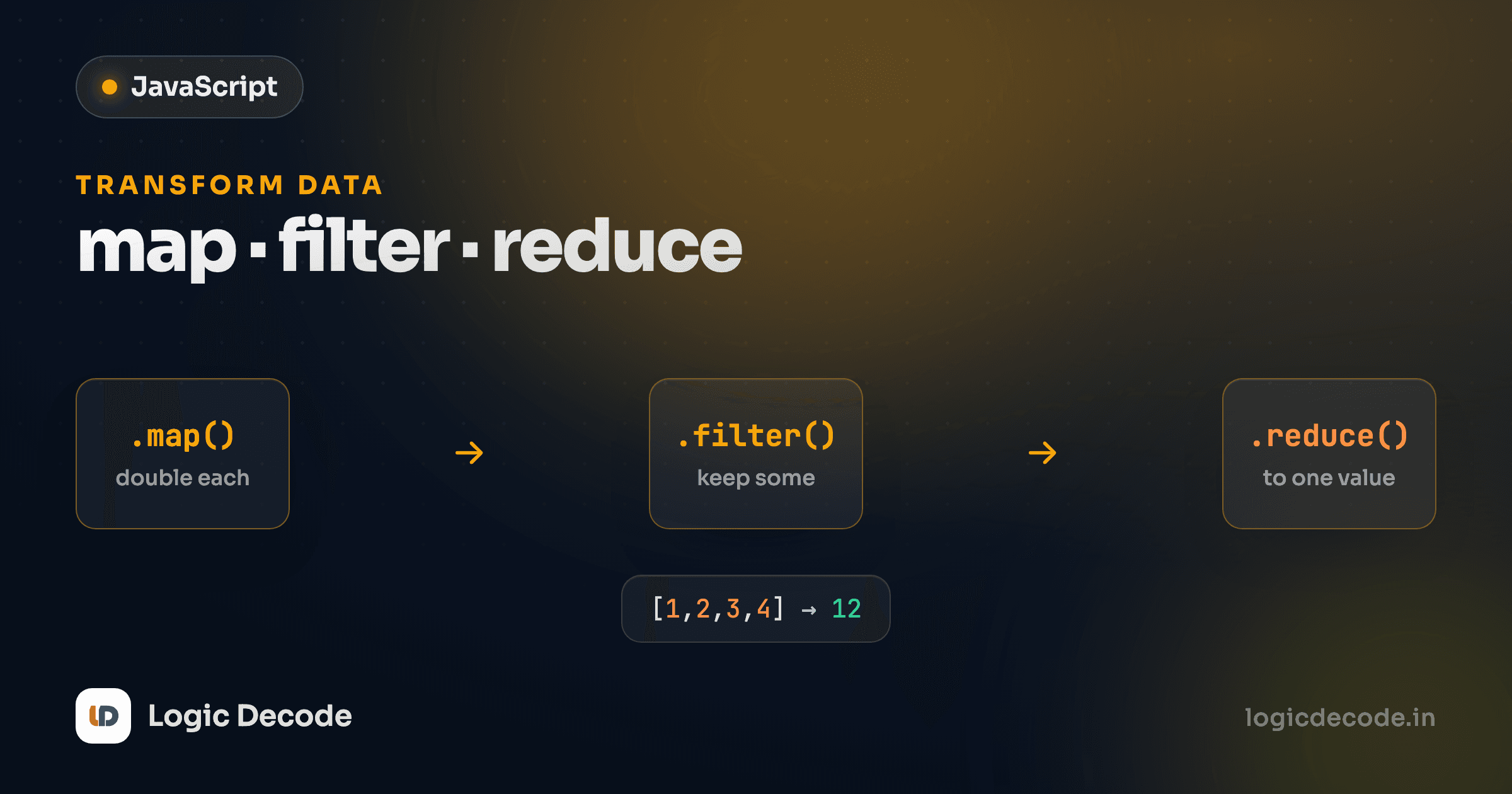
Chained together, they form a pipeline where each method's output flows straight into the next:
map: transform every item
map walks an array, runs your function on each element, and collects the results into a brand-new array of the same length. One in, one out, every time. Here's the prices-with-tax job from the intro:
Read the callback out loud: "for each price, give back price * 1.1." map calls that function four times, once per element, and gathers the four return values into withTax. The shape of the output matches the input: four numbers in, four numbers out.
Notice the second log. prices is exactly as it started. map doesn't touch the original array. It builds a new one and hands it back. That's the headline feature of all three methods, and we'll come back to why it matters.
The transform can be anything, not just math. Pull one field out of each object, reformat a string, wrap values in HTML, and whatever your function returns becomes the new element:
An array of objects in, an array of just the titles out. This pattern (map to pluck one property off every item) shows up constantly, especially when you start rendering lists in the browser.
map vs forEach
If you want a new array of transformed values, use map. If you only want to do something with each item (log it, save it) and don't need a result array, use forEach. The giveaway: are you using the return value? Yes means map, no means forEach. Reaching for forEach and pushing into an outer array is just map written the long way.
filter: keep what passes a test
Where map transforms, filter selects. You give it a function that returns true or false for each element, and it returns a new array holding only the elements where your function said true. The output is the same items, just fewer of them.
The callback here is a test: score >= 60 is either true or false. filter keeps the scores where it's true and drops the rest. Four scores clear the bar, so passing has four numbers. The length of a filtered array tells you how many items matched, handy for "how many of these qualify?" questions.
Same deal with objects. Filter a list down to the entries that meet some condition:
p.inStock is already a boolean, so it works as the test directly, with no need to write p.inStock === true. Out come the two products you can actually buy.
Quick check
You run [1, 2, 3, 4].filter((n) => n % 2 === 0). What do you get back?
reduce: boil it down to one value
map and filter both give you back an array. reduce is the one that collapses an array into a single value: a total, a max, a combined string, a count. It's the most flexible of the three and the one that takes a beat to get, so we'll go slow.
reduce takes two arguments: a function, and a starting value. The function receives an accumulator (the running result so far) and the current element. Whatever it returns becomes the accumulator for the next item. Summing an array is the canonical example:
The 0 at the end is the starting value, so sum begins there. First pass: sum is 0, expense is 120, return 120. Next: sum is 120, expense is 75, return 195. Then 395, then 440. The last return value is what reduce hands back. You've turned four numbers into one.
That accumulator can be any type, which is what makes reduce more than a fancy sum. Start with an empty object and you can tally things up — here, counting how often each vote appears:
The starting value is {}. Each pass bumps the count for the current vote and returns the same object for the next round. By the end you've reduced five strings down to one summary object. Whenever you're tempted to declare a variable before a loop and update it on each pass, that's reduce's shape. The variable is just the accumulator.
Always pass the starting value
That second argument to reduce isn't optional in practice, so always pass it. Skip it and reduce uses the first element as the initial accumulator and starts from the second, which quietly breaks empty arrays (it throws) and any reduce where the accumulator is a different type than the elements. Pass 0, {}, [], or "" and you sidestep a whole category of bugs.
Chaining: map and filter together
Because map and filter each return a new array, you can hang one off the next and read the whole pipeline top to bottom. Want the names of the in-stock products, uppercased? Filter first, then map:
Read it as a sentence: take the products, keep the ones in stock, then turn each into an uppercase name. filter narrows the list to two items, and map transforms those two. Filtering before mapping is the usual order, since you do less transforming work when you've already thrown out what you don't need.
Compare that to the hand-written loop doing the same thing: a for...of, an if to skip out-of-stock items, a push into an array you declared above. It works, but you have to trace it to see the intent. The chain says what it does on the surface. That readability is the real reason these methods won. It's not that they're shorter, but that they describe the what instead of spelling out the how. (For when you do still want a plain loop, the previous lesson on JavaScript arrays covers the manual approach.)
Why these beat hand-rolled loops
Three things, in order of how much they'll save you.
They read as intent. scores.filter(s => s >= 60) tells you what you're getting, the passing scores. A for loop with an if and a push tells you the mechanics and makes you infer the goal. When you skim code six months later, intent wins.
They don't mutate the original. Every example above left its source array untouched. map, filter and reduce all return something new instead of editing in place. Accidental mutation is a top source of "why did this other thing change?" bugs, and these methods sidestep it by default. You keep the original and get a derived result.
They compose. Each returns a value you can feed into the next step, so complex transformations become a readable pipeline instead of nested loops. filter then map then reduce reads like a recipe.
When should you still write a loop by hand? When you need to break out early, when you're doing genuinely imperative work with side effects, or when the transformation is so gnarly that a plain loop is clearer than a clever chain. Don't force a reduce to look smart. If it takes a paragraph to explain, a loop was the right call. For the official rundown of every array method and its exact behavior, MDN's Array.prototype.map reference and its siblings are the source of truth.
Recap and what's next
map transforms every item into a new array of the same length. filter keeps the items that pass a true/false test. reduce collapses an array into one value, threading an accumulator through each element. All three take a function, all three leave the original array alone, and map and filter chain because they return fresh arrays. Lean on them when you want to say what the result is rather than how to build it loop by loop.
Up next: JavaScript objects, where you'll structure related data into key-value pairs, and where arrays of objects, the exact thing you just spent this lesson transforming, become your everyday working shape.

Written by
Rhythm Bhiwani
Engineer and relentless builder, happiest reverse-engineering hard problems until they click.
Enjoyed this?
Tap the heart to leave some love.
Be the first to react
Comments
Join the conversation.
Loading comments…