Why TypeScript? Catch Bugs Before You Run
What TypeScript is, the bugs it catches before runtime, and why it took over, with live, type-checked examples from the very start.

You wrote a function that takes a price, adds tax, and returns the total. It works. Then a teammate calls it with "19.99" instead of 19.99 (a string, straight from a form field), and now your "total" is the text 19.99 + tax glued together instead of a number. Nobody notices until a customer screenshots a $NaN checkout. TypeScript would have flagged that in your editor, before the code ever ran. That's the whole pitch: a second set of eyes that reads your code as you type it and tells you when the types don't line up.
This is the start of TypeScript, Practically, a short series that gets you writing real, type-safe code instead of memorizing jargon. It assumes you already know some JavaScript. If you don't, start with Why Learn JavaScript and come back. Everything here builds on that.
TypeScript is JavaScript plus a type checker
Here's the mental model that makes everything click: TypeScript is JavaScript with one extra thing bolted on, a checker that reads your code while you write it and complains when the values don't match what you said they'd be. You add small annotations like : number or : string, and in return the checker watches your back.
It runs at author time, not run time. The browser never sees TypeScript. It sees the plain JavaScript that TypeScript produces. The type checking happens earlier, in your editor and in your build, which is exactly where you want to find a bug: before a user does.
Look at the tax bug from the intro, now caught:
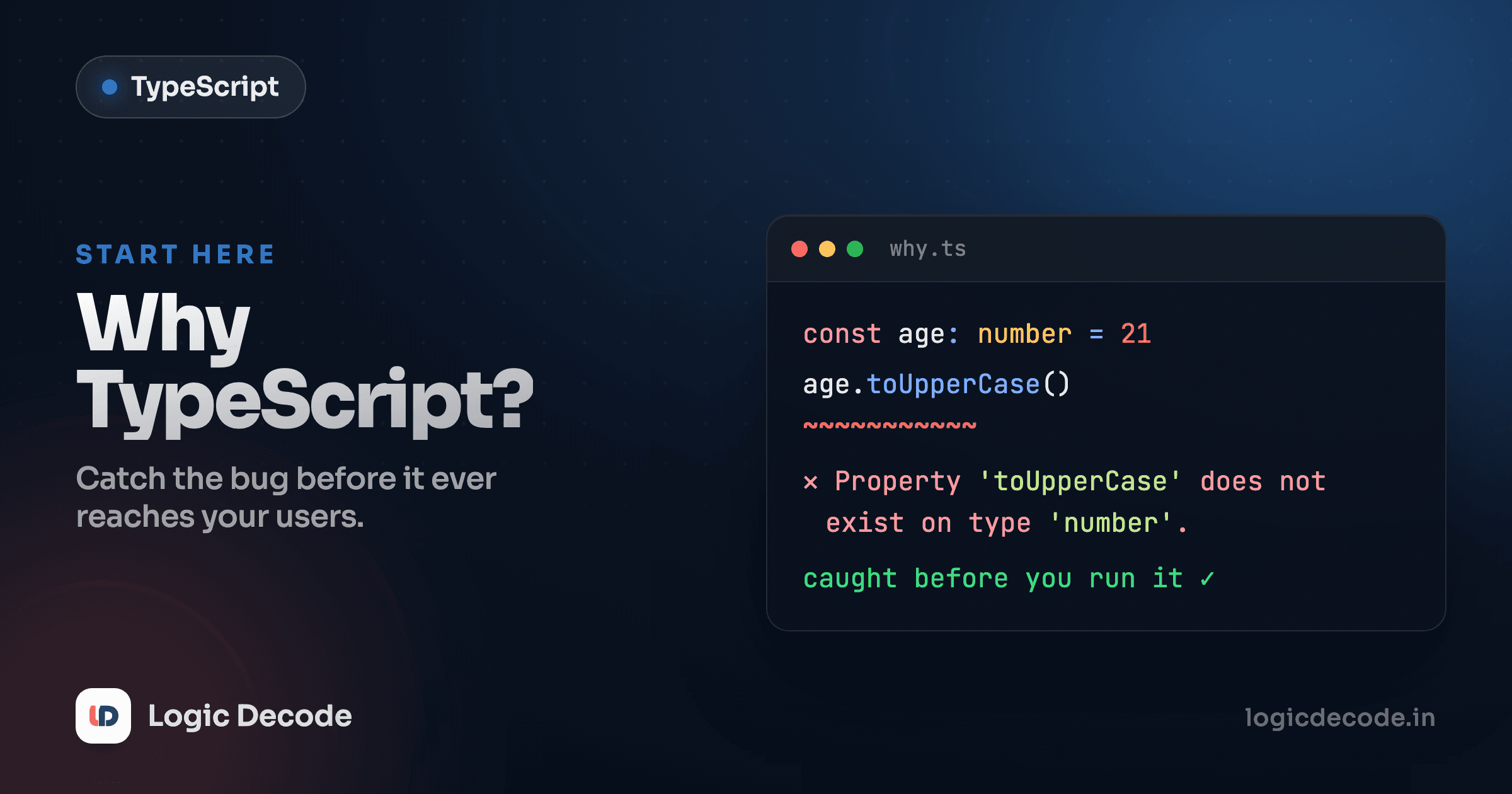
Run it and the console still shows a result, because the editor lets you push through warnings. But look at the second addTax call. It's flagged right there in the gutter, with a message like Argument of type 'string' is not assignable to parameter of type 'number'. In a real project, your build would refuse to ship that. You found a bug by typing, not by debugging a customer complaint three weeks later.
The example runs live
Every code box in this series is editable and runs in your browser. Change addTax("19.99") to addTax(19.99) and watch the warning disappear. Poke at it, because that's how the types sink in.
The bugs it catches that JavaScript ships happily
JavaScript is permissive by design. It will let almost anything run and only blow up once it hits the bad line at runtime, often in front of a user. Here are the three classics that TypeScript turns into editor squiggles.
Calling a method that doesn't exist on that value
In plain JS, (42).toUpperCase() throws toUpperCase is not a function the moment that line executes. TypeScript knows 42 is a number and that numbers have no toUpperCase, so it tells you immediately:
A typo in a property name
This one is brutal in JavaScript. Misspell userName as username and JS hands you undefined with zero complaint, then your code limps along until something downstream breaks for a reason that has nothing to do with where the real mistake was. TypeScript knows the shape of your object, so it catches the typo at the source:
"undefined is not a function" and friends
The most-Googled JavaScript error of all time. It usually means you called something that wasn't there: a function that's actually undefined, or a method on a value that doesn't have it. Because TypeScript tracks what each value is, the whole category of "you called something that can't be called" gets caught before you run. The error you used to read in a red console stack trace becomes a quiet underline in your editor that you fix in two seconds.
That's the pattern across all three: the failure moves from runtime, in production, far from the cause to author time, in your editor, right on the line that's wrong. Same bugs. Found earlier, every time.
Quick check
When does TypeScript's type checking actually happen?
It compiles to plain JavaScript, and you can adopt it gradually
Two facts kill most of the reasons people give for avoiding TypeScript.
First, TypeScript compiles to plain JavaScript. The annotations like : number get stripped out, and what's left is ordinary JS that runs anywhere JS runs: browsers, Node, anything. There's no special runtime, no new engine. If you can run JavaScript, you can run the output of TypeScript. The types are a tool for you, the developer, and they vanish before the code reaches a user.
Second, you can adopt it gradually. You don't rewrite your project to switch. Rename one .js file to .ts, add types to the parts that matter, and leave the rest loosely typed for now. Valid JavaScript is (almost always) valid TypeScript, so an existing file usually compiles on day one with zero changes, and you tighten things up file by file as you go. We'll do exactly this in the last lesson of the series, migrating a real JS project.
You've already used TypeScript without knowing
When VS Code autocompletes .map, .filter, or the properties on an object you fetched, that's the TypeScript engine working under the hood, even in plain .js files. Editors lean on it for JavaScript too. Adding the annotations just turns that quiet help into loud, enforced guarantees.
Why it took over
This isn't a niche tool you're learning out of obligation. TypeScript went from a 2012 Microsoft experiment to the default for serious web work in about a decade. By the 2024–2025 developer surveys it sat near the top of the most-used and most-admired languages, and it's been one of the most-contributed-to languages on GitHub. The major frameworks (Angular, plus first-class support across React, Vue, Svelte, Next.js) are built with it or ship types for it.
The reason is boring and convincing: it scales. A 50-line script is easy to hold in your head, so the types don't earn their keep. A 50,000-line app maintained by eight people is not, and there types are documentation that can't go stale, autocomplete that actually knows your data, and a safety net that catches the dumb mistakes so code review can focus on the real ones. Once a team feels that, going back to untyped JavaScript feels like driving without a seatbelt. The official TypeScript handbook is the canonical reference once you want to go deep.
None of that means JavaScript is going away. TypeScript is JavaScript, with a checker on top. Everything you learned about variables, functions, arrays, and objects still applies. You're adding a layer, not starting over.
Where to go next
TypeScript is JavaScript plus a type checker that runs while you write, catching the calling-a-method-that-isn't-there, property-typo, and undefined-is-not-a-function bugs before they ever reach a user. It compiles down to the plain JavaScript browsers already run, you can adopt it one file at a time, and that combination is why it became the default for building real web apps.
Next we get hands-on with the building blocks (string, number, boolean, arrays, and the rest) in TypeScript basic types. That's where annotations stop being magic and start being muscle memory.

Written by
Rhythm Bhiwani
Engineer and relentless builder, happiest reverse-engineering hard problems until they click.
Enjoyed this?
Tap the heart to leave some love.
Be the first to react
Comments
Join the conversation.
Loading comments…