TypeScript Utility Types You'll Actually Use
The TypeScript utility types worth knowing: Partial, Pick, Omit, Record, and Required, and what each does, with runnable examples.

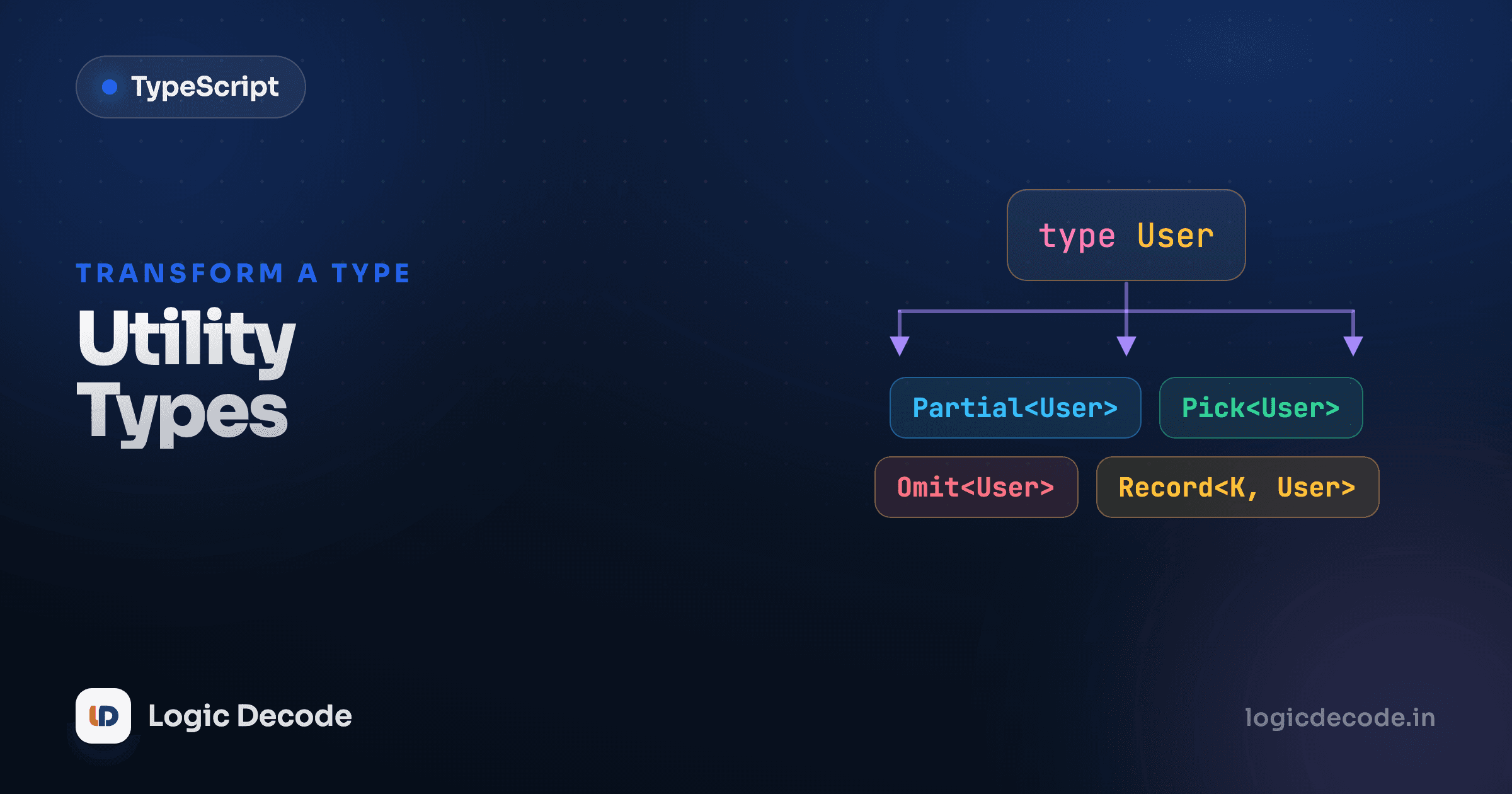
You've got a User type. Now you need a slightly different one: the same fields but all optional, or just two of them, or everything except the password. The wrong move is to write a whole new interface by hand. The right move is to derive the new type from the one you already have, so when User changes, every type built on it changes too. TypeScript ships a handful of built-in helpers for exactly this, and five of them earn their keep almost every day.
One type, many shapes
Here's the type we'll derive everything from. One interface, defined once.
Real apps don't use one shape of User. The form that creates a user has no id yet. The update endpoint takes a few fields at a time. The function that returns a user to the browser strips the password. Each of those is almost User but not quite, and that's the whole job of utility types: spin off a near-copy without retyping the fields.
Partial: everything optional
Partial<T> takes a type and makes every field optional. It's the one you reach for most, and it's perfect for updates, when a caller sends only the fields they want to change.
Without Partial, you'd either force every caller to pass a complete User (annoying and wrong for an update) or hand-write a second interface with four ?s on it (and forget to update it when User grows a field). Partial<User> stays in sync for free.
Required: the opposite
Required<T> flips it the other way. Every optional field becomes mandatory. You'll use it less, but it's exactly right when a config object has optional fields and, at some point in your code, you've filled them all in and want the type to reflect that.
Try deleting autosave from full and TypeScript stops you, because Required means all three must be there.
Pick: keep only some fields
Pick<T, Keys> builds a type from a chosen subset of another type's fields. Say a function only needs a user's name and email. Describe exactly that, nothing more.
The keys you pass go in a string-literal union ("name" | "email"). Misspell one ("emial") and you get an error, because TypeScript checks the keys against the real type. That's the safety net you don't get when you copy fields by hand.
Omit: drop some fields
Omit<T, Keys> is Pick's mirror: keep everything except the named keys. This is the cleanest way to say "a user, but without the id," common for create forms, where the database assigns the id.
Reach for Omit when you want most of a type and only need to drop one or two fields. It reads better than listing the eight you're keeping. Use Pick when you want a small slice of a big type. Same job, opposite default.
Quick check
You have a Product type with 10 fields and need a type with all of them except 'internalNotes'. Which utility is the cleanest fit?
Record: a typed map
Record<Keys, Value> describes an object used as a lookup table, where every key is of one type, every value of another. It's how you type the dictionaries you'd otherwise leave as a loose object or any.
That last point is the quiet win. Because Role is a fixed union, Record<Role, string> forces you to handle every role. Add a fourth role to the union and every Record<Role, ...> in your codebase lights up red until you fill in the new case. Loose objects never do that for you.
Two more to keep in your back pocket
Readonly<T> makes every field read-only, so assigning to one after creation is a compile error, handy for config and constants you never want mutated. And ReturnType<F> extracts the type a function returns, so you can name "whatever createUser gives back" without writing it out. You'll meet both often enough to recognize them. You don't need to memorize them today.
Before and after: why deriving wins
Here's the payoff in one picture. The duplicated version on the left works, until User changes. Add a phone field to User and you now have to remember to touch NewUser and UserUpdate by hand. Miss one and your types silently drift out of sync.
interface User {
  id: number;
  name: string;
  email: string;
  isAdmin: boolean;
}

// Hand-copied. Three places to update every time User changes.
interface NewUser {
  name: string;
  email: string;
  isAdmin: boolean;
}

interface UserUpdate {
  id?: number;
  name?: string;
  email?: string;
  isAdmin?: boolean;
}
The derived version says the same thing in three lines, and there's exactly one source of truth. Change User and both derived types follow automatically. That's the entire reason these helpers exist.
interface User {
  id: number;
  name: string;
  email: string;
  isAdmin: boolean;
}

type NewUser = Omit<User, "id">;       // create form: no id yet
type UserUpdate = Partial<User>;       // patch: any subset of fields
type Contact = Pick<User, "name" | "email">; // just what email needs
Derive, don't duplicate
If you catch yourself hand-copying fields from one type into another, stop. There's almost certainly a utility type for it. The win isn't fewer keystrokes today. It's that the copy can never go stale tomorrow.
Recap and what's next
These five carry most of the load. Partial<T> makes everything optional (great for updates), Required<T> does the reverse, Pick<T, keys> keeps a chosen subset, Omit<T, keys> drops a few fields, and Record<K, V> types a key-value map and forces you to cover every key. Keep Readonly<T> and ReturnType<F> in mind for when they fit. The thread running through all of them: define a type once, then derive the variants instead of duplicating, so one change updates everything downstream. The full list lives in the handbook's Utility Types reference.
This builds on TypeScript with React, where typing props and state gives these helpers an obvious home. Next, the finale: we take everything from this series and migrate a real JavaScript project over to TypeScript, file by file.

Written by
Rhythm Bhiwani
Engineer and relentless builder, happiest reverse-engineering hard problems until they click.
Enjoyed this?
Tap the heart to leave some love.
Be the first to react
Comments
Join the conversation.
Loading comments…