JavaScript Objects: Properties, Methods and this
Model real things with JavaScript objects: properties, methods, dot vs bracket access, and a first look at this, with live code.

An array is great when you've got a list of similar things. But a single thing, one user, one product, one song, usually isn't a list. It's a bundle of named facts: a name, an age, an email. Trying to cram that into an array (["Maya", 28, "maya@example.com"]) means remembering that age is at index 1, which is a recipe for bugs. Objects fix that. They let you store values under names that actually mean something.
An object literal
Here's the whole idea in one shot. Run it.
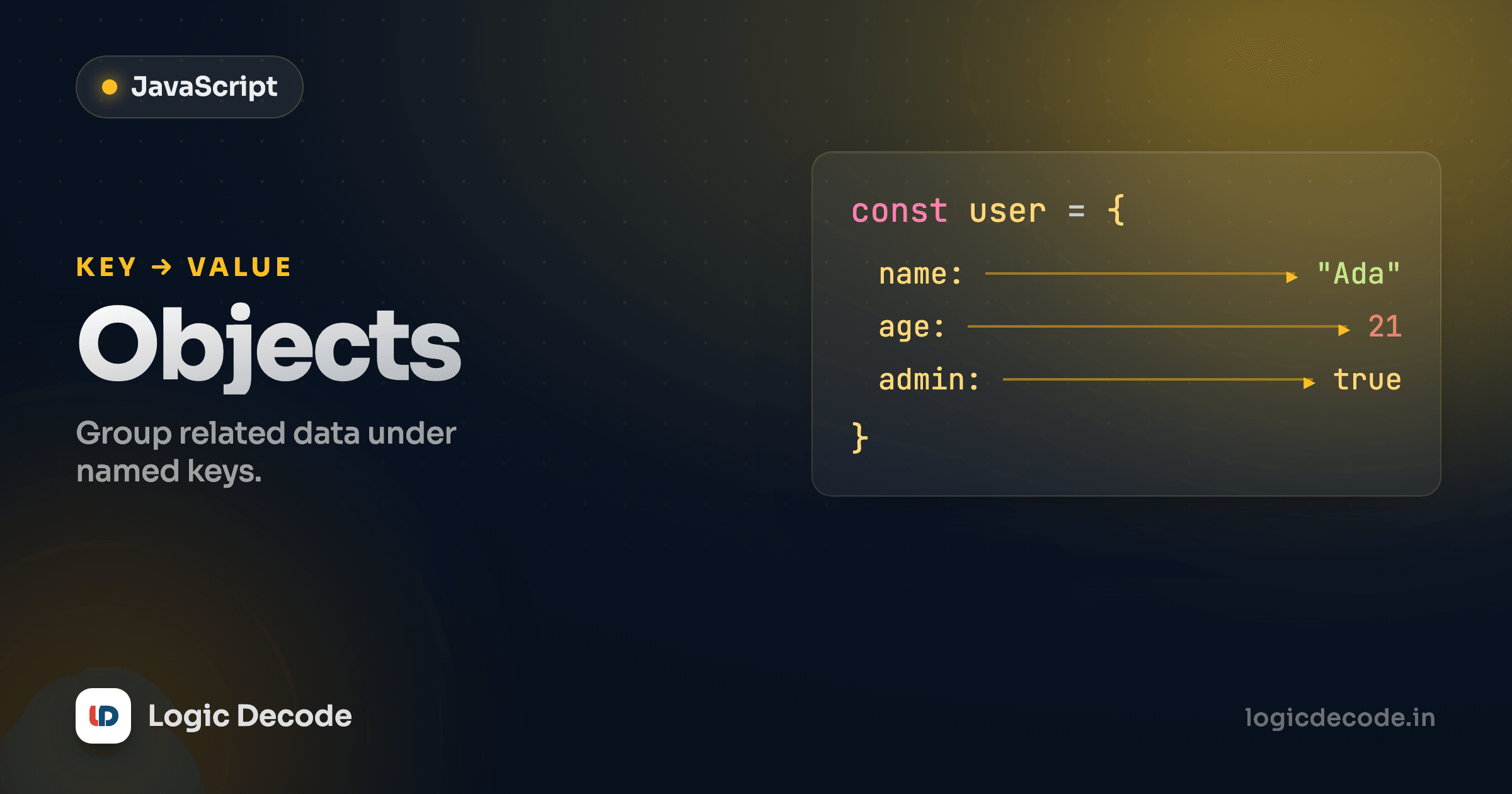
That { ... } is an object literal, the most common way to make an object. Inside it you write key: value pairs separated by commas. The keys (name, age, isAdmin) are the labels. The values can be anything: a string, a number, a boolean, even another object or a function. The trailing comma after the last pair is fine and totally normal, so leave it in so adding a line later is a one-line diff.
Compare that to the array version. user.name reads better than data[0], it doesn't break when you reorder the fields, and you can tell at a glance what the data is. That's the job objects do: structure with meaning.
Reading and writing: dot vs bracket
You just saw dot notation: user.name. It's the one you'll reach for 95% of the time because it's short and clear. Writing works the same way, just assign to it:
Notice the object was declared with const, but we still changed it. That's not a contradiction. const locks the variable (user will always point at this same object) but the object's contents are free to change. You can add, edit, and delete keys all day. Only reassigning user to something else entirely would error.
The other way in is bracket notation, where the key goes in [" "] as a string:
So when do you need brackets? Two cases. First, when the key isn't a valid identifier. user["favorite color"] works but user.favorite color is a syntax error. Second, and this is the one that matters, when the key is decided at runtime. If you've got a variable holding which field you want (say, from a form or a loop), user[field] looks it up dynamically. Dot notation can't do that. user.field would literally look for a key named "field".
Asking for a key that isn't there
Read a key that doesn't exist and you get undefined, not an error: user.phone is just undefined. That's why a typo like user.naem fails silently instead of crashing. It quietly hands back undefined and your code limps on. When a value is mysteriously empty, a wrong key name is the first thing to check.
Methods: functions that live on the object
A value on an object can be a function. When it is, we call it a method. It's the object doing something rather than just holding data:
increment() is a method. You call it exactly like a standalone function, just reached through the object: counter.increment(). The shorthand increment() { ... } is the modern way to write a method. Older code you'll see writes it as increment: function () { ... }, which means the same thing.
The new word in there is this.
A gentle first look at this
Inside a method, this refers to the object the method was called on. In counter.increment(), this is counter, so this.count reads and updates the count on that same object. That's the whole point: a method can work with its own object's data without you hard-coding the object's name.
Same kind of method, two different objects, two different answers, because this is whichever object is left of the dot when you call it. dog.speak() makes this the dog. cat.speak() makes it the cat. That's this in its simplest, most useful form, and it's plenty for now. The keyword has some genuinely confusing corners (it behaves differently in regular functions, arrow functions, and event handlers), and we'll untangle those once you've met the DOM and events. For today: in a method, this is the object the method belongs to.
One more, with a stripped-down version of that same object:
const cat = {
  name: "Mochi",
  speak() {
    return this.name;
  },
};
Quick check
What does cat.speak() return for the object just above?
Nesting: objects inside objects, arrays of objects
Real data is rarely flat. An object's value can be another object, or an array, and that's how you model anything with depth:
You just chain the access. order.customer.city steps in twice. order.items[0].product grabs the first item (it's an array, so use an index) and then its product key. An array of objects like items is one of the most common shapes you'll ever handle. It's basically what every API hands back: a list of records, each a little object. Loop over it and you've got everything from the last lesson on map, filter and reduce ready to use.
Destructuring: pull values out by name
Typing user.name, user.age, user.email over and over gets old. Destructuring lets you unpack the keys you want into plain variables in one line:
The variable names on the left have to match the keys. const { name, city } = user creates a name and a city variable pulled straight from the object. age is just ignored because we didn't ask for it. The function trick at the bottom is everywhere in real code: instead of taking a whole user and reaching into it, the function says right in its signature exactly which keys it needs.
Spread: copy and merge objects
The ... spread operator copies an object's keys into a new one. It's the clean way to duplicate an object or combine two:
{ ...base, fontSize: 16 } reads as "all of base's keys, then override fontSize." The original base doesn't change. You get a fresh object. That's why spread is everywhere in modern JavaScript: it builds a new object instead of mutating the old one, which keeps state predictable (you'll lean on this constantly in React). When keys collide, like theme in the merge, the last one written wins.
Spread is a shallow copy
{ ...obj } copies the top-level keys, but nested objects are still shared: both copies point at the same inner object. Change copy.address.city and the original's address.city changes too. For flat objects it's perfect. For deeply nested ones, know that the inner layers aren't cloned.
JSON is just this shape as text
You'll meet JSON the second you fetch data from a server, and it'll look instantly familiar. It's an object literal's syntax frozen into a string. Two small differences: every key is wrapped in double quotes, and there are no functions, just data.
{
  "name": "Kabir",
  "age": 24,
  "skills": ["js", "css"],
  "active": true
}
JSON.parse(text) turns that string into a real JavaScript object you can use. JSON.stringify(obj) turns an object back into a string to send or save. That's the whole bridge between "data on the wire" and "object in your code," and you'll use both in the lesson on fetching data. For now just notice: JSON is objects and arrays, written down.
Recap and what's next
An object is a bundle of key: value pairs. You read and write with dot notation most of the time, and reach for bracket notation when the key has odd characters or is held in a variable. Functions stored on an object are methods, and inside a method this points at the object it was called on. Objects nest freely (objects in objects, arrays of objects) which is how you model real data. Destructuring unpacks keys into variables, spread copies and merges without mutating the original, and JSON is this same shape written as text. The MDN guide to working with objects is the reference to keep open.
You've now got the two core data shapes of JavaScript, arrays and objects, and the methods to work with both. So far everything has run in the console. Next we plug into the actual web page and start changing what's on screen: The JavaScript DOM.

Written by
Rhythm Bhiwani
Engineer and relentless builder, happiest reverse-engineering hard problems until they click.
Enjoyed this?
Tap the heart to leave some love.
Be the first to react
Comments
Join the conversation.
Loading comments…