JavaScript async/await and the fetch API
Write clean asynchronous JavaScript with async/await and fetch real data from an API, with live, runnable examples.

Last lesson you wired up promises with .then() chains, and they work. But stack two or three together and the indentation starts marching off the right side of your screen. async/await is the fix. Same promises underneath, but you write the code like it runs top to bottom, the way you actually think about it. And once that clicks, fetching real data from the internet is about four lines.
await: unwrap a promise without the chain
A promise is a value that isn't ready yet. The old way to get at it was .then(). The await keyword does the same thing, but reads like normal code: it pauses right there until the promise settles, then hands you the result.
Watch the difference. Same fake delay, two styles.
The second version reads like there's no asynchrony at all. await wait(...) pauses, waits half a second, and the line evaluates to whatever the promise resolved with. No callback, no extra indentation. That's the whole pitch: await flattens promise chains into ordinary, top-to-bottom code.
await only lives inside async functions
You can't sprinkle await anywhere. It only works inside a function marked async. That's the one rule that trips everybody up the first week. Try the broken version and read the error.
function getData() {
  const x = await something(); // SyntaxError: await is only valid in async functions
  return x;
}
Add async to the front and it's legal:
async function getData() {
  const x = await something(); // fine now
  return x;
}
Marking a function async does two things. It lets you use await inside it, and it makes the function always return a promise. Even if you return a plain number, the caller gets a promise that resolves to that number. So async and await are a pair: async on the function, await on the promises inside it.
Quick check
Where can you use the await keyword?
Catching errors with try/catch
Promises can reject. The network drops, the server returns junk. With .then() you handled that with a .catch(). With await, you use the plain old try/catch you already know from regular JavaScript. A rejected promise that you await throws, and catch grabs it.
The first await resolves and logs. The second rejects, so the await throws, execution jumps straight to catch, and the line after it never runs. One try block can wrap several awaits, and any of them failing lands you in the same catch. That's far easier to reason about than threading .catch() onto every link in a chain.
fetch: getting real data from the internet
Here's the payoff. fetch is the browser's built-in function for making HTTP requests, and it returns a promise, which means await handles it perfectly. Point it at a URL and you get a request.
We'll use JSONPlaceholder, a free fake API that needs no key and returns sample JSON. This one runs for real, so hit play.
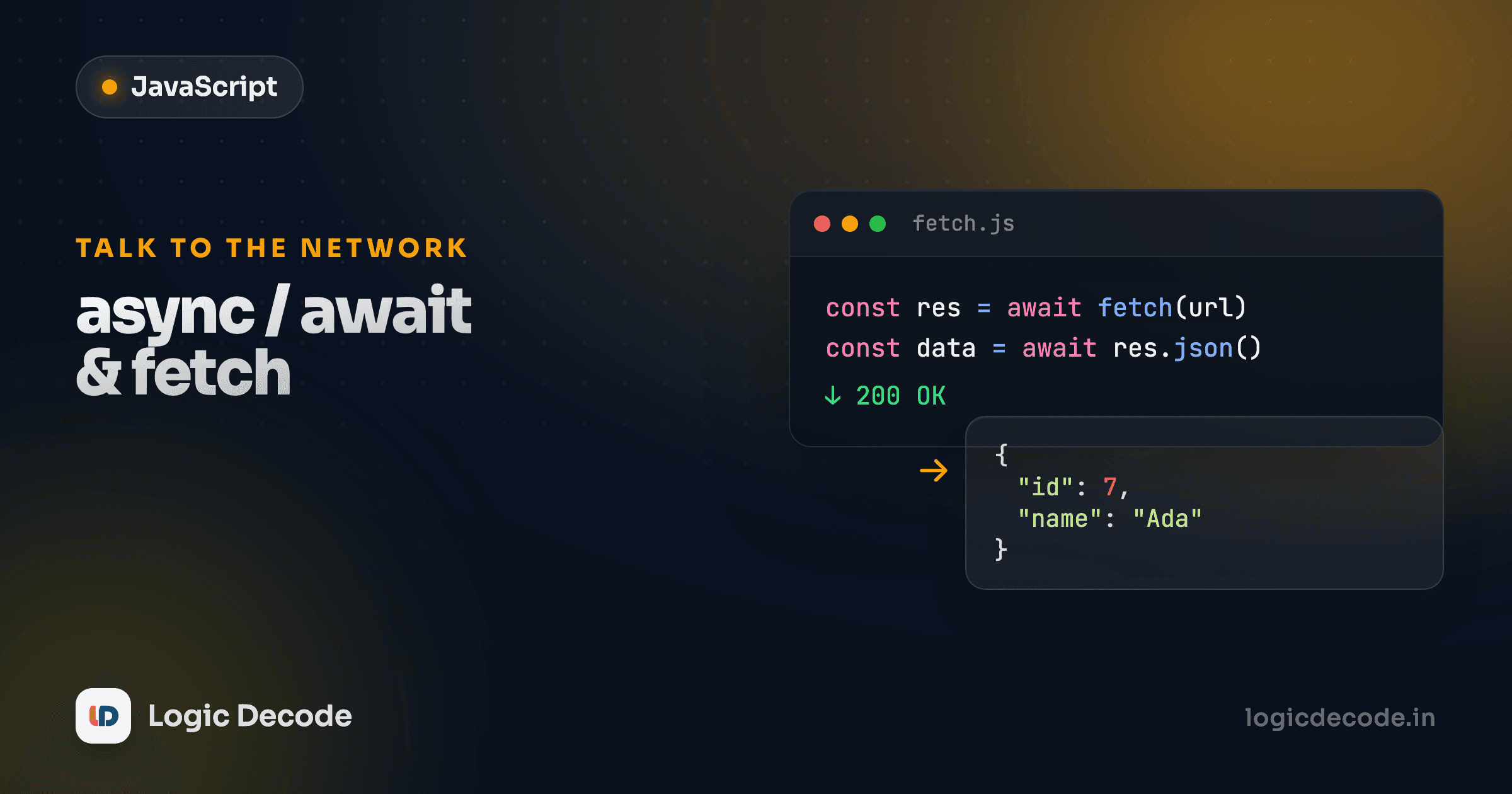
Two awaits, and that's the entire pattern you'll use forever. The first one waits for the server to respond and gives you a Response object (headers, status, the works), but not the data yet. The body arrives as a stream, so you call response.json() to read it and parse it into a JavaScript object. That parsing is itself async, so you await it too. Now todo is a normal object and todo.title is just a property.
response.json() is the step people forget
await fetch(url) gives you a Response, not your data. Logging it shows a Response object, and response.title is undefined. You have to await response.json() to actually get the parsed body. Two awaits, every time.
fetch only rejects on network failure, so check response.ok
Here's the gotcha that catches everyone, and it's worth tattooing somewhere. A 404 or 500 from the server is not a rejected promise. fetch only rejects when the request can't be made at all. No connection, DNS dies, the request is malformed. If the server answers, even with "not found," the promise resolves. Your catch block never fires.
So you check response.ok yourself. It's true for any status in the 200s and false otherwise. Throw on a bad status and your catch does its job.
getTodo(1) finds the todo and logs its title. getTodo(999999) doesn't exist, so the server sends a 404, response.ok is false, we throw, and the catch reports it cleanly. Without that if (!response.ok) check, the second call would sail past, try to read JSON from an error page, and hand you a confusing object instead of a clear error. Every real fetch you write should have this check.
The full template, once
A fetch you can paste anywhere: mark the function async, try { await fetch(...) }, check response.ok and throw if it's bad, await response.json(), and catch for the network failures. Memorize that shape and most of your data-loading code writes itself.
Recap and what's next
async/await is promises with cleaner clothes: mark a function async, await any promise inside it to get its value without a .then() chain, and use ordinary try/catch for errors. The fetch API returns a promise, so it slots right in. Use await fetch(url) for the response, check response.ok because bad statuses don't reject, then await response.json() for your data.
For the complete reference on options, headers, and POST requests, MDN's Using the Fetch API is the source to bookmark. If you skipped here, go back and read Callbacks and Promises first. await makes a lot more sense once you've felt the pain it removes.
You now have every core piece of JavaScript: variables, functions, arrays, objects, the DOM, and live data from the network. Time to glue it all together. Next we build a real thing from scratch in the JavaScript mini-project.

Written by
Rhythm Bhiwani
Engineer and relentless builder, happiest reverse-engineering hard problems until they click.
Enjoyed this?
Tap the heart to leave some love.
Be the first to react
Comments
Join the conversation.
Loading comments…