Fetching Data in React with useEffect and fetch
Load data from an API in React: fetch in useEffect, loading and error states, and avoiding common bugs, with a live example.

Almost every real app shows data it didn't have when the page loaded: a list of users, your messages, today's prices. That data lives on a server, and getting it into a component takes a moment: the request goes out, the network does its thing, and eventually an answer (or an error) comes back. The trick to doing this well in React isn't the fetch call. It's handling the wait.
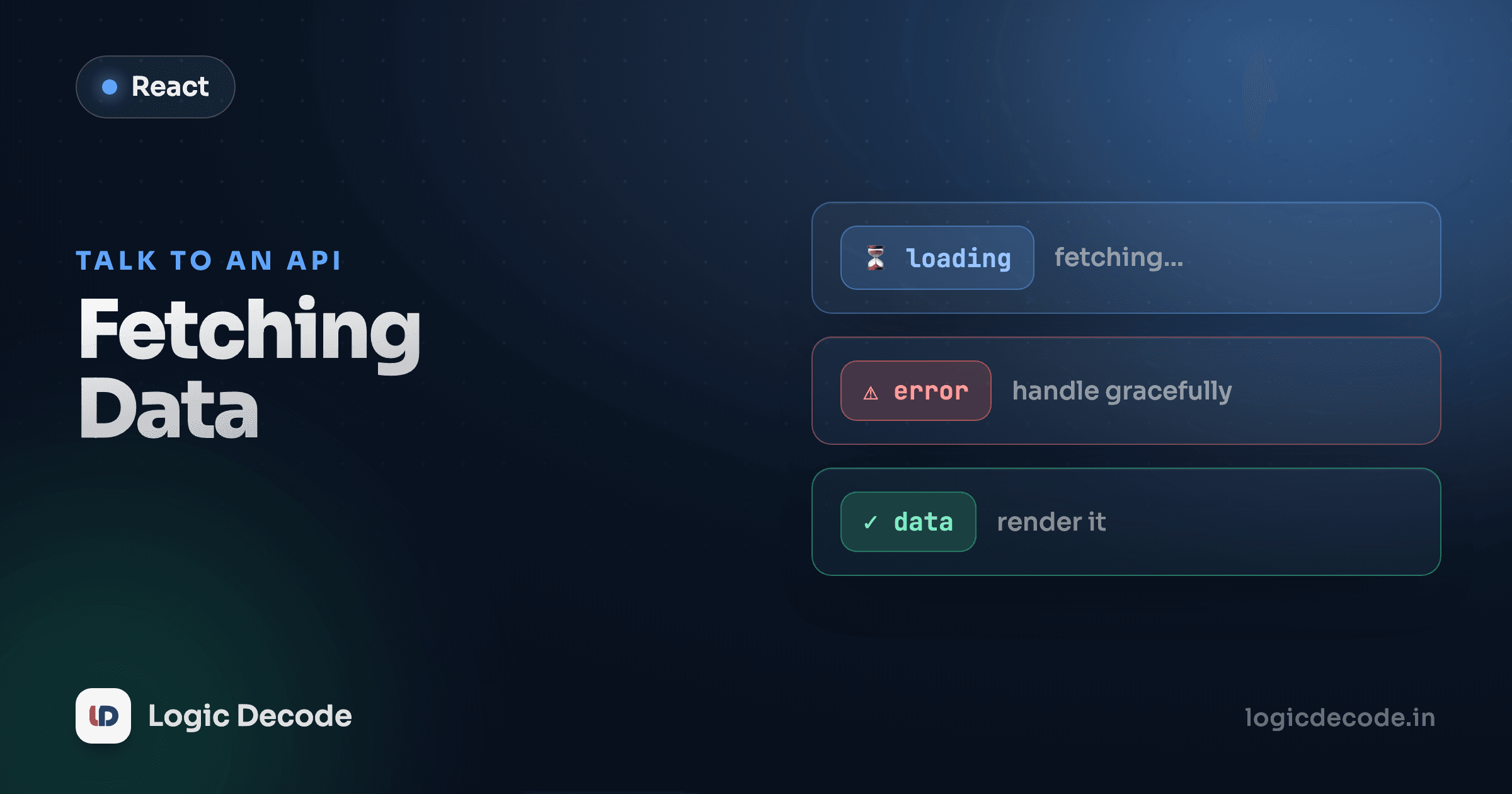
Async data has three states, and each one is state
A network request is never just "here's the data." At any moment it's in one of three situations: still loading, finished with data, or finished with an error. Your UI has to have an answer for all three, so each one becomes a piece of useState.
Here's the whole thing working. It fetches real users from a public API and lists them. Let it load, then edit the code.
Three useState calls, one for each state: users (success), loading, and error. loading starts true because the very first thing the component does is start a request. Everything else hangs off those three values. The rest of this lesson is just unpacking that example, line by line.
Fetching inside useEffect
You can't just call fetch in the body of your component. The body runs on every render, so a bare fetch would fire a request, the response would set state, the state change would re-render, which runs the body again, which fires another request. That's an infinite loop that hammers the server.
Fetching is a side effect: it reaches outside React to talk to the network. Side effects belong in useEffect. And because you only want to load this data once, when the component first appears, you give the effect an empty dependency array:
useEffect(() => {
  // fetch here
}, []); // [] = run once, after the first render
The empty [] is the important part. It tells React "run this after the first render and never again." Drop the array entirely and the effect runs after every render, back to the loop. If you've read the useEffect lesson, this is the most common reason that effect exists in the first place: syncing your component with something external, like a server, exactly when you mean to.
Why the effect callback isn't async
Here's a snag that trips up everyone. You want await inside, so the instinct is to make the effect callback async:
useEffect(async () => {
  const res = await fetch(url); // works, but...
}, []);
It looks fine and it sort of runs, but it's wrong. An async function always returns a promise. React reads an effect's return value as the cleanup function, the thing it calls to tear down the effect. Hand it a promise and React gets confused: it can't clean up a promise, and you'll see a warning. The fix is to keep the effect callback synchronous and define an async function inside it, then call it:
useEffect(() => {
  async function load() {
    const res = await fetch(url);
    const data = await res.json();
    setUsers(data);
  }
  load();
}, []);
Now the effect callback returns nothing (so React is happy), and load is the async function that actually does the awaiting. That inner-function pattern is exactly what the example at the top uses.
fetch needs two awaits
fetch resolves as soon as the response headers arrive, before the body is downloaded. So you await fetch(...) to get the response, then await res.json() to actually read and parse the body. Two awaits, two steps. And res.ok is false for 404s and 500s, but fetch does not throw on them, so check it yourself and throw.
Quick check
Why shouldn't you make the useEffect callback itself an async function?
Rendering loading, error, then the list
With the three states in place, the render is almost mechanical. You check them in order and return early:
if (loading) return <p>Loading users…</p>;
if (error) return <p>Error: {error}</p>;
return <ul>{/* the list */}</ul>;
Loading wins first. While the request is in flight, that's all the user should see. If the request failed, show the error and stop. Only if neither is true do you render the actual data. This ordering matters: it guarantees you never try to .map over an empty list and flash a blank screen, and you never show a stale error next to fresh data.
The list itself is plain lists and keys work, users.map(...) with a stable key={user.id}. Nothing special about it being fetched. Once the data is in state, it renders like any other array.
The stale-response gotcha
One subtle bug, worth knowing even if it won't bite you on day one. Say your component fetches data for a userId prop, and that prop changes fast. The user clicks profile A, then immediately profile B. You fire two requests. There's no rule that they come back in order. If A's response arrives after B's, it overwrites B's data, and now you're showing the wrong profile.
The fix is a cleanup flag that ignores a response if the effect has already moved on:
useEffect(() => {
  let ignore = false;
  async function load() {
    const res = await fetch(url);
    const data = await res.json();
    if (!ignore) setUsers(data); // skip if this effect was cleaned up
  }
  load();
  return () => { ignore = true; }; // cleanup: mark this run as stale
}, [userId]);
When userId changes, React runs the cleanup from the previous effect (flipping its ignore to true) before starting the new one. The old request might still finish, but if (!ignore) quietly drops its result. React's own docs walk through this exact pattern in fetching data with effects. For a one-time load with [], like our top example, you don't strictly need it. But the moment your fetch depends on a changing value, reach for it.
A note on real apps
Everything above is the right way to understand data fetching, and it's fine for a small app or a single screen. But once you're doing this in five places, you'll notice you keep rewriting the same loading/error/success dance, plus things this lesson skipped: caching, retries, refetching when the user returns to the tab, not fetching the same URL twice.
That's what a data-fetching library is for. TanStack Query (you'll hear it called React Query) wraps all of this into one hook. You give it a key and a fetch function, it hands you data, isLoading, and error, and handles the caching and refetching for you. Reach for it on real projects. But learn the manual version first, because the library is just doing this, carefully, on your behalf, and when something breaks, you'll actually know what it's doing.
Recap and what's next
Async data is three states (loading, error, success), and each one is a piece of useState. You fetch inside useEffect with an empty [] so it runs once. You keep the effect callback synchronous and define an async function inside it to do the awaiting. You render the states in order with early returns. When your fetch depends on a changing value, an ignore flag in the cleanup keeps a slow, stale response from clobbering fresh data. And on real apps, a library like React Query saves you from writing all of this by hand.
You've now repeated the same shape twice: three states, an effect, a fetch. When you find yourself copying logic between components like that, it's time to extract it. Next: Custom hooks, where we pull this whole pattern into a reusable useUsers() you can drop into any component. If the await/fetch half felt shaky, the JavaScript async/await and fetch lesson covers it from the ground up.

Written by
Rhythm Bhiwani
Engineer and relentless builder, happiest reverse-engineering hard problems until they click.
Enjoyed this?
Tap the heart to leave some love.
Be the first to react
Comments
Join the conversation.
Loading comments…