JavaScript Arrays: Create, Access and Change Lists
Store lists in JavaScript arrays: indexing, adding and removing items, and the most useful array methods, runnable in your browser.

A single variable holds one thing. The moment you have a shopping list, a row of high scores, or every comment on a post, one-thing-per-variable falls apart fast. An array is JavaScript's answer: one variable that holds an ordered list of values, and a pile of built-in tools to add, remove, and search through them.
Creating an array
You write an array with square brackets and commas between the items.
fruits is one variable holding three strings, in the order you wrote them. Order matters and it sticks. An array is a sequence, not a random bag. empty is a perfectly valid array with nothing in it yet, and you'll often start empty and fill it up later.
The length property tells you how many items are in the array right now. It's not a method, so no parentheses. It's just fruits.length, and it updates on its own as the array grows or shrinks.
Reading items by index
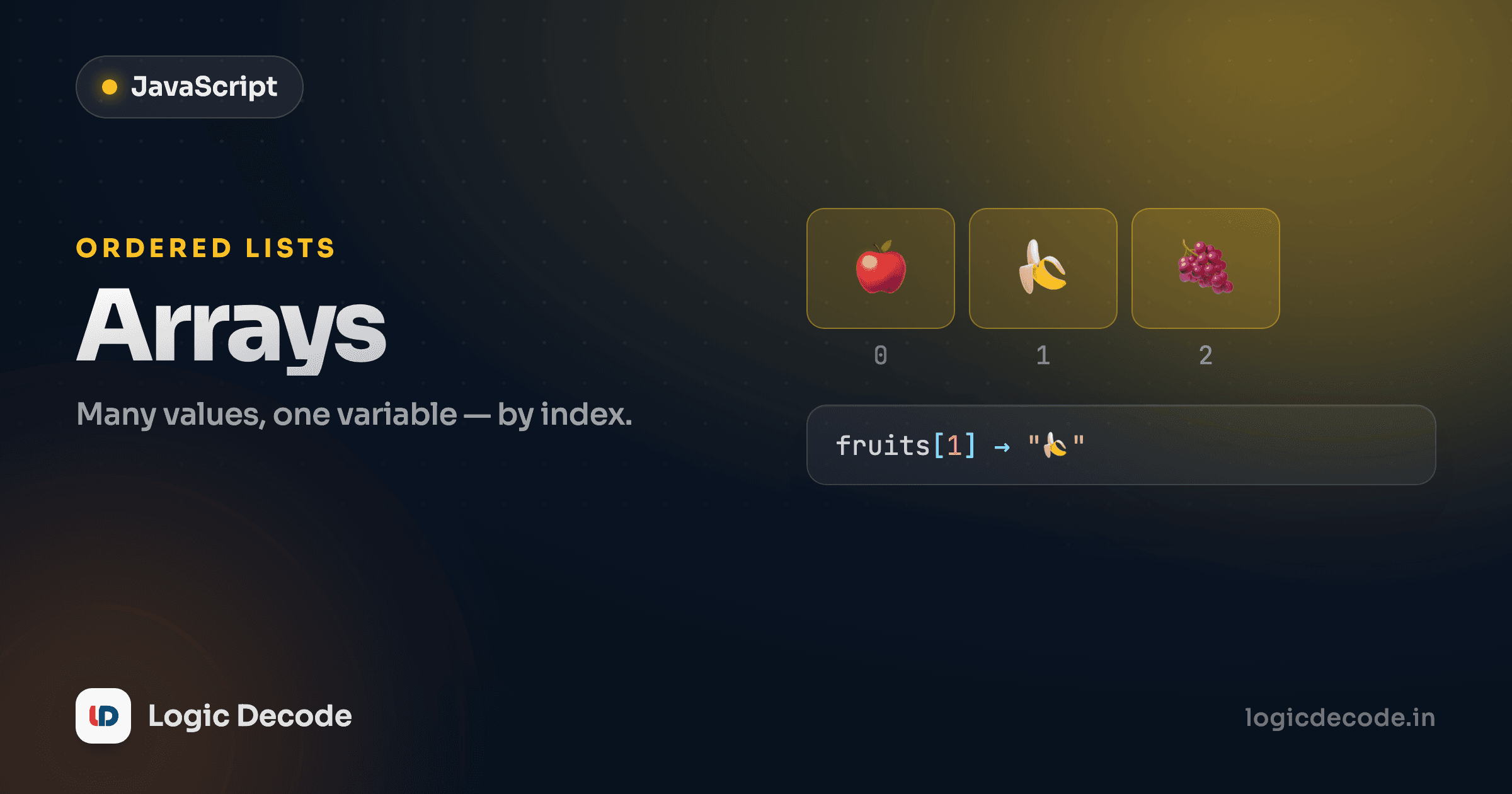
Each item has a position number called its index, and you reach an item with array[index]. The catch that bites every beginner once: indexes start at zero, not one.
So the first item is fruits[0] and the last of three items is fruits[2]. Asking for an index that doesn't exist isn't an error. You get undefined, JavaScript's "nothing here" value. That silent undefined is a common source of bugs, so when something downstream breaks, check whether you reached past the end of the array.
Because the last index is always length - 1, the final item is fruits[fruits.length - 1]. Modern JavaScript also gives you fruits.at(-1), which counts from the end so you skip the subtraction.
Zero-based, everywhere
Indexing from zero isn't a JavaScript quirk. It's how arrays work in C, Python, Java, and most languages you'll meet. Burn it in now: "first item" means index 0. The off-by-one mistakes you make this week stop happening once it's automatic.
Changing items
Arrays are mutable. You can change them after they're made. Assign to an index to overwrite a slot:
One thing surprises people: this array is declared with const, yet we keep changing it. const only stops you from reassigning the variable to a whole new array. It does nothing to stop you editing the contents of the one it already points at. Mutating the items inside is fair game. Reaching for const for arrays is the normal default for exactly this reason.
Adding and removing from the ends
Editing by index works, but JavaScript gives you named methods for the common moves. The four you'll use constantly work on the two ends of the array:
Remember them as a pair of pairs. push/pop work the end of the array, and unshift/shift work the start. pop and shift also hand back the item they removed, so const last = queue.pop() removes and stores it in one line. push is the most-used array method there is. Building a result list item by item is something you'll write constantly.
Quick check
Start with const arr = [1, 2, 3], then call arr.shift() and arr.push(9). What is arr now?
Inserting and removing in the middle with splice
push and pop only touch the ends. To add or remove items anywhere in the middle, reach for splice. It takes a start index, how many items to remove, and any items to insert in their place.
splice(1, 1) means "start at index 1, delete 1 item." splice(1, 0, "yellow", "orange") means "start at index 1, delete nothing, and shove these two in." It's the swiss-army-knife method: delete, insert, or replace, all in one call. The price is that splice changes the original array in place, which leads us to the one that doesn't.
slice vs splice: the names are a trap
slice and splice sound nearly identical and do nearly opposite things. slice copies a section into a new array and leaves the original untouched. splice mutates the original. Mixing them up is a rite of passage.
slice(1, 3) grabs index 1 up to but not including 3, so you get two items. The exclusive end index trips people up, but it matches how strings slice too. Notice nums is exactly as it started. slice never touches the source. For a quick full copy, arr.slice() with no arguments does it.
The rule worth memorizing: if a method changes the array you call it on, it mutates. If it hands back a new array and leaves the original alone, it's non-mutating. push, pop, shift, unshift, and splice mutate. slice does not. Knowing which is which saves you from the classic bug where you "copied" an array, edited the copy, and somehow wrecked the original.
Finding things in an array
You rarely know an item's index ahead of time, so you need to search. Three methods cover almost everything:
indexOf gives you the index of the first match, or -1 when the item isn't there. That -1 is why you'll see if (pets.indexOf("dog") !== -1), but includes reads better when you only care whether something exists, returning a plain true or false. Use includes for a yes/no, indexOf when you actually need the position.
find is the flexible one. Instead of an exact value, you hand it a small test function, and it returns the first item that passes. Here n => n > 10 is an arrow function that asks "is this number over 10?" Then find walks the array and returns 15, the first one that's true. That same arrow-function-as-a-test idea is exactly what the next lesson builds on.
Looping over an array
To do something with every item, the cleanest loop is for...of. It hands you each value directly, no index bookkeeping.
for...of reads almost like English: for each item of cart, do this. No i, no cart[i], no i < cart.length to get wrong. If you do need the index, for (const [i, item] of cart.entries()) gives you both.
That second array makes a point worth saying out loud: a JavaScript array can hold any mix of types at once: numbers, strings, booleans, null, even other arrays. Nothing forces everything to match. In practice you'll usually keep an array all one type because it's easier to reason about, but the language doesn't require it.
What to remember, and what's next
An array is an ordered, mutable list. You reach items by zero-based index, length counts them, and indexing past the end gives undefined. Add and remove at the ends with push/pop/shift/unshift, work the middle with splice (which mutates), and copy a section with slice (which doesn't). Search with indexOf, includes, and find, and walk the whole thing with for...of. The full list of array methods lives in the MDN Array reference. Bookmark it, because no one memorizes all of them.
You've been writing small arrow-function tests inside find already. Next we lean all the way into that style with the three methods that quietly replace most of your loops: map, filter and reduce transform a whole array in a single, readable line.

Written by
Rhythm Bhiwani
Engineer and relentless builder, happiest reverse-engineering hard problems until they click.
Enjoyed this?
Tap the heart to leave some love.
Be the first to react
Comments
Join the conversation.
Loading comments…