JavaScript Arrow Functions and Scope, Explained
Arrow functions vs regular functions, plus block scope and closures in plain English, with live, runnable JavaScript examples.

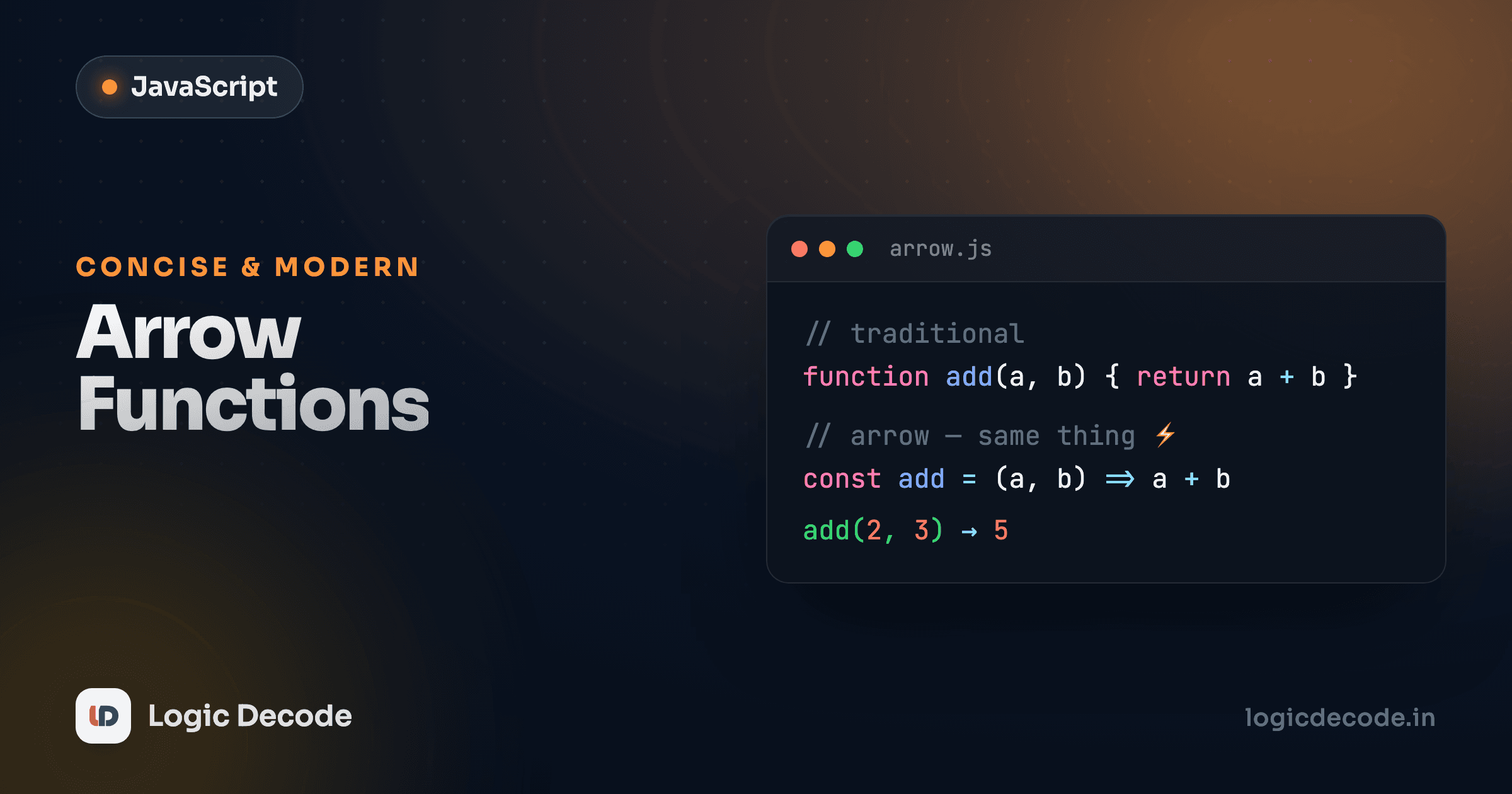
You'll see this little => arrow everywhere in real JavaScript: in tutorials, in libraries, in every codebase you'll ever open. It's a second, shorter way to write a function, and once it clicks you'll reach for it constantly. But the arrow isn't just function with fewer letters. It changes one behavior in a way that quietly saves beginners from a classic bug. Let's get you fluent in both forms, then nail down the two scope ideas that make functions actually make sense: block scope and closures.
The arrow function syntax
Here's the same function written the old way and the new way. Run it and compare.
Same result, different spelling. The arrow form drops the function keyword, puts the parameter list first, then =>, then the body. You store it in a variable (const doubleNew = ...) and call it exactly like any other function: doubleNew(5).
That's the full version. But arrows get shorter, and the short forms are where they earn their keep.
Concise body and implicit return
When a function body is just a single expression (one thing to compute and return), you can drop the braces and the return. The value of that expression gets handed back automatically. This is called an implicit return.
Three rules to keep straight, and that's genuinely all of them:
- Block body uses
{ }and needs an explicitreturn, like a normal function. - Concise body is a single expression with no braces, and it returns that expression automatically. Write
returnin a concise body and you'll get a syntax error, because there's no block to put it in. - One parameter lets you skip the parentheses (
n => ...). Zero or two-plus parameters always need them:() => ...and(a, b) => ....
Returning an object trips everyone up
To implicitly return an object literal, wrap it in parentheses: () => ({ name: "Maya" }). Without them, JavaScript reads the { as the start of a function body, not an object, and you get back undefined. The parentheses say "this is a value, not a code block."
Where arrows shine: callbacks and array methods
If arrows only saved a few keystrokes, nobody would care. The reason they took over is callbacks, functions you pass into other functions. Array methods are the everyday case, and you'll meet them properly in the next lesson. Here's a taste of why arrows feel made for them.
Each arrow is a throwaway function describing one transformation. Written with function, that same chain is noisier: prices.map(function(p) { return p * 1.1; }). The arrow strips it down to the part that matters, and p => p * 1.1 reads almost like math. When the function is tiny and used once, the arrow wins on readability, not just length.
Quick check
Which of these is a valid arrow function that returns the sum of a and b?
The one real difference: this
Here's the part the arrow genuinely changes, not just shortens. Regular functions get their own this depending on how they're called, which is a famous source of bugs. Arrow functions don't have their own this at all. They use the this from the surrounding code where they were written. For a beginner, that almost always does what you actually wanted.
The classic trap is a callback that loses this:
const timer = {
  seconds: 0,
  start() {
    // setInterval calls this callback later, on its own.
    // A regular function here would get the WRONG `this`.
    setInterval(function () {
      this.seconds++;          // `this` is NOT `timer` here — bug!
      console.log(this.seconds);
    }, 1000);
  },
};
That regular-function callback gets called by the timer machinery, not by timer, so its this isn't timer and this.seconds breaks. Swap in an arrow and the problem vanishes, because the arrow keeps the this from start:
const timer = {
  seconds: 0,
  start() {
    setInterval(() => {
      this.seconds++;          // arrow keeps `start`'s `this` → `timer`. Works.
      console.log(this.seconds);
    }, 1000);
  },
};
You don't need to fully master this today. It's a deep topic and you'll meet it again. The practical takeaway: inside callbacks, default to arrow functions and you sidestep the most common this bug new developers hit. The flip side, and the one case to remember, is that an object's own methods are usually better as regular functions, because there you sometimes want this to mean the object. MDN's arrow functions reference goes deep when you're ready.
Block scope: where your variables live
Scope is just "what part of the code can see this variable." You met function scope already. A variable made inside a function is invisible outside it. let and const add a tighter rule: they're also trapped inside the nearest { } block, like an if or a for. That's block scope.
message exists only inside the if block's braces. i exists only inside the for loop. Step outside the braces and they're gone. Uncomment those lines and you'll see the crash. This is a good thing: variables that live exactly as long as you need them can't leak out and collide with something else. Always prefer const, use let when a value must change, and you get this safety for free. (The old var keyword ignores block scope and causes exactly the leaks this design prevents, so skip it.)
Closures: functions that remember
This is the one concept here that feels like magic the first time, so let's build it from something concrete. A closure is what you get when a function remembers the variables from where it was created, even after that outer code has finished running.
Walk through what happened. makeCounter runs, creates count, and returns a little arrow function. Normally when a function finishes, its local variables disappear, but the returned arrow still uses count, so JavaScript keeps count alive for that function. Every call to next() reads and updates the very same count, which is why you get 1, 2, 3 instead of 1, 1, 1.
And other is a separate call to makeCounter, so it gets its own brand-new count starting at zero. Two counters, two private memories, no shared state. That's a closure: a function packaged together with the variables it remembers.
Why care? Closures are how you make data private in JavaScript. count can't be touched from outside, only through the function you handed back. They power event handlers that need to remember something, functions that build other functions, and a huge amount of real library code. You've almost certainly used closures without naming them, and now you can name them.
When a function reads a variable, JavaScript walks outward through the enclosing scopes until it finds one, and a closure keeps that outer scope alive so the inner function can keep reaching it.
Spotting a closure
Any time an inner function uses a variable from an outer function, and that inner function outlives the outer one (gets returned, stored, or passed as a callback), you've got a closure. It's not a special keyword. It's just what happens naturally when functions reference variables from their birthplace.
Recap and what's next
Arrow functions are a compact way to write functions: => instead of function, optional braces, and an implicit return when the body is a single expression. They shine as callbacks and in array methods, and their one real behavioral difference (using the surrounding this instead of their own) quietly fixes a classic bug, so they're the safe default inside callbacks. On scope: let and const are block-scoped, trapped inside the nearest { }, which keeps variables from leaking and colliding. And a closure is a function that remembers the variables from where it was created, which is how JavaScript gives you private, persistent state.
This builds straight on JavaScript functions, so if any of the function basics felt shaky, that's the one to revisit. Next we get into the data structure you'll use more than any other, and where those tidy arrow callbacks really pay off: JavaScript arrays.

Written by
Rhythm Bhiwani
Engineer and relentless builder, happiest reverse-engineering hard problems until they click.
Enjoyed this?
Tap the heart to leave some love.
Be the first to react
Comments
Join the conversation.
Loading comments…