TypeScript Functions and Type Inference
Type function parameters and return values in TypeScript, and let inference do the work, with practical, runnable examples.

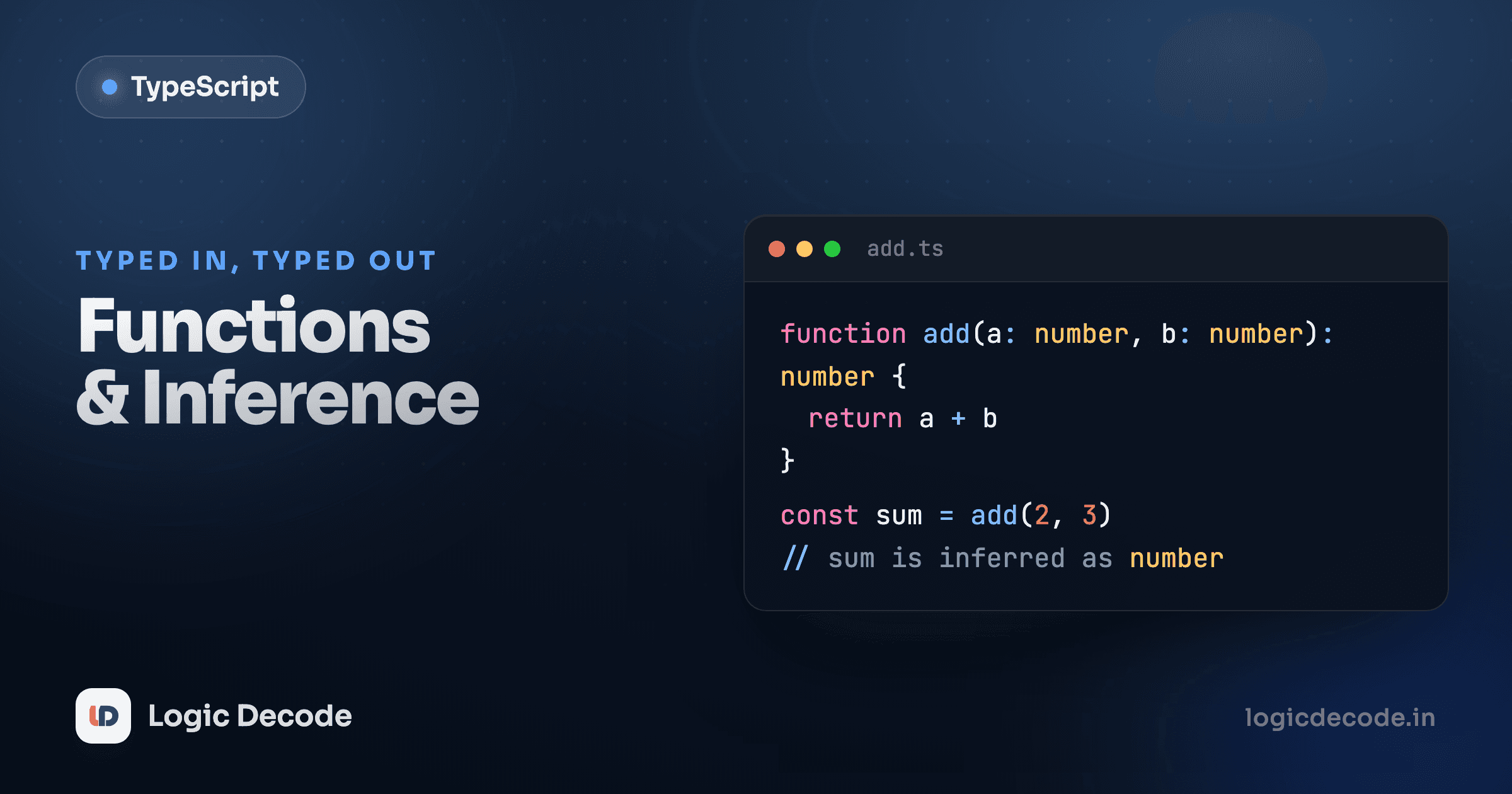
A function takes some values in and hands a value back. TypeScript's whole job here is to make sure the values going in are the right shape, and to tell you (and your editor) exactly what comes back out. The neat part is how little you have to write to get all of that: you annotate the inputs, and TypeScript usually figures out the rest. After interfaces vs type aliases gave you ways to name object shapes, functions are where those shapes start flowing through your code.
Type the parameters
Plain JavaScript lets you call a function with anything and find out at runtime that it broke. TypeScript wants to know what each parameter is up front. You add the type after the parameter name with a colon:
width: number says "this parameter is a number, full stop." Pass it a string and you get a red squiggle in the editor and an error at build time, not a weird NaN three functions later. This is the single highest-value habit in TypeScript: type your parameters. Everything else tends to fall out from there.
Let the return type infer itself
Notice area above never says what it returns. It didn't need to. TypeScript looks at width * height (number times number) and works out the return type is number on its own. That's inference, and it's doing real work for you constantly.
The rule of thumb: annotate your parameters, let the return type infer. Inputs can't be guessed (TypeScript has no way to know what you intend to pass), so you spell those out. The output is computed from the body, so writing it down again is usually just noise that can drift out of sync.
So when do you annotate a return type? Two cases earn it. First, when you want TypeScript to catch a mistake at the source: declare function area(w: number, h: number): number and if you accidentally return "oops", the error points at area, not at some caller far away. Second, for a public function others depend on, where pinning the contract is the point. For everyday code, inference wins.
Inference is not a fallback
Letting the return type infer isn't lazy. It's the recommended style for most functions. Less to type, less to keep in sync, and the type is still fully checked. Reach for an explicit return annotation when you specifically want the function to be the thing that fails on a wrong return.
Optional and default parameters
Not every argument is required. A ? after the name makes a parameter optional, which means its type is "that type, or undefined":
Inside greet, title has type string | undefined, so TypeScript makes you handle the missing case. The if (title) check is what narrows it down to a real string. Skip the check and try to call title.toUpperCase() and you'll get an error, which is exactly the bug you wanted caught.
Often you don't want "missing," you want a fallback. A default value gives you that, and TypeScript reads the type straight off the default:
Because greeting = "Hi" defaults to a string, TypeScript infers greeting: string without you writing it. Inside the function it's always a real string (no undefined to worry about), so no guard needed. Optional says "this might not be here." Default says "if it's not here, use this instead." Pick the one that matches what the body actually wants.
Rest parameters
When a function takes any number of trailing arguments, collect them with ... into an array. You type the array, and every argument has to fit:
...prices: number[] means "scoop every remaining argument into an array of numbers." Pass total(10, "20") and the string is rejected on the spot. Inside the body prices is just a normal array, so reduce works as you'd expect and the return type infers as number.
Quick check
In TypeScript, when should you usually annotate a function's return type?
A function as a value
Functions in TypeScript are values you can pass around, which means they need types too. A function type describes the parameters and return of a function without giving the body. You write it as (param: Type) => ReturnType. This shows up most when a function takes a callback:
The parameter fn: (n: number) => number says "fn is a function that takes one number and returns a number." Hand applyTwice anything that doesn't match, a function with the wrong parameters or one that returns a string, and TypeScript rejects it. Notice the inline arrow (n) => n + 1 doesn't annotate n: TypeScript already knows from the function type that n must be a number, so it fills that in for you. That's contextual typing, inference working from the expected shape.
You can also name a function type with a type alias and reuse it, which keeps signatures tidy when several functions share one shape:
type NumberTransform = (n: number) => number;

function applyTwice(value: number, fn: NumberTransform) {
  return fn(fn(value));
}
void: a function that returns nothing useful
Some functions exist for their side effect (they log, they save, they update something) and don't hand back a value you'd use. Their return type is void:
void is "this function doesn't return anything meaningful." It's the typed version of the None you'd get from a Python function with no return. You'll see void constantly on event handlers and callbacks where the caller doesn't care about a return value. For example, the function you pass to forEach is typed to return void, which is why you can pass it one that happens to return something and TypeScript won't complain.
Recap and what's next
Type the parameters, let the return type infer. That one habit covers most TypeScript functions. From there: ? makes a parameter optional (string | undefined, so guard it), a default value fills in a fallback and infers its own type, ...rest: Type[] gathers extra arguments into a typed array, a function type like (n: number) => number lets you type a function you pass as a value, and void marks a function that returns nothing you'd use. The official TypeScript handbook on functions goes deeper on overloads and trickier signatures once you want them.
Functions move values around; next we look at the values themselves when there's more than one of them. On to arrays, objects and tuples, where you'll type collections and fixed-shape records.

Written by
Rhythm Bhiwani
Engineer and relentless builder, happiest reverse-engineering hard problems until they click.
Enjoyed this?
Tap the heart to leave some love.
Be the first to react
Comments
Join the conversation.
Loading comments…