JavaScript Functions: Parameters and Return Values
Define and call JavaScript functions: parameters, return values, default parameters, and why functions are the heart of the language.

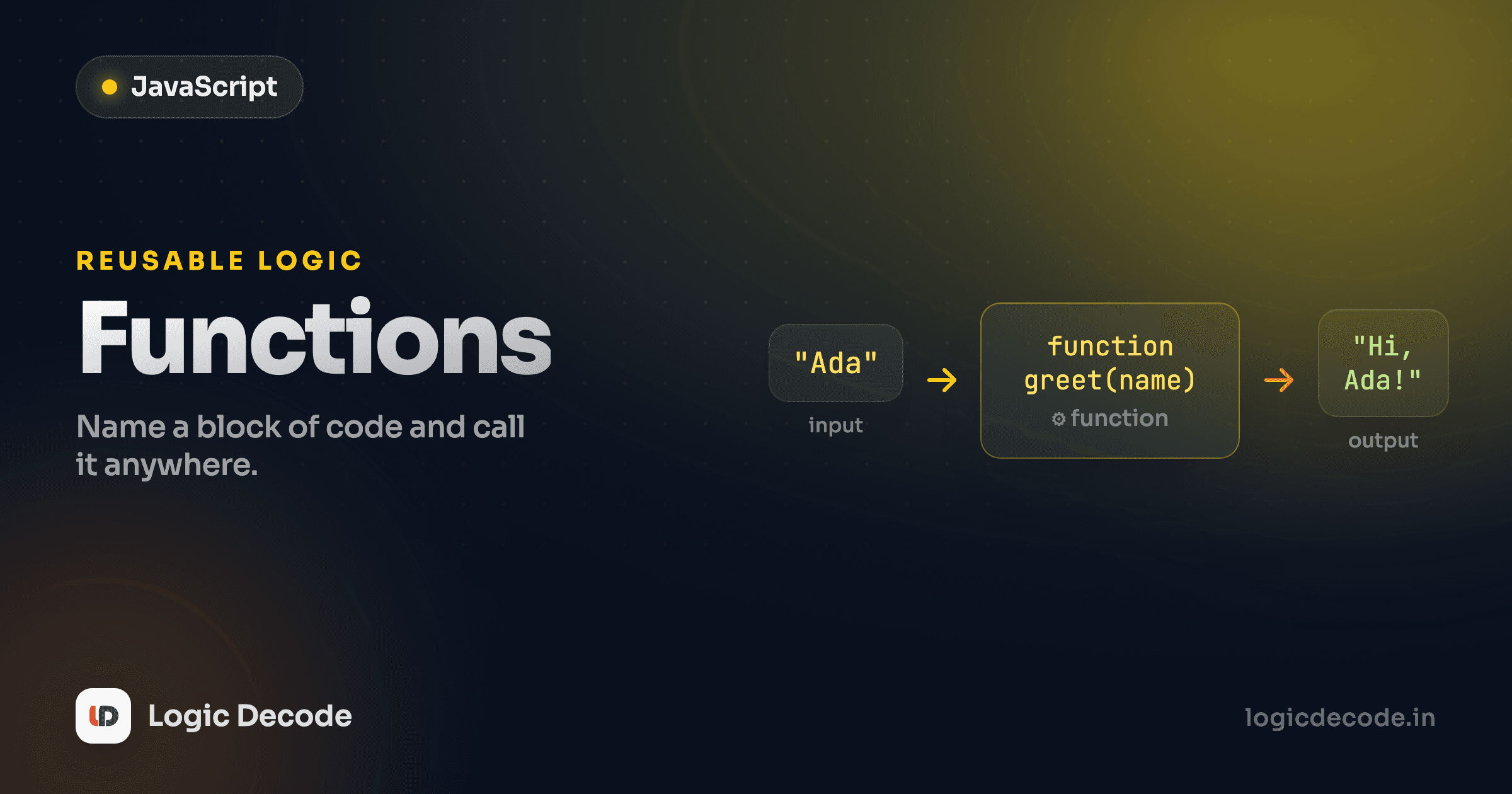
Write a chunk of code once, give it a name, and run it anywhere just by saying that name. That's a function, and in JavaScript it's not just a convenience, it's the thing the whole language is built around. You've already been calling one in every lesson: console.log is a function. After JavaScript loops gave you a way to repeat code, functions give you a way to name and reuse it. Now you'll write your own, hand them input, and get answers back.
Declaring a function
Here's the smallest useful one. Run it, then change the name and run it again.
Three parts. function greet(name) declares a function named greet. The stuff in { } is the body, the code that runs when you use it. And greet("Maya"), with the parentheses, is how you call it: run the body now, with "Maya" filling in for name.
Notice it ran twice because we called it twice. Declaring a function doesn't run anything. It just teaches JavaScript what greet means. Nothing happens until you call it. That split is the whole point. You write the recipe once, then cook from it as often as you like. If you came from Python functions, this is the same idea with curly braces instead of indentation and function instead of def.
Parameters and arguments
name in that greet line is a parameter, a placeholder named in the declaration. When you call greet("Maya"), the string "Maya" is the argument, and it gets slotted into name for that one run. Different argument, different output, same function.
People use "parameter" and "argument" interchangeably and the world keeps turning, but the distinction is simple: parameters are the names in the definition, arguments are the actual values you pass in. A function can take several:
Arguments line up with parameters by position: the first argument fills the first parameter, the second fills the second. Swap the order in the call and you'll get 2x coffee turning into nonsense. JavaScript won't stop you. It just does what you said.
Extra and missing arguments don't crash
JavaScript is loose about argument count. Pass too many and the extras are ignored. Pass too few and the missing parameters become undefined, no error. That flexibility is occasionally handy and frequently a source of bugs, so know it's happening.
Return values
So far our functions print. But printing is for humans looking at a screen. Most functions need to hand a value back to the code that called them, so the program can keep using it. That's what return does.
area(3, 4) computes 3 * 4 and hands back 12. That value lands in result, and it's a real number you can do math on. area(3, 4) * 2 gives 24. The function call basically becomes its return value wherever you write it.
Two things about return that bite beginners. First, it ends the function immediately. Any code after a return that runs never executes. Second, a function with no return statement still hands something back: undefined, JavaScript's "nothing here" value. So const x = greet("Maya") leaves x holding undefined, not the text you saw logged. Logging and returning are different jobs.
Quick check
What does a JavaScript function return if it has no return statement?
Default parameters
Sometimes a parameter has a sensible fallback and you'd rather not type it every single time. Give it a default right in the parameter list:
greeting = "Hi" means "if the caller doesn't supply a greeting, use "Hi"." So greet("Diya") returns Hi, Diya! and greet("Diya", "Welcome back") overrides it. The default kicks in whenever the argument is missing or undefined, which is exactly the gap that used to force people to write clunky greeting = greeting || "Hi" checks before default parameters existed. Defaults make the common case short while still letting you customize.
Function expressions: functions are values
Here's the idea that makes JavaScript click, and the one to carry into the next lesson. A function is a value, just like a number or a string. You can store it in a variable, pass it to another function, or return it from one.
That's a function expression, defining a function and assigning it to a variable:
const double = function (n) {
  return n * 2;
};

console.log(double(5)); // 10
double is now a variable holding a function, and you call it the same way: double(5). The declaration form (function greet() {}) and the expression form (const double = function () {}) do nearly the same thing, with one practical difference worth knowing: declarations are hoisted, meaning you can call them before they appear in the file. Expressions aren't, so the variable has to be assigned first. When in doubt, define before you use and you'll never hit it.
Because functions are values, you can hand one function to another:
applyTwice takes a function as its first argument and runs it twice. We pass increment (note: increment, no parentheses). increment is the function itself. increment() would call it and pass the result. That's a distinction you'll lean on constantly once you hit array methods like map and filter.
One job per function
If a function is hard to name, it's usually doing too much. area and increment name themselves because each does exactly one thing. When you want to call something validateAndSaveAndEmail, that's three functions in a trenchcoat. Split it.
Recap and what's next
A function is a named, reusable block of code. Declare it with function, call it by name with (), pass values in through parameters, and hand a value back with return. No return means you get undefined. Default parameters keep common calls short. Most importantly, functions are values: you can store them in variables and pass them around, which is the foundation everything else builds on.
For the full reference, MDN's Functions guide is the canonical source. Bookmark it.
You just saw the long way to write a function as a value. There's a shorter, more common syntax for it, and it comes with one quirk around the word this that confuses people for years. Next up: Arrow functions and scope.

Written by
Rhythm Bhiwani
Engineer and relentless builder, happiest reverse-engineering hard problems until they click.
Enjoyed this?
Tap the heart to leave some love.
Be the first to react
Comments
Join the conversation.
Loading comments…