JavaScript Loops: for, while and for...of
Repeat work in JavaScript with for, while, for...of and for...in loops. When to use each, with live runnable examples.

You have a list of ten prices and you need the total. You are not going to write prices[0] + prices[1] + prices[2] and so on down to prices[9]. That's miserable and breaks the moment the list grows. A loop says "do this once for each item" and walks the list for you. That's the whole job: repeat a piece of code without copy-pasting it.
JavaScript gives you a handful of ways to loop. They overlap, and people new to the language often grab the wrong one. So we'll go through each, show it running, and tell you which to actually reach for.
The classic for loop
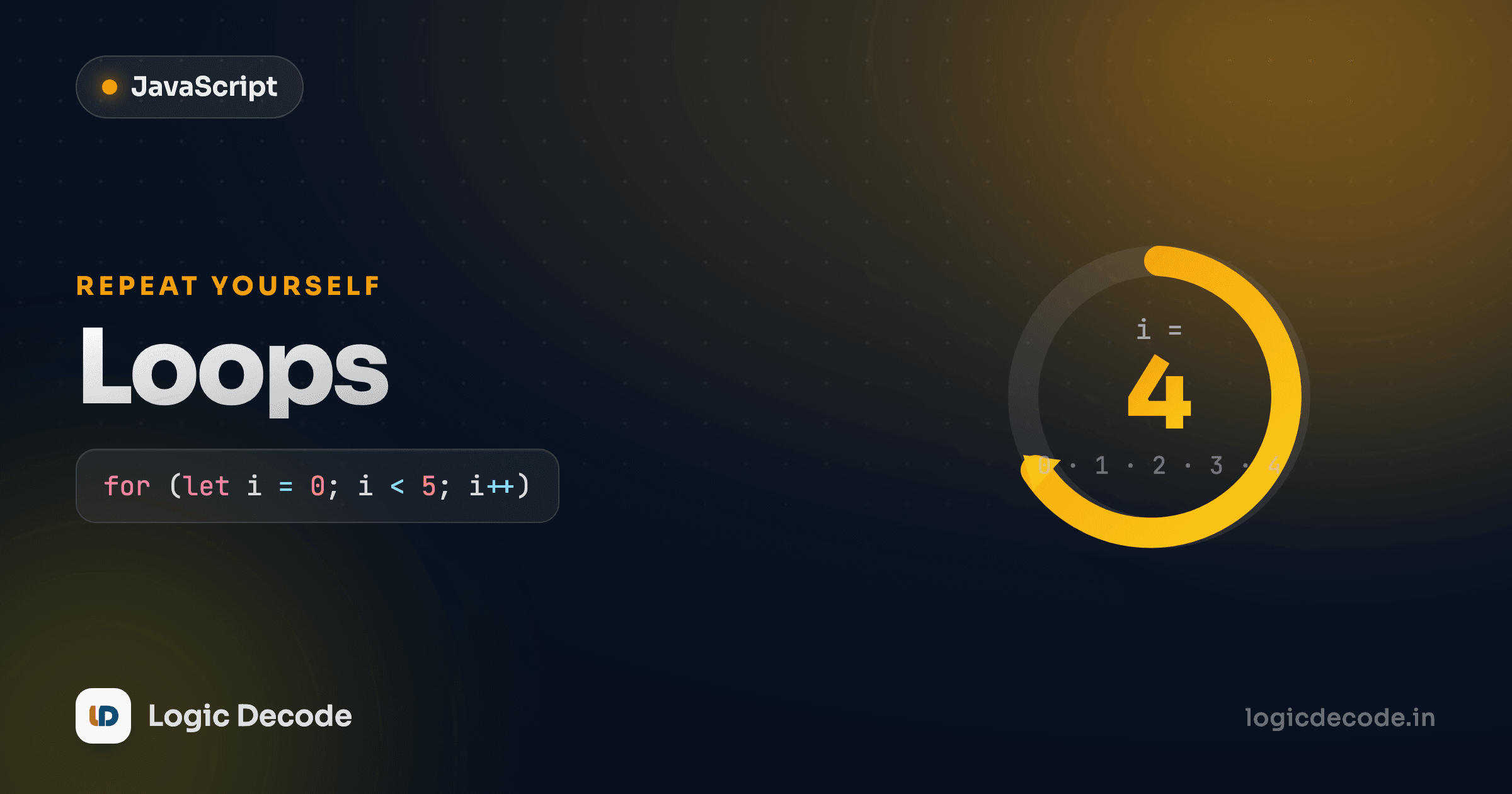
The for loop packs three things into one line: where to start, when to stop, and how to step. Run this and watch the count.
Three parts, separated by semicolons. let i = 0 runs once at the start. That's the counter. i < 5 is the condition, checked before every pass. The moment it's false, the loop stops. i++ runs at the end of each pass, bumping i by one. So i goes 0, 1, 2, 3, 4, then 5 < 5 is false and we're done. Five iterations, exactly like you'd count on your fingers.
The counter gives you the index, which is what makes this loop good for walking an array when you need position, not just the value:
prices.length is 4, so i runs 0 through 3 and prices[i] hands you each element in turn. Use let for the counter, not var. let scopes i to the loop, which saves you from a real class of bugs we'll hit in the functions and scope lesson.
Off-by-one
The most common loop bug in any language: using <= when you meant <. i <= prices.length runs one pass too many and reads prices[4], which doesn't exist. You get undefined and your math goes sideways. Indexes go from 0 to length - 1, so < length is almost always what you want.
while and do...while
A for loop is built for "I know how many times." A while loop is for "keep going until some condition flips," for when you don't know the count up front. It checks the condition, runs the body, checks again.
The catch: you have to change something inside the loop that eventually makes the condition false. Forget the countdown-- and countdown stays 3 forever, an infinite loop that hangs the page. If a while loop locks up your browser, the first thing to check is whether the condition can ever become false.
do...while is the same idea with one difference. It runs the body once before checking the condition. So the body always executes at least once, even if the condition was false from the start.
let input;
do {
  input = prompt("Type 'yes' to continue");
} while (input !== "yes");
That's the natural shape for "ask the user, then keep asking until they give a valid answer." You have to ask once before you have anything to check. In practice you'll write do...while rarely. Plain while and for cover most days.
for...of: the modern default for values
Most of the time you loop over an array because you want the items, not their index. for...of does exactly that, with no counter to manage and no length to get wrong.
Read it out loud: "for each fruit of fruits." Each pass, fruit is the next element, first "apple", then "mango", then "kiwi". No fruits[i], no off-by-one to worry about. Use const because you're not reassigning the variable. It's a fresh binding each iteration.
This is the one to reach for by default when you're walking values. It works on anything iterable: arrays, strings, the Map and Set collections, and more. Looping a string gives you its characters:
If you need the index and the value, for...of over array.entries() gives you both, or fall back to the classic for. But when you just want values (which is most of the time), this is the cleanest tool you have.
Quick check
You have const names = ['Maya', 'Aarav']. Which loop logs each name directly, with no index variable to manage?
for...in — object keys (and the array trap)
for...in looks almost identical to for...of, one word apart, and that similarity causes a lot of confusion. It loops over the keys of an object, which is genuinely useful when you have a plain object and want to walk its properties.
Each pass, key is a property name ("name", "age", "city") and user[key] looks up its value. That's the right use of for...in: iterating an object's own keys.
Now the trap. People see for...in and assume it's the array version of for...of. It is not. On an array, for...in gives you the index strings, not the values, and it can pick up extra properties in ways that bite you.
Those are the string keys "0", "1", "2", not the colors. The rule is simple: for...in for objects, for...of for arrays and other iterables. If you catch yourself writing for...in over an array, you almost certainly want for...of.
break and continue
Two keywords let you steer a loop from inside. break bails out entirely, stopping the loop dead and moving on to whatever comes after it. continue skips the rest of the current pass and jumps straight to the next one.
Walk the output. 3 and 8 print. At 0, continue skips the console.log and moves to the next item. 5 prints. At 12, break fires and the loop ends, so 7 never gets a turn. break is how you stop searching once you've found what you wanted instead of pointlessly checking the rest. continue is how you skip items you don't care about without nesting your whole body inside an if.
Which loop, when
Here's the short version you can keep in your head:
for...of: your default for arrays, strings, and iterables when you want the values. Reach for this first.- Classic
for: when you need the index, want to step by something other than one, or count backwards. while: when you don't know the count up front and loop until a condition flips.do...while: same, but you need the body to run at least once.for...in: only for walking an object's keys. Never your go-to for arrays.
You'll also meet array methods like map, filter, and forEach soon. Those are loops in disguise, tuned for transforming data, and they often read cleaner than writing the loop by hand. We'll get there in the arrays lessons. For now, the five above cover every repeat-this-code situation you'll hit. The official MDN guide to loops and iteration is a solid reference once you want the edge cases.
A quick recap: a loop runs code repeatedly so you don't have to copy-paste it. for...of for values, classic for when you need the index, while when the count is open-ended, for...in strictly for object keys, and break/continue to steer from inside. Same building blocks you saw in operators and conditionals. A loop is just a condition checked over and over.
Next up: JavaScript functions, where you wrap code in a name so you can run it from anywhere, and where loops and functions start working together to do real work.

Written by
Rhythm Bhiwani
Engineer and relentless builder, happiest reverse-engineering hard problems until they click.
Enjoyed this?
Tap the heart to leave some love.
Be the first to react
Comments
Join the conversation.
Loading comments…