JavaScript Operators and if/else Conditionals
Arithmetic, comparison and logical operators, plus if/else and the ternary. Make decisions in JavaScript, with live runnable code you can edit.

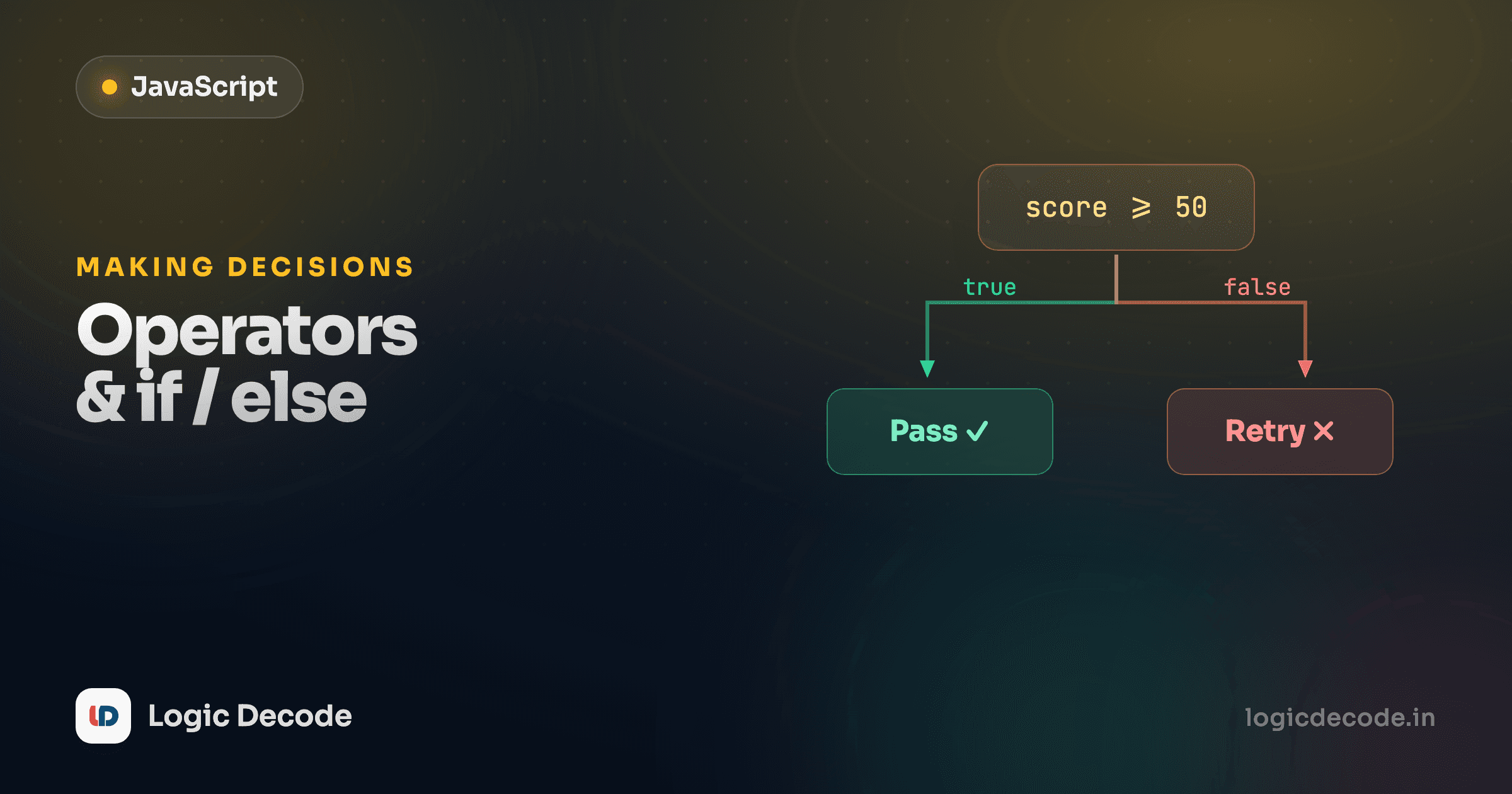
So far your code has run top to bottom, every line, every time. Real programs don't do that. They check something and pick a path: logged in or not, cart empty or not, price over budget or under. To do that you need two things: operators to compute and compare values, and conditionals to branch on the answer. Both are short, and you'll use them in literally every program you write from here on.
Arithmetic operators
These are the ones you already know from a calculator, plus two you might not.
The first four are obvious. The other two earn their keep constantly. % (modulo) gives the remainder after division. 250 % 7 is 5 because 7 goes into 250 thirty-five times with 5 left over. It's the standard trick for "is this even?" (n % 2 === 0) or "every 3rd item" (i % 3 === 0). And ** is exponentiation: 2 ** 10 is 2 multiplied by itself ten times. You'll reach for these more than you'd expect.
One thing that bites beginners: + is overloaded. With numbers it adds. With strings it joins. So 5 + 3 is 8, but "5" + 3 is "53", because JavaScript saw a string and glued them together. Watch your types.
Comparison operators
Comparisons ask a yes/no question and hand back a boolean, either true or false. That boolean is what your if will branch on next.
<, >, <=, >= do what they look like. The two that matter most are === (equal) and !== (not equal). Note the three characters. JavaScript also has == and != with two characters, and they are not the same. That's the one thing in this whole lesson worth slowing down for.
Use === and !==, basically always
=== checks if two values are equal without converting types. == checks if they're equal after trying to coerce them to the same type, and that coercion follows rules nobody memorizes correctly. Look:
That 0 == "" is true but "" == "0" is false is not a riddle you should ever have to solve at work. The fix is a one-liner habit: use === and !== everywhere. They do the obvious thing (same value, same type, equal) with no surprises. The loose == exists for historical reasons. The only common defensible use is x == null to catch both null and undefined in one check, and even that you can write out explicitly. The MDN expressions and operators guide walks through the full coercion table if you want to see exactly how strict the strict ones are.
The single most common JS bug for beginners
Reaching for == and getting a surprise comparison. Make === your default and you sidestep an entire category of "but it looked equal" bugs. If a linter ever flags ==, it's right.
Logical operators
You'll often need to combine conditions: both of these, or either of those, or not this. That's &&, ||, and !.
&& is true only when both sides are true: entry needs an adult and a ticket. || is true when at least one side is true. ! flips: !true is false. Group them with parentheses just like math, and reach for parentheses the moment a condition gets hard to read at a glance. Nobody enjoys parsing a && b || c && !d bare.
if / else if / else
Now the payoff. An if runs its block only when its condition is true. Add else for the fallback, and else if for extra branches checked in order.
JavaScript checks each condition top to bottom and runs the first block whose condition is true, then skips the rest. 73 isn't >= 90, isn't >= 75, but is >= 60, so it prints Grade: C and stops, and the else never runs. Order matters: if you'd put score >= 60 first, a 95 would also match it and you'd wrongly get a C. Go from most specific to least.
Change score in the playground and re-run. Try 90, 74, 40 and watch which branch wins.
The ternary operator
When all you're doing is picking between two values, a full if/else is bulky. The ternary does it in one line: condition ? valueIfTrue : valueIfFalse.
Read it as a question: is age >= 18? if yes, "adult", and if no, "minor". It's perfect for assigning one of two values or dropping a conditional straight into a string. Keep it to genuinely simple either/or choices, though. Nesting ternaries inside ternaries is how you write code nobody can read. When there are three or more branches, go back to if / else if.
Quick check
What does `score >= 60 ? 'pass' : 'fail'` give when score is 45?
Truthy, falsy, and conditions without comparisons
An if doesn't strictly need a comparison. It just needs something that's true-ish. JavaScript treats every value as either "truthy" or "falsy" when forced into a boolean context. The falsy values are a short, learnable list: false, 0, "" (empty string), null, undefined, and NaN. Everything else is truthy: every non-empty string, every non-zero number, every array, every object.
This is everyday JavaScript. if (name) means "if name has a real value," and an empty string is falsy, so it falls through to the else. if (items.length) means "if there's at least one item," since 0 is falsy and any other count is truthy. And username || "guest" is the classic default: || returns the first truthy value, so an empty username falls back to "guest". Lean on this, but know the falsy list cold, since a sneaky 0 you meant to keep is the usual gotcha.
Recap and what's next
Operators compute and compare, and conditionals branch on the result. + - * / % ** cover the math (don't forget % and **). ===/!== are your equality checks. Use them over ==/!= and skip a whole class of bugs. && || ! combine conditions. if / else if / else picks a path top to bottom, first match wins. The ternary squeezes a two-way choice into one line, and truthy/falsy lets a plain value stand in for a condition.
This builds straight on strings and template literals, and you'll branch on string values constantly. Next up: doing something repeatedly with JavaScript loops, where these same conditions decide when to keep going and when to stop. If you came from the other side of the house, this is the same branching idea as Python functions and logic building: same logic, different punctuation.

Written by
Rhythm Bhiwani
Engineer and relentless builder, happiest reverse-engineering hard problems until they click.
Enjoyed this?
Tap the heart to leave some love.
Be the first to react
Comments
Join the conversation.
Loading comments…