JavaScript Strings and Template Literals, Explained
Work with text in JavaScript: string methods, concatenation, and template literals for clean interpolation, with runnable examples throughout.

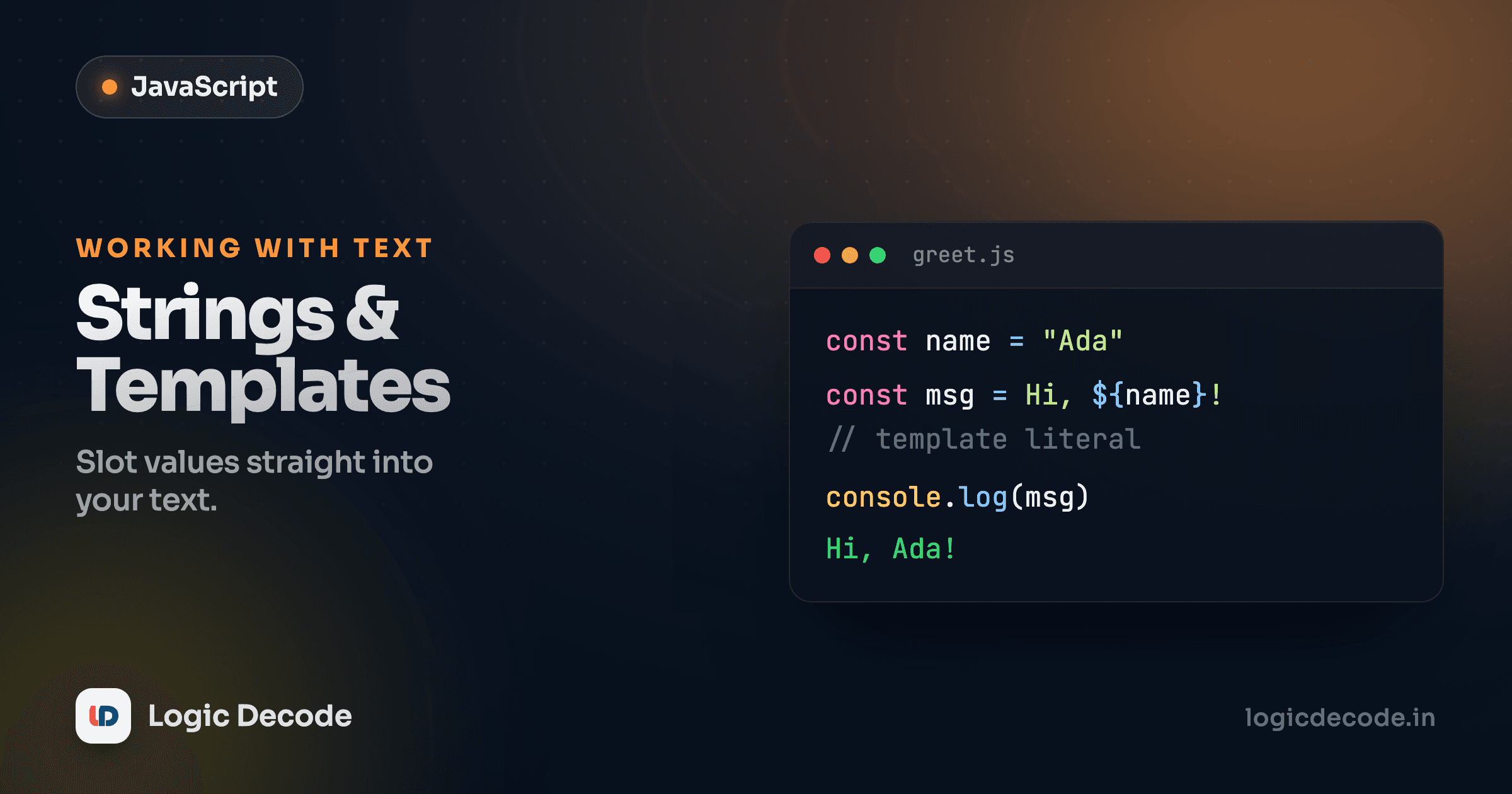
Almost every program you'll ever write pushes text around: a username, an error message, a price formatted for a receipt. JavaScript's string is the type that holds all of it, and it comes with a toolbox of methods plus a much nicer way to build messages than gluing pieces together with +. By the end of this you'll stop writing "Hello, " + name + "!" for good.
Strings are just text, and they don't change
A string is a sequence of characters wrapped in quotes. Single or double quotes both work, and they're interchangeable, so pick one and stay consistent.
let name = "Maya";
let city = 'Pune';
Here's the part that surprises people: strings are immutable. Once a string exists, you cannot change a character inside it. Every method that looks like it edits a string actually returns a brand-new one and leaves the original alone.
let greeting = "hello";
greeting.toUpperCase();   // returns "HELLO"
console.log(greeting);    // still "hello" — unchanged!
That second line trips up beginners constantly. toUpperCase() didn't fail, it returned "HELLO", you just threw the result away. If you want the uppercase version, you have to capture it: greeting = greeting.toUpperCase(). Methods give you back a new string. They don't mutate in place.
The string methods you'll actually use
There are dozens, but a handful cover most of what you do day to day. Run this and read the console. Every line is a different tool.
Quick tour of what each one does:
.lengthis a property, not a method, so no parentheses. It's the character count, spaces included..trim()strips whitespace off both ends. You'll reach for this on every form input a user types..toUpperCase()/.toLowerCase()change case. Handy for case-insensitive comparisons: lowercase both sides before checking..slice(start, end)pulls out a chunk by index (counting from 0). Theendindex is not included, and leaving it off means "to the end.".includes("x")returnstrueorfalse: does the string contain that text?.replace("a", "b")swaps the first match. (For every match you'd use a regex with thegflag, a topic for later.).split(" ")breaks the string into an array on whatever separator you give it. Splitting on a space is the classic "turn a sentence into words" move.
Notice how the calls chain: msg.trim().toUpperCase() works because trim() hands back a string, and strings have a toUpperCase() method too. You can keep chaining as long as each step returns something with the next method on it.
Index from the end, fast
Want the last character? str[str.length - 1]. Want to check how a string ends, like a file extension? filename.endsWith(".png"). There's a matching .startsWith() too, and both return a boolean and read like English.
Quick check
After `let s = "code"; s.toUpperCase();`, what is the value of `s`?
Joining strings: the old way with +
Before template literals, you built a sentence out of parts by adding them with +. This is called concatenation.
let name = "Aarav";
let age = 28;
let bio = "My name is " + name + " and I am " + age + " years old.";
console.log(bio); // "My name is Aarav and I am 28 years old."
It works, and you'll still see it in older code. But look closely at the seams. You have to remember a space inside the quotes after "is " and before " and", or the words smush together. Every variable means closing a quote, typing +, dropping in the variable, typing + again, reopening a quote. Miss one and you get "My name isAarav" or a syntax error. It's fiddly, and it gets worse the more variables you add.
One nice thing happens automatically here: age is a number, but + with a string converts it to text. That's why 28 slots in cleanly. Convenient, though it's also the source of the classic gotcha where "5" + 3 gives you "53" instead of 8. We'll dig into that in the next lesson on operators.
Template literals: backticks change everything
Modern JavaScript gives you a far cleaner tool: the template literal. Instead of quotes, you wrap the string in backticks (the ` key, usually top-left on your keyboard), and you drop variables straight in with ${ }.
let name = "Aarav";
let age = 28;
let bio = `My name is ${name} and I am ${age} years old.`;
console.log(bio); // "My name is Aarav and I am 28 years old."
Same output, half the fuss. No closing and reopening quotes, no stray +, and the spacing is obvious because you can see the whole sentence laid out as it'll appear. The ${ } is an interpolation slot: JavaScript evaluates whatever's inside it and drops the result into the string at that spot.
And "whatever's inside it" really does mean any expression, not just a bare variable. You can do math, call methods, anything:
let price = 250;
let qty = 3;
console.log(`Total: ₹${price * qty}`);            // "Total: ₹750"
console.log(`Hi, ${name.toUpperCase()}!`);         // "Hi, AARAV!"
console.log(`You ${age >= 18 ? "can" : "cannot"} vote.`); // "You can vote."
That last one uses a ternary expression inside the slot. Don't worry if it's new, the point is that ${ } runs real code, not just substitution.
Multi-line strings for free
The other thing backticks unlock: line breaks. A regular "..." or '...' string can't span multiple lines, so you'd need \n escape sequences jammed in. A template literal keeps the line breaks exactly as you type them.
let name = "Diya";
let message = `Hi ${name},

Thanks for signing up.
Your account is ready.

— The Logic Decode team`;
console.log(message);
What you write is what you get, blank lines and all. This is gold for building emails, HTML snippets, or any block of text with structure. Compare it to the + and \n version and there's no contest:
// The painful old way
let message = "Hi " + name + ",\n\n" +
  "Thanks for signing up.\n" +
  "Your account is ready.\n\n" +
  "— The Logic Decode team";
Why template literals win
It's not just shorter. It's harder to get wrong. With + concatenation, the bugs are silent: a missing space, a + where you meant to type a quote, a number that stringifies in a way you didn't expect. Template literals put the whole shape of the string in front of you, slots and all, so what you read is what prints. The MDN reference on template literals is worth a bookmark once you start using tagged templates and nesting.
The rule I'd give you: reach for backticks by default. Use plain quotes only for dead-simple constant strings with no variables in them, like "OK" or 'error'. The moment a string has a variable in it or spans more than one line, a template literal is the better call. You'll write less, break less, and your strings will read like the sentences they produce.
Quick check
Which produces the string `Hello, Sam!` given `let user = 'Sam'`?
Recap and what's next
Strings hold text and never change in place. Methods like .toUpperCase(), .slice(), .includes(), .trim(), .split(), and .replace() all return new strings, so capture the result. You can glue strings with +, but template literals using backticks and ${ } are cleaner: drop any expression into a slot, write multi-line text as-is, and skip the quote-and-plus gymnastics. Default to backticks and you'll rarely look back.
You met these methods working on text, but the conversion you saw with "5" + 3 hints at something bigger. Next up: operators and conditionals, where you'll learn how JavaScript compares and combines values, and how to make your code branch on them. If you came here from JavaScript data types, this was the type you'll use most. And if you want to see the same ideas from the other half of programming, the Python functions lesson breaks problems into named pieces the same way.

Written by
Rhythm Bhiwani
Engineer and relentless builder, happiest reverse-engineering hard problems until they click.
Enjoyed this?
Tap the heart to leave some love.
Be the first to react
Comments
Join the conversation.
Loading comments…