JavaScript Data Types: Numbers, Strings, Booleans
The core JavaScript data types (number, string, boolean, null, undefined) and how typeof works, explained with live runnable examples.

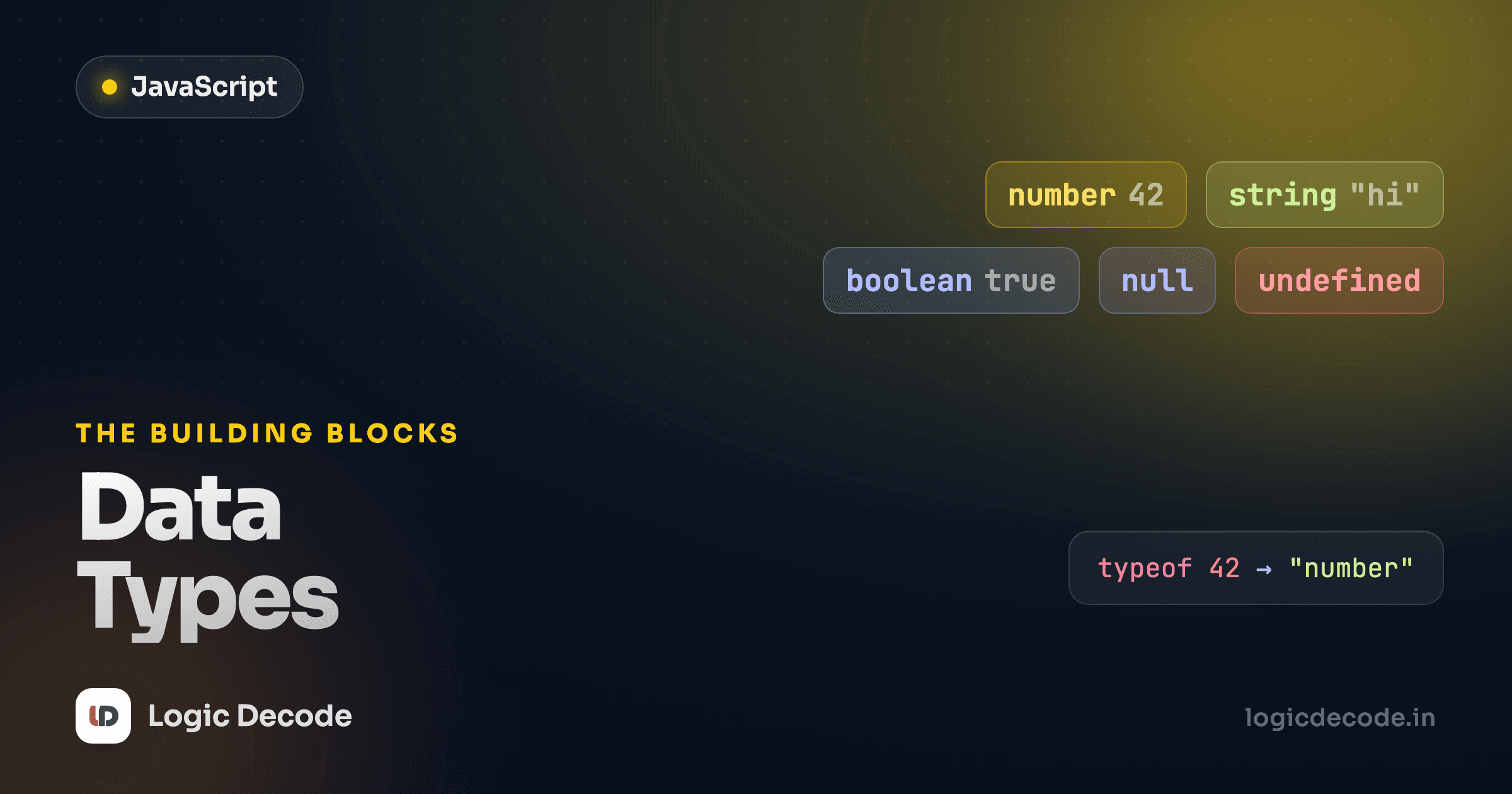
Every value your code touches has a type, and JavaScript only has a handful of them. Get those few straight and most of the language stops feeling mysterious. You'll know why "3" + 4 gives you "34" and why typeof null lies to your face. We'll meet each type, run real code on every one, and clear up the gotchas that bite beginners.
In the last lesson on variables you learned how to store values with let and const. This one is about what those values actually are.
The two big families
JavaScript splits every value into two camps. Primitives are the simple, single values: a number, a piece of text, true/false. Everything else (arrays, objects, functions) is an object, which we'll cover in later lessons.
There are seven primitive types, but you'll use five of them constantly: number, string, boolean, null, and undefined. The other two, bigint (for integers too large for a normal number) and symbol (for unique keys), are real but rare. You can ignore them until you have a specific reason not to.
Let's run through the five that matter.
number
Here's the first thing that surprises people coming from Python or Java: JavaScript has no separate int and float. There's just number, and 42 and 42.0 and 3.14 are all the same type.
Whole number or decimal, typeof says "number" either way. That keeps things simple, but it has a catch worth knowing: because every number is a 64-bit float under the hood, 0.1 + 0.2 does not equal 0.3 exactly. Run it and you'll see 0.30000000000000004. That's not a JavaScript bug. It's how floating-point math works in every language. For money, work in whole cents (integers) instead of dollars with decimals.
There's also a special number value: NaN, short for "Not a Number." You get it when a math operation can't produce a real number, like trying to turn the word "hello" into one.
The weird part: typeof NaN is "number". And NaN is the only value in JavaScript that isn't equal to itself, so NaN === NaN is false. To check for it, use Number.isNaN(value), never value === NaN.
string
A string is text, anything in quotes. Single quotes, double quotes, and backticks all make strings, and they behave the same for plain text:
That last line is the classic trap. "3" + 4 gives "34", not 7. When + sees a string on either side, it switches from addition to concatenation (gluing text together) and converts the number to text to do it. This is one of JavaScript's most stumbled-over behaviors, so burn it in now: + with any string means joining, not adding.
Backtick strings are special enough to get their own lesson next, since they let you embed variables directly. Strings also come with a deep toolbox of methods (.length, .toUpperCase(), .slice(), and more) which is exactly where we're headed after this.
boolean
A boolean is the simplest type: it's either true or false, with no quotes. You get booleans back from comparisons, and you'll lean on them for every if statement and loop.
Notice 5 === "5" is false. === checks both value and type, and a number is never equal to a string. Always prefer === over ==. The loose == does surprise conversions you don't want. We'll dig into all the comparison and logic operators in the operators lesson.
null and undefined
These two both mean "no value," and the difference trips up nearly everyone. undefined is JavaScript's way of saying "this hasn't been set yet." It's what you get from a variable you declared but never assigned, or a missing object property. null is what you assign on purpose to say "this is intentionally empty."
score was never assigned, so it's undefined. chosen was deliberately set to null. The rule of thumb: you almost never write undefined yourself. Let JavaScript produce it. Reach for null when you want to explicitly say "empty on purpose."
typeof null is broken
typeof null returns "object", not "null". This is a genuine bug from JavaScript's first version in 1995, and it can never be fixed without breaking the web. So memorize the exception: null is a primitive, but typeof claims it's an object. To check for null, compare directly: value === null.
typeof at a glance
The typeof operator tells you the type of any value as a string. You've seen it throughout. Here's the whole set in one place:
typeof 42            // "number"
typeof "hi"          // "string"
typeof true          // "boolean"
typeof undefined     // "undefined"
typeof null          // "object"  ← the famous bug
typeof 10n           // "bigint"
typeof Symbol("id")  // "symbol"
typeof {}            // "object"
typeof []            // "object"  ← arrays are objects too
typeof function(){}  // "function"
Two surprises live here: null reports as "object" (the bug above), and arrays also report as "object" (an array is a kind of object). When you specifically need to know "is this an array?", use Array.isArray(value) instead of typeof.
Quick check
What does typeof null evaluate to?
Truthy and falsy
Every value in JavaScript also has a true-or-false side, used whenever a value lands in a boolean spot like if (value). Most values are "truthy." Only a short list is "falsy," so memorize this list and you've got it, because everything not on it is truthy:
false, 0, "" (empty string), null, undefined, NaN.
That's the complete set. Notice what's not there: "0" (a non-empty string) is truthy, [] (an empty array) is truthy, and {} (an empty object) is truthy. Those last two catch people constantly.
Converting between types
When you do need to change a value's type, JavaScript gives you three explicit conversion functions. Use them on purpose instead of relying on the messy automatic conversions:
Number("42") turns text into a real number, so the addition gives 50 instead of gluing strings. String(99) does the reverse. Boolean(value) collapses any value down to its truthy/falsy side, which is exactly that falsy list from above in action.
The most common real use is form input: every value typed into a web form arrives as a string, so Number(ageInput) is how you get a number you can actually do math with. Just remember Number("hello") gives you NaN, so check the result before trusting it.
Pick the explicit version
You'll see shortcuts like +"42" (to number) and "" + 99 (to string) in other people's code. They work, but Number(...) and String(...) say what you mean and read clearly. Spell it out.
Recap and what's next
JavaScript has a small, learnable set of types. Five primitives carry most of your data: number (one type for all numbers, with NaN for failed math), string (text, where + joins instead of adds), boolean (true/false), undefined (not set yet), and null (empty on purpose). typeof reports the type, but just remember it lies about null. Every value is also truthy or falsy, with a short fixed list of falsy values, and Number(), String(), and Boolean() convert between types when you ask explicitly. For the deep details, MDN's data structures guide is the canonical reference.
Strings are the type you'll handle most, and they do far more than hold text. Next up: Strings and template literals, where backticks let you drop variables straight into your text and the string toolbox really opens up.

Written by
Rhythm Bhiwani
Engineer and relentless builder, happiest reverse-engineering hard problems until they click.
Enjoyed this?
Tap the heart to leave some love.
Be the first to react
Comments
Join the conversation.
Loading comments…