Tool Calling: Let the LLM Use Your Functions
Let an LLM call your Python functions with tool calling: define tools, run the call loop, and feed results back so the model can finish the job.

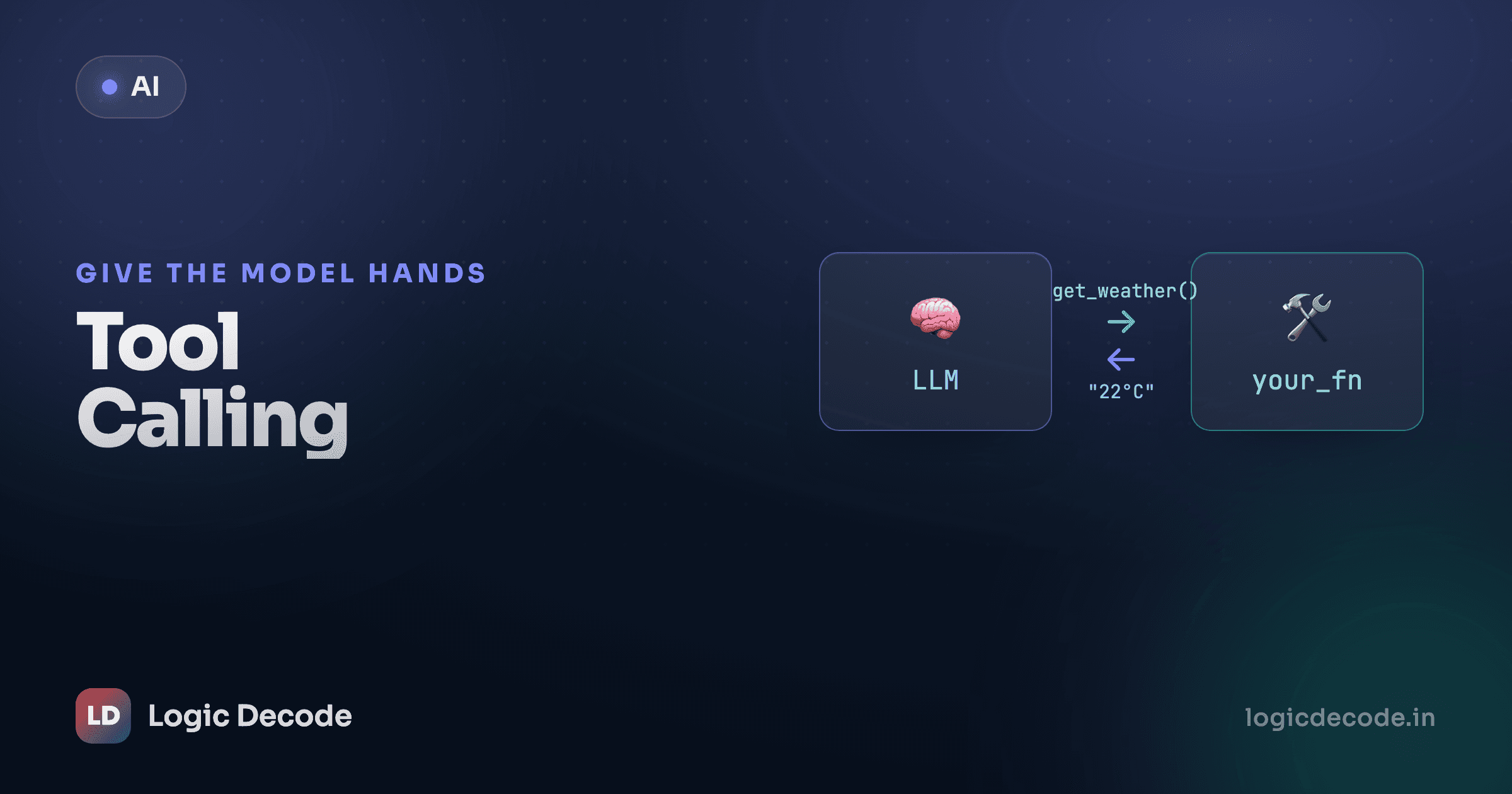
Ask a model what the weather is in Mumbai right now and it can't tell you. It has no thermometer and no internet, just patterns frozen at training time. Ask it 4821 * 9376 and it'll often guess wrong, confidently. Tool calling fixes both. You hand the model a set of functions it's allowed to use, and when it needs live data or real math, it asks you to run one and tells you exactly what to pass.
The catch that trips people up: the model never runs your code. It just requests a call. You run the function, hand back the result, and ask the model to continue. You stay in the driver's seat the whole time, which is the whole point. It builds straight on structured JSON output. There you asked the model for clean data, here you hand it the keys to real Python.
The mental model
A normal call is one round trip: you send messages, you get text back. Tool calling adds a detour. The model can reply with "don't answer yet. First run get_weather(city='Mumbai') for me." Your code runs the actual Python function, gets {"temp_c": 31, "sky": "humid"}, sends that result back into the conversation, and then the model writes the final answer using the real number.
So there are two trips to the model with your code in the middle:
Notice the model decides whether a tool is even needed. Ask it "what's 2 + 2" and a well-behaved model just answers. Ask it "what's the weather in Mumbai" and it reaches for the tool. You don't force the detour, you offer the option.
Define a tool
A tool is a JSON description of an ordinary Python function: its name, what it does, and what arguments it takes. The description matters more than it looks. It's the only thing the model reads to decide when to use the tool, so write it like a docstring for a model, not a human.
Here's a weather function and its tool definition. The function is plain Python (returning a canned value so it's reproducible), and the schema describes it for the model.
import json

def get_weather(city: str) -> dict:
    # A real version would hit a weather API. Canned for the demo.
    fake = {"Mumbai": {"temp_c": 31, "sky": "humid"},
            "Pune": {"temp_c": 27, "sky": "clear"}}
    return fake.get(city, {"temp_c": 25, "sky": "unknown"})

tools = [
    {
        "type": "function",
        "function": {
            "name": "get_weather",
            "description": "Get the current weather for a city. "
                           "Call this whenever the user asks about weather.",
            "parameters": {
                "type": "object",
                "properties": {
                    "city": {
                        "type": "string",
                        "description": "City name, e.g. 'Mumbai'",
                    },
                },
                "required": ["city"],
            },
        },
    }
]
The parameters block is a JSON Schema, the same shape you'd use to validate any JSON. type: "object" with a properties map says "this function takes named keyword arguments," and required lists the ones that aren't optional. The model uses this to figure out what to send and in what shape. If you've seen Python type hints, it's the same idea, spelled out in JSON.
The description is the prompt
The model never sees your Python. It picks a tool purely from the name and description in the schema. A vague "gets weather" gets used less reliably than "Get the current weather for a city. Call this whenever the user asks about weather." Be specific about when to call it, not just what it does.
The full round trip
Now wire it up. We reuse the client and MODEL from the first-API-call lesson. Same setup, nothing new there.
We pass tools=tools into the call. The model looks at the user's question and decides: answer directly, or ask for a tool. When it wants a tool, the text content is usually empty and message.tool_calls is populated instead.
# assumes `client`, `MODEL`, `get_weather`, and `tools` from above
import json

messages = [{"role": "user", "content": "What's the weather in Mumbai?"}]

# --- First trip: does the model want a tool? ---
resp = client.chat.completions.create(
    model=MODEL,
    messages=messages,
    tools=tools,
)
reply = resp.choices[0].message
reply.tool_calls is a list, since the model can ask for several functions at once. Each item has an .id, and a .function with .name and .arguments. The gotcha that bites everyone the first time: .arguments is a JSON string, not a dict. You have to json.loads it before you can use it.
if reply.tool_calls:
    # Keep the model's request in the history — required for the next call.
    messages.append(reply)

    for call in reply.tool_calls:
        args = json.loads(call.function.arguments)   # "{...}" -> dict

        if call.function.name == "get_weather":
            result = get_weather(**args)             # actually run it

            # Hand the result back, tagged with the call's id.
            messages.append({
                "role": "tool",
                "tool_call_id": call.id,
                "content": json.dumps(result),
            })
Three things happen in that block, and skipping any one breaks the next call. You append the assistant's original message (the one containing the tool request) back into messages. You run the matching Python function with the parsed arguments. And you append a new message with role: "tool", carrying the result as a string and, critically, the same tool_call_id the model gave you, so it knows which request this answers.
Now the history holds the question, the model's tool request, and your tool result. Send the whole thing back and the model writes the real answer:
    # --- Second trip: model answers using the tool result ---
    final = client.chat.completions.create(
        model=MODEL,
        messages=messages,
        tools=tools,
    )
    print(final.choices[0].message.content)
    # -> "It's currently 31°C and humid in Mumbai."
else:
    # No tool needed — the first reply is already the answer.
    print(reply.content)
That's the entire pattern. Two calls to the model, your function in the sandwich. The model decided to use the tool, told you the arguments, you ran real Python, and it folded the result into a natural sentence. Run the same script asking "what's 2 + 2" and the else branch fires: no tool, just an answer.
Quick check
The model replies with a tool_call. What is call.function.arguments?
Don't trust the arguments
The model generates those arguments, which means it can generate nonsense: a city you don't support, a number where you wanted a string, a required field it forgot. It can also ask to call a tool that doesn't exist if you've confused it. Your code is what actually runs, so your code validates.
Treat tool arguments exactly like user input from a web form: never assume they're well-formed. Check the function name is one you recognize before dispatching, and guard the arguments before acting on them.
TOOLS = {"get_weather": get_weather}   # the allow-list of what's runnable

def run_tool(call):
    name = call.function.name
    if name not in TOOLS:
        return {"error": f"unknown tool: {name}"}
    try:
        args = json.loads(call.function.arguments)
    except json.JSONDecodeError:
        return {"error": "arguments were not valid JSON"}
    return TOOLS[name](**args)
This matters more the moment a tool does something: sends an email, deletes a row, spends money. A tool that only reads weather is low-stakes. A tool named transfer_funds had better validate every argument and probably ask a human before it fires. The model is a suggestion engine, not an authority, and you decide what actually executes. The same try/except patterns from the error handling lesson keep a bad argument from crashing your whole loop.
Returning errors beats raising them
When a tool fails, hand the error back to the model as a tool result string ("error: unknown city") rather than letting an exception kill the program. The model can read that, apologize, or try a different city. Crashing on bad input throws away the conversation. A returned error keeps it alive.
Where this is heading
You've now done the full tool-call round trip: define a function as a JSON-schema tool, pass it with tools=, catch the model's tool_calls, parse the arguments with json.loads, run real Python, append a role: "tool" message with the matching tool_call_id, and call the model again so it can answer with the live result. And you've seen the rule that keeps it safe: validate everything the model sends, because it generated those arguments and can get them wrong. The openai-python README is the reference for every option the call accepts, so keep it open.
One detail to sit with: we ran the loop exactly once. But what if the model's answer needs another tool call after seeing the first result? What if get_weather returns a city it then wants to look up a flight for? Wrap this round trip in a while loop, calling the model until it stops asking for tools, and you've built an agent. That's the leap we make in build a simple AI agent, where think → act → observe runs on repeat until the job's done.

Written by
Rhythm Bhiwani
Engineer and relentless builder, happiest reverse-engineering hard problems until they click.
Enjoyed this?
Tap the heart to leave some love.
Be the first to react
Comments
Join the conversation.
Loading comments…