Get Structured JSON Output You Can Trust
Get structured JSON out of an LLM reliably: JSON mode, a Pydantic schema, validation, and retries, so your code can trust the model's output.

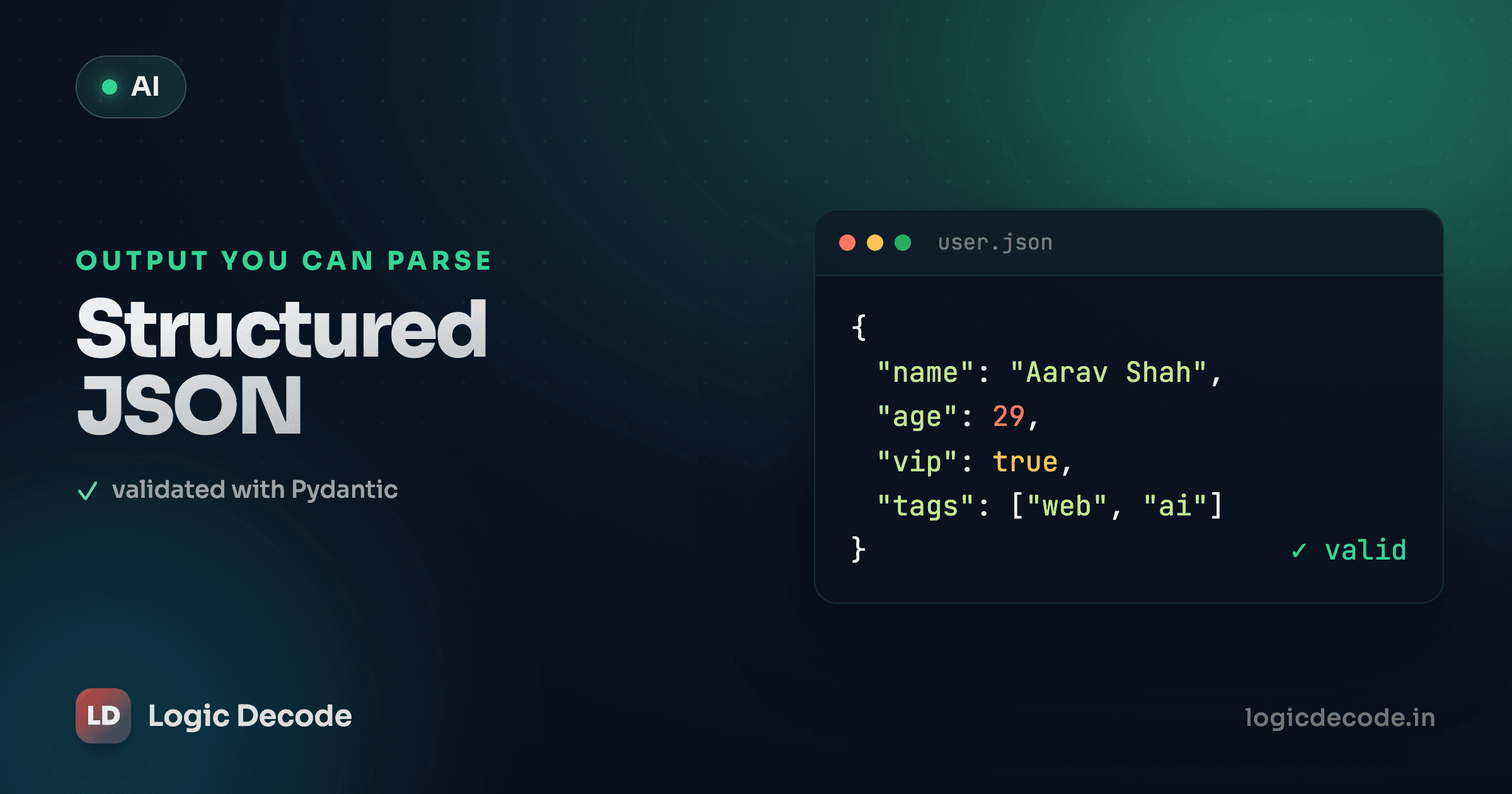
A chatty paragraph is great for a human and useless for a program. The moment you want to do something with a reply (save it to a database, fill a form, branch on a value) you need fields, not prose. You need {"name": "Maya", "age": 29}, not "Sure! Maya is 29 years old.". This lesson is how you get JSON out of an LLM that your code can actually rely on.
Free text breaks real programs
Say you want to pull a name and age out of a sentence. The naive way:
resp = client.chat.completions.create(
    model=MODEL,
    messages=[{"role": "user", "content": "Extract the name and age from: Maya is 29."}],
)
print(resp.choices[0].message.content)
# -> "The name is Maya and the age is 29." ... or "Maya, 29" ... or a JSON block in markdown fences
Run that ten times and you'll get five different shapes. Sometimes a sentence, sometimes a list, sometimes JSON wrapped in ```json fences you have to strip. You can't write data["age"] against that. Any parser you build is a pile of string hacks that breaks on the next phrasing the model invents.
The fix has two halves: ask for JSON properly, and then refuse to trust it until you've checked the shape.
Turn on JSON mode
Most OpenAI-compatible endpoints support a response_format flag that forces the output to be syntactically valid JSON. Set it to {"type": "json_object"} and the model can't reply with prose. It has to emit a parseable object.
import json
from openai import OpenAI
import os

client = OpenAI(base_url=os.environ["LLM_BASE_URL"], api_key=os.environ["LLM_API_KEY"])
MODEL = os.environ.get("LLM_MODEL", "gpt-4o-mini")

blurb = "Maya is 29, reach her at maya@example.com. She's into hiking and Rust."

resp = client.chat.completions.create(
    model=MODEL,
    response_format={"type": "json_object"},
    messages=[
        {"role": "system", "content": "Extract user fields. Respond in JSON with keys: name, age, email, tags."},
        {"role": "user", "content": blurb},
    ],
)

raw = resp.choices[0].message.content
data = json.loads(raw)   # now a real Python dict
print(data["email"])     # -> maya@example.com
json.loads turns the string into a real Python dictionary, so data["email"] just works. No fence-stripping, no regex.
JSON mode needs the word 'JSON' in your prompt
This trips up everyone once. When you set response_format={"type": "json_object"}, many providers require the literal word "JSON" somewhere in your messages, or the call errors out. That's why the system message above says "Respond in JSON." It's not optional decoration. Leave it out and you get a 400, not a helpful hint.
JSON mode guarantees the output parses. It does not guarantee the output is correct. The model can still hand you age as the string "twenty-nine", drop email entirely, or invent a key you never asked for. Valid JSON, wrong data. That's the gap the next step closes.
Validate the shape with Pydantic
json.loads gives you a dict, but a dict with no rules. You asked for age as a number and got a string? Python won't complain until that value blows up three functions later, far from the cause. You want the bad data to fail loudly, right here.
That's Pydantic's whole job. You declare the shape once as a class, and model_validate checks any dict against it — types, required fields, the lot. Wrong shape, instant ValidationError.
It runs with no API key, so let's actually run it. Edit the values below and watch it pass, then fail:
Run it. The good payload becomes a User object, and notice user.age + 1 works, because Pydantic gave you a real int, not a string that happens to look like one. The bad payload raises ValidationError that names exactly what's wrong: age isn't an integer, email is required and missing. No silent corruption sneaking downstream.
A few things worth knowing:
model_validate(data)takes a dict (what you get afterjson.loads). There's alsomodel_validate_json(raw)that takes the raw JSON string and parses + validates in one step, handy when you skip the manualjson.loads.- Pydantic coerces where it's safe. The string
"29"will quietly become the int29, because that conversion is unambiguous."twenty-nine"can't, so it errors. Lean on that, but don't assume it'll rescue every mess. - Mark optional fields with a default:
email: str | None = None. Then a missing email is allowed instead of fatal, your call on which fields are truly required.
Quick check
Your call uses response_format json_object, and json.loads succeeds. What does that guarantee about the data?
Wire it into the real call
Put the two halves together and the extraction goes from "hope it's right" to "checked":
import json
from pydantic import BaseModel, ValidationError

class User(BaseModel):
    name: str
    age: int
    email: str | None = None
    tags: list[str] = []

resp = client.chat.completions.create(
    model=MODEL,
    response_format={"type": "json_object"},
    messages=[
        {"role": "system", "content": "Extract user fields. Respond in JSON with keys: name, age, email, tags."},
        {"role": "user", "content": "Maya is 29, reach her at maya@example.com. Into hiking and Rust."},
    ],
)

raw = resp.choices[0].message.content
user = User.model_validate_json(raw)   # parse + validate in one move
print(user.name, user.age, user.tags)  # -> Maya 29 ['hiking', 'rust']
If the model behaved, you get a clean User. If it didn't, model_validate_json throws — which is the cue for the last piece.
Retry when the shape is wrong
Models are probabilistic. Most of the time you'll get clean JSON; once in a while you won't. Don't crash on that one bad roll — catch it and ask again. This is exactly the try/except error handling you've already used, wrapped around the call.
The pattern: try to parse and validate. On failure, loop and re-request, optionally feeding the error back so the model can fix its own mistake. Cap the attempts so a stubborn model can't loop forever.
Here's the whole loop at a glance:
import json
from pydantic import BaseModel, ValidationError

class User(BaseModel):
    name: str
    age: int
    email: str | None = None
    tags: list[str] = []

def extract_user(blurb: str, max_tries: int = 3) -> User:
    messages = [
        {"role": "system", "content": "Extract user fields. Respond in JSON with keys: name, age, email, tags."},
        {"role": "user", "content": blurb},
    ]
    for attempt in range(max_tries):
        resp = client.chat.completions.create(
            model=MODEL,
            response_format={"type": "json_object"},
            messages=messages,
        )
        raw = resp.choices[0].message.content
        try:
            return User.model_validate_json(raw)
        except ValidationError as e:
            # Show the model what it got wrong and let it repair.
            messages.append({"role": "assistant", "content": raw})
            messages.append({"role": "user", "content": f"That failed validation:\n{e}\nReturn corrected JSON."})
    raise RuntimeError(f"Couldn't get valid output after {max_tries} tries")

user = extract_user("Maya is 29, maya@example.com, likes hiking and Rust.")
print(user)
Two attempts fixes the vast majority of hiccups, because feeding the ValidationError back is a precise instruction: "you sent age as a string, send a number." Keep max_tries small. If three tries can't produce valid output, the problem is your prompt or your schema, not bad luck, and retrying harder won't save you.
Stricter mode if your provider has it
json_object is the lowest common denominator. Nearly every OpenAI-compatible endpoint supports it. Some also offer json_schema mode, where you hand over the full schema (Pydantic generates one with User.model_json_schema()) and the provider constrains the output to match it directly, cutting your retries toward zero. It's stricter and nicer when available, but support varies by provider, so build the validate-and-retry loop regardless. It's your safety net no matter what the endpoint promises.
Recap and what's next
Free text is for humans. Your code needs fields. Three moves get you JSON you can trust. Turn on JSON mode with response_format={"type": "json_object"} (and keep the word "JSON" in your prompt) so the reply parses. Define the shape as a Pydantic BaseModel and call model_validate_json so wrong types and missing fields fail loudly instead of rotting your data. And wrap it in a small retry loop that feeds the error back when validation trips. JSON mode gets you valid syntax, Pydantic gets you valid meaning, and the retry covers the rare bad roll. The official Pydantic docs go deep on richer schemas (nested models, constraints, custom validators) when your shapes get more interesting.
This is also the foundation for the next big leap. Once the model can return structured data on demand, it can tell your program which function to run and with what arguments. That's tool calling, where the LLM stops just talking and starts using your code.

Written by
Rhythm Bhiwani
Engineer and relentless builder, happiest reverse-engineering hard problems until they click.
Enjoyed this?
Tap the heart to leave some love.
Be the first to react
Comments
Join the conversation.
Loading comments…