Python Dictionaries: Key-Value Data Made Easy
Use Python dictionaries to store and look up key-value data: creating, accessing, updating, nesting, and iterating over them.

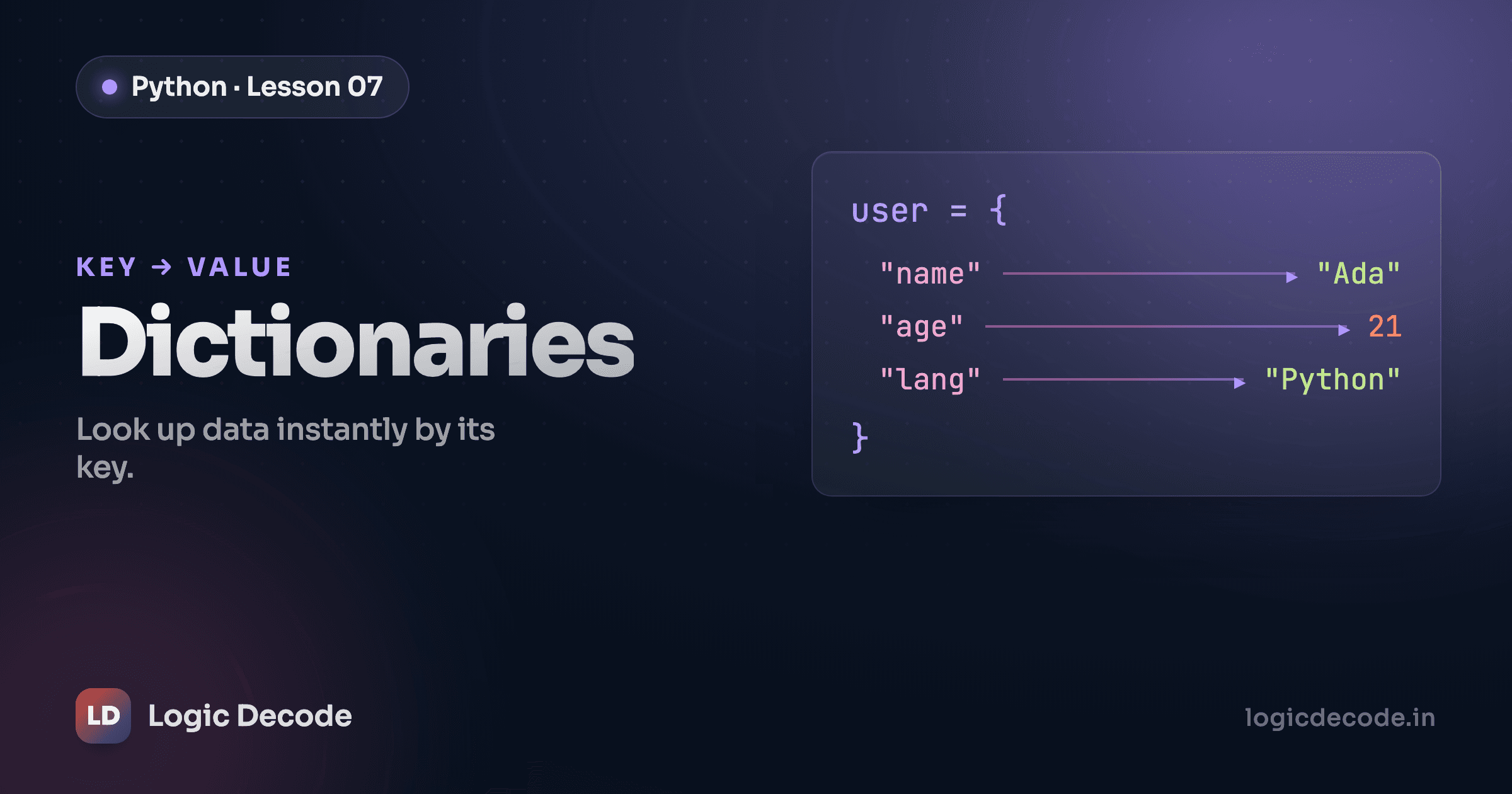
A list lets you grab the item at position 2. But "position 2" is a terrible way to remember someone's phone number. You don't think "the third item in my contacts." You think "Sara's number." When you want to look things up by name instead of by position, you reach for a dictionary.
Creating a dictionary
A dictionary stores pairs: a key you look something up by, and a value it points to. You write it inside curly braces, each pair as key: value, pairs separated by commas:
phone_book = {'sara': '555-0182', 'omar': '555-0147'}Here the keys are names ('sara', 'omar') and the values are phone numbers. Keys are usually strings, but they don't have to be. Numbers work too. Values can be anything: a string, a number, a list, even another dictionary.
An empty dictionary is just two braces, ready to fill later:
scores = {}That {} is the dictionary you start with when you'll add pairs as your program runs — counting things, tallying votes, building a record from user data.
Access and update
To read a value, put its key in square brackets, the same brackets you used for list positions, except now you pass the key instead of a number:
phone_book['sara'] # '555-0182'There's a catch. Ask for a key that isn't there and Python raises a KeyError and stops:
phone_book['nobody'] # KeyError: 'nobody'When you're not sure a key exists, use .get() instead. It hands back the value if the key is there, and None if it isn't, with no crash:
phone_book.get('sara')     # '555-0182'
phone_book.get('nobody')   # None
You can even pass a fallback as a second argument: phone_book.get('nobody', 'unknown') returns 'unknown' instead of None. That's the difference between a program that handles missing data gracefully and one that falls over the first time it meets it.
Adding or changing a value uses the same bracket syntax, now on the left of an =. If the key exists you overwrite it. If it doesn't, Python creates it:
phone_book['sara'] = '555-9999'   # updates Sara's number
phone_book['leah'] = '555-0163'   # adds a brand-new entry
One assignment, two jobs: update or insert depending on whether the key was already there.
Quick check
How do you safely read a key that might not exist, without crashing?
Nesting
Values can be lists and dictionaries, which is where this gets useful. Real data isn't flat. A person has a name and an age and a handful of hobbies. You model that as one dictionary holding a mix of types:
student = {
    'name': 'Sara',
    'age': 21,
    'hobbies': ['chess', 'guitar', 'hiking'],
}
Now student is a single record. Pull out any field by its key:
student['name']   # 'Sara'
student['age']    # 21
The 'hobbies' value is a list, so once you fetch it you can index into it like any list. Chain the lookups: first the dictionary key, then the list position:
student['hobbies']      # ['chess', 'guitar', 'hiking']
student['hobbies'][0]   # 'chess'
Read student['hobbies'][0] left to right: get the hobbies list out of the dictionary, then take item 0 from it. That stacking (dict key, then list index, and you can keep going) is how you walk into nested data. Build the whole record and read pieces out of it here:
Try adding another hobby with student['hobbies'].append('reading'), or read a key that doesn't exist with student['email'] and watch it raise a KeyError, then swap to .get() and watch it not.
Looping over a dict
You rarely want just one value. Most of the time you want to walk through the whole thing, printing every contact or totalling every score. The .items() method gives you each key and its value together, so you can unpack both in a for loop:
phone_book = {'sara': '555-0182', 'omar': '555-0147'}

for name, number in phone_book.items():
    print(name, '->', number)
name and number get filled in fresh on every pass, one pair per loop. The output:
sara -> 555-0182
omar -> 555-0147
If you only need the keys, loop over the dict directly (for name in phone_book:). If you only need the values, use .values(). But .items() is the one you'll reach for most, because usually you want both halves of the pair at once. Run it:
Bonus: dict comprehensions
You met list comprehensions in the lists, tuples, and sets post, that one-line way to build a list. Dictionaries have their own version, and it reads almost the same, except you write key: value instead of a single item.
Say you want a dictionary mapping each number to its square:
squares = {n: n * n for n in range(4)}
# {0: 0, 1: 1, 2: 4, 3: 9}
Read it left to right: n: n * n, for each n in range(4). range(4) gives you 0, 1, 2, 3; each becomes a key, and each key's value is that number squared. Same result as a loop that built the dict pair by pair, in one line.
Like list comprehensions, don't force them. A gnarly one is harder to read than a plain loop. But for a clean "turn this sequence into a lookup table," it's the idiom you'll see everywhere.
Tip
Dictionary keys must be unique and immutable. Strings, numbers, and tuples all work as keys. A list does not. Try it and Python raises TypeError: unhashable type: 'list'. If you assign the same key twice, the second value wins and the first is gone, so keys never collide.
Recap and what's next
A dictionary stores key-value pairs so you can look things up by name instead of by position. Create one with {key: value} (or {} empty), read with d['key'] or the safer d.get('key'), and add or update with d['key'] = value. Nest lists and dicts inside values for real records, and walk through everything with for key, value in d.items(). Keys have to be unique and immutable.
You've now got every everyday container Python gives you: numbers, strings, lists, tuples, and sets, and dictionaries. Next we start making decisions with that data, asking whether one thing is bigger than another, or whether two conditions are both true: comparison and logical operators.

Written by
Rhythm Bhiwani
Engineer and relentless builder, happiest reverse-engineering hard problems until they click.
Enjoyed this?
Tap the heart to leave some love.
Be the first to react
Comments
Join the conversation.
Loading comments…