React JSX, Explained: HTML in Your JavaScript
How JSX works in React: expressions in curly braces, attributes, fragments, and the rules that trip up beginners, with a live editor.

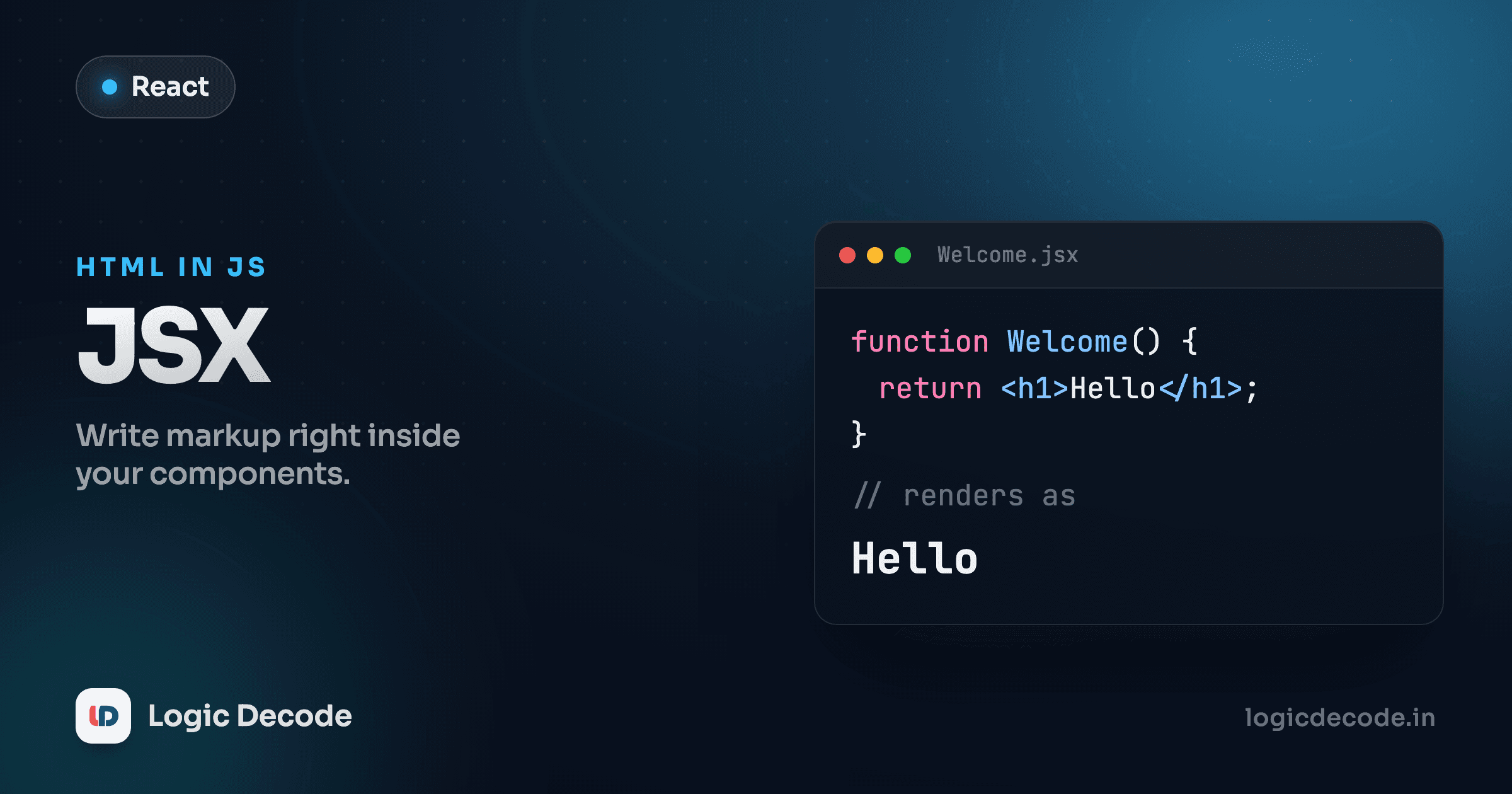
The first time you open a React file and see HTML sitting right inside a JavaScript function, it looks like someone broke the rules. Tags where statements should be, no quotes around them, returned like a value. That's JSX, and once you see what it actually compiles to, the weirdness turns into the most useful trick in the whole library.
JSX is just function calls in disguise
Here's a component. Edit the text, watch it update.
That <h1>Hello from JSX</h1> is not a string and it's not real HTML the browser parses. It's JSX, and before your code ever runs, a build tool rewrites it into a plain JavaScript function call. The line above becomes roughly this:
return React.createElement("h1", null, "Hello from JSX");So JSX is syntax sugar. You could write createElement calls by hand all day, but nobody wants to nest those three levels deep for a real interface. JSX lets you describe the UI in a shape that looks like the output, and the compiler turns it into the calls React actually needs. The official docs put it well in Writing Markup with JSX: it's markup and rendering logic living in the same place, because in a real component they change together anyway.
The thing to hold onto: JSX produces a value. You can return it, store it in a variable, stick it in an array. It describes an element. It doesn't draw anything by itself.
Curly braces drop you back into JavaScript
Static text gets boring fast. The moment you want a real value in there, you open a curly brace and you're writing plain JavaScript again:
Anything between { and } is a JavaScript expression, and React evaluates it and drops the result in. A variable, a method call, some math, a ternary, all fine. What does not go in there is a statement. You can't write an if block or a for loop inside { }, because those don't produce a value. {2 + 2} works. {const x = 4} does not.
This is also how you do small conditional bits of UI. A ternary is an expression, so it slips right in:
Flip loggedIn to false and the text changes. That's enough conditional logic for inline cases like pluralizing a word or swapping a label. Showing or hiding whole chunks of UI cleanly is its own topic, covered in the conditional rendering lesson later in the series.
It is an expression, not a template string
The braces look a little like a template literal's ${ }, but they're React's own thing. Inside them you write real JavaScript that returns a value, and the result becomes part of the rendered output.
Attributes look like HTML but follow JavaScript's rules
Attributes mostly read like HTML, with two changes that bite every beginner.
First, names that clash with JavaScript keywords got renamed. class is a reserved word, so the attribute is className. The label's for attribute became htmlFor. Most everything else uses camelCase too: onclick is onClick, tabindex is tabIndex.
Second, to pass a JavaScript value into an attribute, you use the same curly braces instead of quotes:
Quotes give you a literal string (type="text"). Curly braces give you a JavaScript value (width={80} passes the number 80, src={photo} passes the variable). Mixing them up by writing width="{80}" passes the literal string "{80}", which is a classic head-scratcher.
Quick check
In JSX, how do you set an element's CSS class to the string 'card'?
One root element, or a Fragment
A component's return has to hand back a single element. Two sibling tags side by side won't compile. JSX needs one outer wrapper, the same way a function can only return one value.
The lazy fix is to wrap everything in a <div>, but that litters your page with pointless containers. The clean fix is a Fragment: an empty <> ... </> that groups children without adding any real element to the page.
Inspect the output and there's no extra node around the heading and paragraph. The <> disappears at render time. Reach for a real <div> when you actually want a container to style. Reach for a Fragment when you just need to satisfy the one-root rule without polluting the markup.
Self-closing tags are mandatory
In HTML you can get away with a bare <br> or <img src="...">. JSX is stricter: every tag must be closed. Tags with no children close themselves with a slash.
<br />
<img src="/logo.png" alt="Logo" />
<input type="text" />
<MyComponent />
Forget the slash on an <img> and the build throws an error instead of guessing what you meant. It feels fussy at first, but it's the same rule everywhere, so it stops being a thing you think about within a day.
The errors you'll actually hit
A short field guide to the ones that catch everyone:
- "Adjacent JSX elements must be wrapped": you returned two sibling tags. Wrap them in a Fragment or a
<div>. - Used
classinstead ofclassName: React warns in the console and ignores the styling. Same story withforversushtmlFor. - An
ifstatement inside{ }: only expressions live in braces. Use a ternary inline, or compute the value above thereturn. - A missing closing slash on
<br>,<img>, or<input>: every tag must close. { }with nothing useful:{true},{null}, and{undefined}render nothing, which is handy, but{0}renders the actual0. Watch out for{items.length && <List />}showing a stray0when the list is empty.
For the full reference on attribute names and the handful of HTML differences, the MDN guide to JavaScript expressions pairs well with React's own JSX docs linked above.
Recap and what's next
JSX is sugar over React.createElement: you write something that looks like markup, and a compiler turns it into the function calls React runs. Curly braces drop you back into JavaScript for any expression: a variable, a calculation, a ternary for small conditional bits. Attributes use camelCase (className, htmlFor, onClick) and take a string in quotes or a JavaScript value in braces. A component returns one root element, with <>...</> Fragments for grouping without extra DOM, and every tag closes itself.
This came after Why React?, where we covered why components beat hand-rolled DOM updates. Now that you can write the markup, the next lesson turns it into reusable building blocks: Components and props, where you pass data into a component the same way you pass arguments into a function.

Written by
Rhythm Bhiwani
Engineer and relentless builder, happiest reverse-engineering hard problems until they click.
Enjoyed this?
Tap the heart to leave some love.
Be the first to react
Comments
Join the conversation.
Loading comments…