React Components and Props, Explained
Build reusable React components and pass data with props. Composition, children, and default values, with runnable live examples.

A React component is a function that returns some JSX. That's the whole idea. Once you've got one, you can drop it into your app a hundred times, feed each copy different data, and let React paint the screen. This lesson is where the JSX you just learned stops living in one file and becomes a set of small reusable pieces you snap together.
A component is just a function
Here's the smallest one that does anything useful. Run it.
Two things to notice. Welcome is an ordinary JavaScript function. It just happens to return JSX instead of a number or a string. And you use it like an HTML tag: <Welcome />. React sees that tag, calls the function, and renders whatever JSX comes back.
The capital W is not a style choice. React reads a tag's first letter: lowercase (<div>, <span>) means a built-in HTML element, capitalized (<Welcome>) means your component. Name a component welcome and React quietly tries to render an HTML <welcome> tag and you get nothing. So every component is PascalCase: UserCard, NavBar, AvatarList. The silent-nothing bug from a lowercase name catches everyone once.
Props are the function's arguments
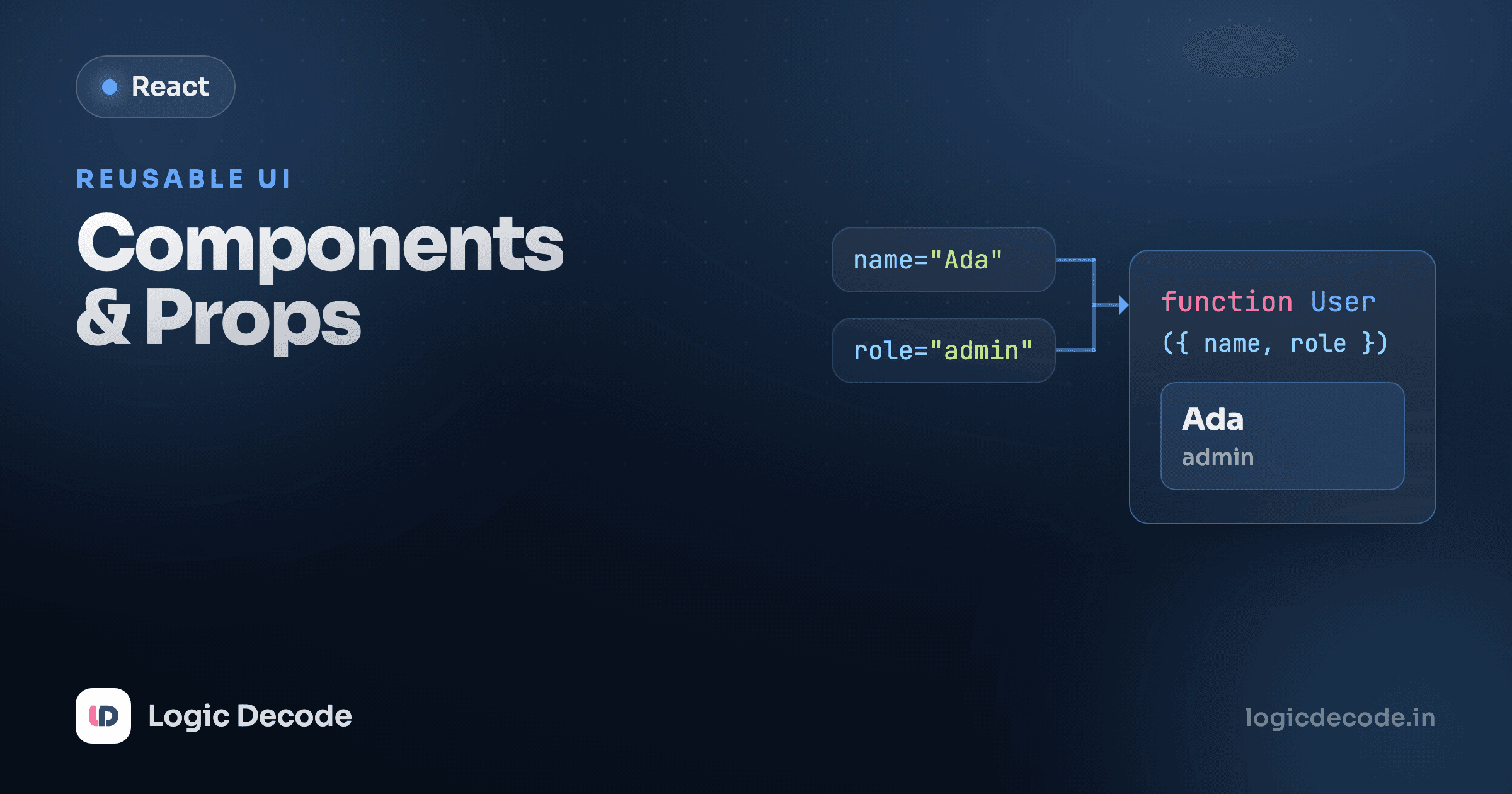
A component that always renders the same thing isn't worth much. You want one Welcome that can greet anyone. That's what props are for: they're the arguments you pass to a component, written as attributes on the tag.
You wrote name="Maya" on the tag, and inside Welcome it showed up as props.name. React collects every attribute you put on a component into a single object (conventionally called props) and hands it to your function. Three calls, three different names, one component. Same deal as calling a regular function with different arguments.
One rule that trips up newcomers: props flow down and they're read-only. A component reads its props. It never reassigns them. Writing props.name = "Sam" inside Welcome is a bug, because props belong to the parent that passed them. If a component needs to change something over time, that's state, the next lesson.
Data only travels one way. A parent hands props to its children, never the reverse:
Destructuring props
Typing props.name, props.age, props.role everywhere gets noisy fast. Almost all real React code pulls the values out right in the function signature using object destructuring:
function Welcome({ name }) means "give me the whole props object, but immediately grab its name field into a local variable called name." Now you write {name} instead of {props.name}, exactly the same thing, just less to type and easier to read once a component takes four or five props. You'll see this everywhere.
Quick check
What happens if you name a component with a lowercase first letter, like function avatar() { ... } and render <avatar />?
Props aren't only strings
Strings get a shortcut (name="Maya"), but props can hold any JavaScript value: numbers, booleans, arrays, objects, even functions. For anything that isn't a plain string, you wrap the value in curly braces.
Walk the props: label is a plain string. value={1284} passes a real number, not the text "1284". The curlies say "evaluate this as JavaScript." isUp={true} passes a boolean, used in a ternary to pick a word. And onPoke passes a function. Stat wires it to the button's click, so the parent decides what clicking does. Passing functions down as props is how a child tells its parent "something happened," and you'll lean on this once you handle events.
Booleans have a shorthand
Writing isUp={true} works, but if a prop is just a flag that's on, you can drop the value entirely: <Stat isUp /> means the same as <Stat isUp={true} />. Leave the prop off and it's undefined, which is falsy. It reads like an HTML boolean attribute, e.g. disabled.
Default values
What if the parent forgets a prop? Without a fallback you get undefined, which usually renders as a blank or breaks something downstream. Give a prop a default right in the destructuring:
color = "gray" means "if the caller doesn't pass color, use gray." The first Badge falls back to gray, the other two override it. Defaults keep the common case short and still let you customize, the same idea as default arguments in JavaScript functions, now in JSX.
The children prop: composition
Props passed as attributes are great for data. But sometimes you want to nest JSX inside a component, the way you nest elements inside a <div>. React gives you that for free through a special prop named children: whatever you put between a component's opening and closing tags arrives as props.children.
Card doesn't know or care what's inside it. It wraps whatever you hand it in a styled box and drops it in via {children}. The two cards hold different content but share the same frame. That's composition: a generic shell plus the specific stuff you nest inside. It's how you build layout components, modals, panels, and buttons that work for any content.
Putting it together: a reusable Card
Combine everything (props for data, a default, and children for the body) and you get a component you'll actually reuse. Here's a UserCard with an Avatar nested inside it, the kind of pair you'll write on day one of a real project.
Look at how little the top-level code says: two UserCards, each with a name, a role, and a sentence of bio. Everything else (the layout, the circular avatar, the spacing) lives once inside the components. Change the avatar's style and both cards update. Want a third card? One more <UserCard>. Avatar even has its own default (size = 48), so it works with or without a size. That's the payoff: small named pieces you build once, then reuse with different props.
One component, one job
If a component is hard to name, it's probably doing too much. Avatar and UserCard name themselves because each does one thing. When you reach for UserCardWithAvatarAndStatsAndButtons, that's a sign to split it into smaller components and compose them.
Recap and what's next
A component is a function that returns JSX, always named in PascalCase so React knows it's yours. Props are how you pass data in: written as tag attributes, collected into one object, read-only, and flowing down from parent to child. You destructure them for cleaner code, give defaults for missing ones, and pass any type you like (strings bare, everything else in curly braces). The special children prop lets you nest JSX for composition, which is how you build flexible, reusable shells like Card and UserCard. The official React docs have a deeper tour in Passing Props to a Component if you want more.
So far everything has been static. Props come in, JSX goes out, nothing changes after render. Next we make components that remember and react to clicks and input: State with useState, where your UI finally starts to move.

Written by
Rhythm Bhiwani
Engineer and relentless builder, happiest reverse-engineering hard problems until they click.
Enjoyed this?
Tap the heart to leave some love.
Be the first to react
Comments
Join the conversation.
Loading comments…