Security headers and CSP: the free wins
What Content-Security-Policy, HSTS, and nosniff actually stop, why middleware order decides whether they apply at all, and where to add them in Express.

Most fixes in this series involve rewriting logic: a query, an auth check, a status code. This one doesn't. Response headers are a handful of lines in one middleware function, they don't touch your business logic at all, and they close off entire categories of attack before your route handlers even see the request. They're the closest thing to a free win in this whole series, if you remember to register them in the right place.
What each header actually stops
A few headers do most of the work. Worth knowing what each one is actually for, not just that a checklist says to add it.
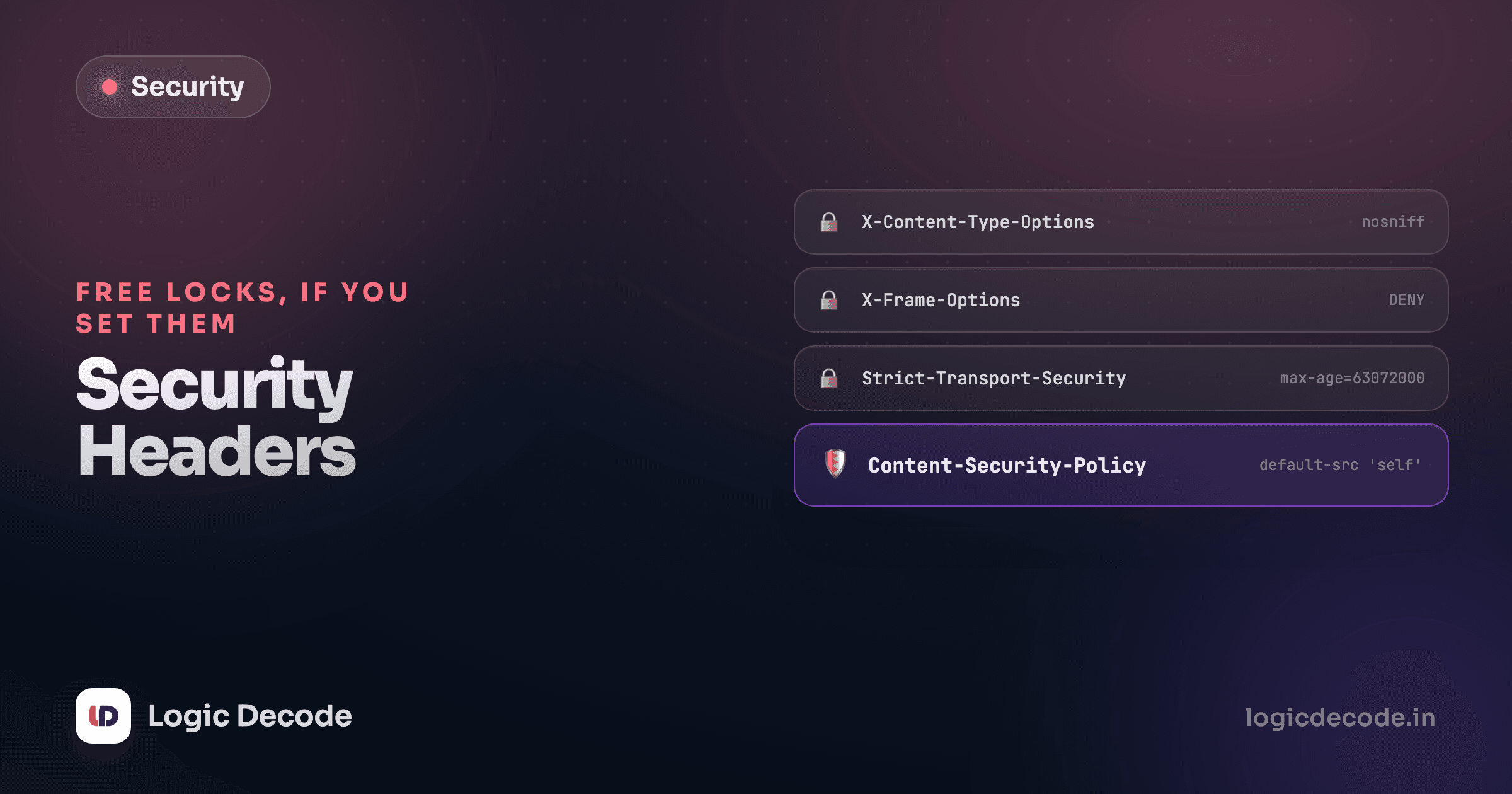
Content-Security-Policy tells the browser which sources it's allowed to load scripts, styles, and other resources from. This is the direct follow-up to the XSS lesson: even if an attacker's payload slips past your escaping and lands in the page, a policy like script-src 'self' tells the browser to refuse to run any inline <script> tag or onerror handler, because it didn't come from your own domain. CSP doesn't fix the injection. It limits what a successful injection can do.
X-Content-Type-Options: nosniff stops the browser from guessing a file's type from its content instead of trusting the Content-Type header. Without it, a file served as plain text that happens to look like JavaScript can get executed as JavaScript in some browsers, an old but still-relevant trick for smuggling a script past an upload filter.
X-Frame-Options: DENY (or CSP's frame-ancestors 'none') stops your pages from being loaded inside an <iframe> on someone else's site, which is what clickjacking depends on: an invisible frame of your app stacked under a fake button on an attacker's page.
Strict-Transport-Security tells the browser to always use HTTPS for your domain, even if a user types http:// or clicks an old link, closing the window where a first request could get downgraded and intercepted.
None of these require touching a route handler. They're response headers, set once, attached to every response that leaves your server.
Where you set them decides whether they apply at all
This is the part that actually trips people up, and it has nothing to do with which headers you picked. It's about registration order. Express runs middleware in the order you add it, and a request stops at the first middleware that sends a response. A headers middleware added after the point where a request gets answered never runs for that request, headers or no headers.
Here's a request that never matches a defined route, walking Linkstash's real middleware shape with a headers step added at the front:
securityHeaders registered first: every response gets the headers, including the 404.
Request arrives
Because securityHeaders sits before everything else and calls next(), it runs on the way in for every request, matched route or not. By the time the catch-all sends its 404, the headers are already attached to that response. Now put the same middleware in the wrong place, registered after the routes instead of before them:
securityHeaders registered after the catch-all: it never runs for a request that lands here.
Request arrives
The 404 fires from the first middleware in the chain, the response is already sent, and securityHeaders never gets a turn. This isn't a contrived case. It's exactly what happens when headers get added as an afterthought, bolted onto a route handler or a subset of routes instead of the top of the stack. The pages you most need covered, an unexpected error, a path that doesn't exist, a 500 from a bug, are the ones most likely to skip a middleware that isn't global.
Global means global
A security-headers middleware belongs at the very top of the stack, before express.json(), before your routes, before anything else. If it's conditional on a route matching, it isn't actually protecting the responses where something already went wrong.
Adding it to an Express app
The helmet package sets sane defaults for most of these headers in one line, and it's the right starting point for almost any Express app:
import helmet from "helmet";

app.use(helmet()); // before express.json(), before any route
app.use(express.json());
Helmet's default CSP is deliberately conservative and will need adjusting once you actually load fonts, analytics, or third-party scripts. Configure it explicitly rather than turning it off the first time it blocks something you didn't expect:
app.use(
  helmet({
    contentSecurityPolicy: {
      directives: {
        defaultSrc: ["'self'"],
        scriptSrc: ["'self'"], // no 'unsafe-inline', that's the whole point
        styleSrc: ["'self'", "'unsafe-inline'"], // relax per-directive, not globally
        imgSrc: ["'self'", "data:"],
      },
    },
  }),
);
The instinct when CSP breaks something is to add 'unsafe-inline' to script-src and move on. Don't. That single directive is what turns CSP back into a no-op against the exact XSS payloads it exists to stop, an inline onerror handler runs again just fine once 'unsafe-inline' is set. Find the actual source that needs allowing and add it by name instead.
Quick check
A team adds helmet() but registers it inside a route file, only on routes under /admin. What's the practical effect?
Check it, don't just assume it
After adding headers, confirm they're actually present. curl -I on a running server shows the raw response headers for any request, matched route or not:
curl -I http://localhost:3000/this-route-does-not-existIf Content-Security-Policy and the rest show up on that 404, the middleware is where it needs to be. If CORS is also part of your stack, the same ordering rule applies there too, both are response-shaping middleware that only work if every request actually reaches them.
Next: secrets, env vars, and the committed API key, where the leak isn't in a header at all, it's sitting in your git history.

Written by
Rhythm Bhiwani
Engineer and relentless builder, happiest reverse-engineering hard problems until they click.
Enjoyed this?
Tap the heart to leave some love.
Be the first to react
Comments
Join the conversation.
Loading comments…