SQL Aggregate Functions: COUNT, SUM, AVG
Summarize data in SQL with aggregate functions (COUNT, SUM, AVG, MIN, MAX) and understand how they collapse many rows into one, with live queries to run.

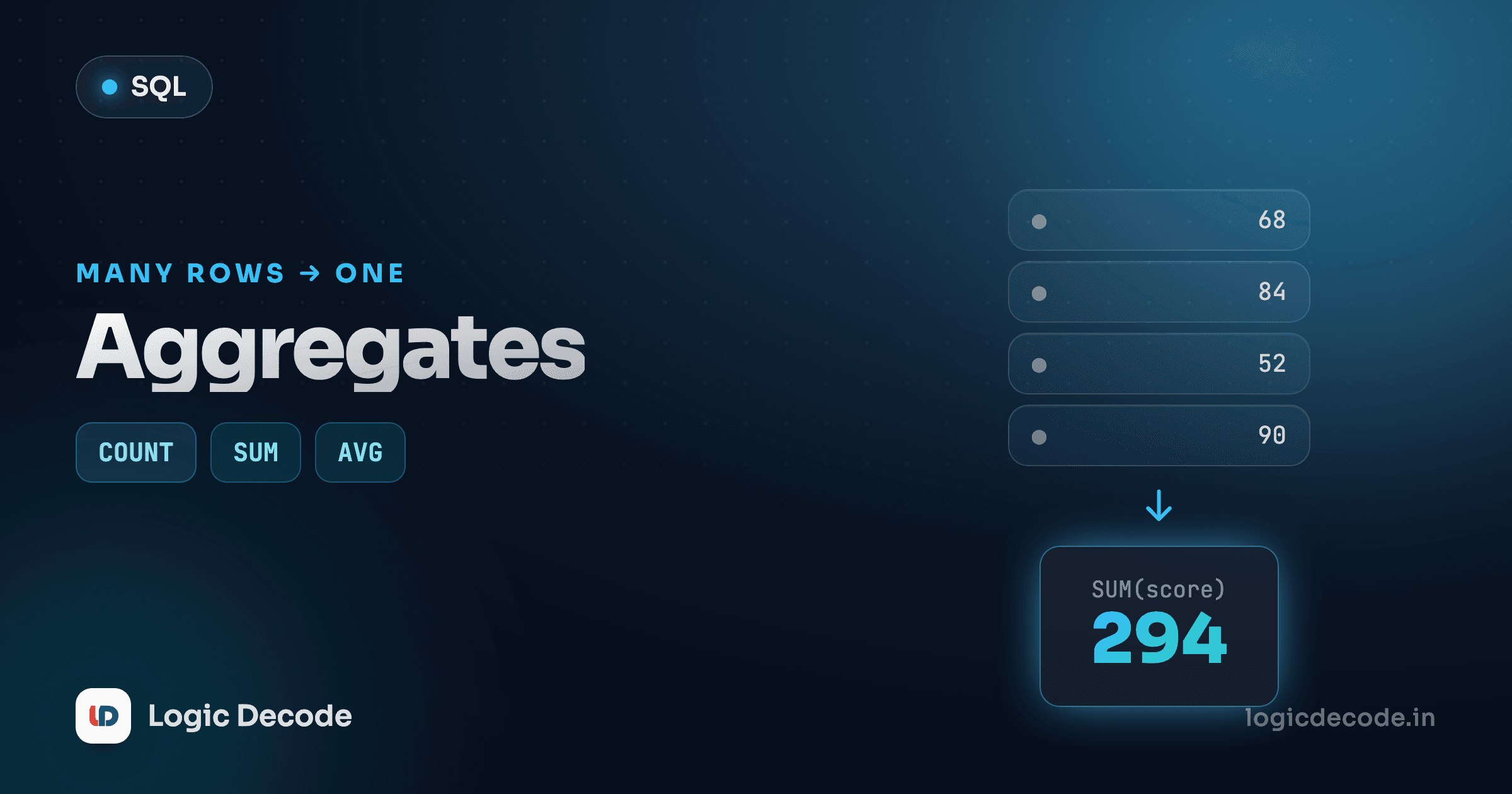
Up to now every query has handed you back rows: one row in, one row out, maybe filtered or sorted. But half the questions you actually ask a database aren't about individual rows at all. How many customers do we have? What's the average order size? What did we sell in total? None of those have a per-row answer. They're questions about the whole pile. That's what aggregate functions are for: they take a column full of values and squeeze it down to a single number.
Run this and watch eight rows of products become one row holding one number.
That's the whole idea in one query. The table has eight products, and COUNT(*) reports 8. The rows didn't get filtered or sorted. They got collapsed.
Collapsing many rows into one
A normal SELECT name FROM products gives you back one row per product. An aggregate doesn't. It reads down the entire column and returns a single summary value for the group, and with no GROUP BY (more on that next lesson), the "group" is every row in the result.
This is the mental shift that trips people up at first. SELECT name, COUNT(*) FROM products looks reasonable and is almost always wrong: name has eight different values but COUNT(*) is one value, and SQL can't put eight things and one thing in the same row sensibly. So the rule is simple: once you reach for an aggregate, every column you select either gets aggregated too, or moves into a GROUP BY. Until we get to grouping, just select the aggregate on its own.
One number out
An aggregate over a table with zero matching rows still returns a row. COUNT gives 0, while SUM, AVG, MIN, and MAX give NULL (there was nothing to add or compare). That surprises people who expect "no rows."
COUNT(*) vs COUNT(column), and where NULLs hide
COUNT has two forms that look alike and behave differently, and the difference is entirely about NULLs.
COUNT(*)counts rows. Every row, no matter what's in it.COUNT(column)counts non-NULL values in that column. Rows where the column is NULL are skipped.
Our sample data has no NULLs, so let's create one to see it. The query below stitches together a tiny throwaway table inline so you can watch the two counts disagree:
Three rows, but only two emails. COUNT(*) returns 3, while COUNT(email) returns 2 because the NULL row has no email to count. This is exactly how you answer "how many customers have given us a phone number?" Here COUNT(phone) quietly ignores the ones who haven't.
Quick check
A table has 10 rows, and one row has NULL in the city column. What does COUNT(city) return?
SUM, AVG, MIN, MAX
The other four are about numbers (and for MIN/MAX, anything orderable). They do what they sound like, each reading a column top to bottom and returning one value.
SELECT
  SUM(price)   AS total_value,
  AVG(price)   AS avg_price,
  MIN(price)   AS cheapest,
  MAX(price)   AS priciest,
  COUNT(*)     AS num_products
FROM products;
Run it live and read the numbers off:
You get one row: the prices add up to 358.47, the cheapest item is 4.5, the priciest is 179, and the average lands at 44.80875, which is an ugly number we'll clean up in a second. Note that AVG is just SUM over COUNT under the hood, and like COUNT(column), all four skip NULLs. An AVG that ignores NULLs is usually what you want. An AVG that should treat missing as zero is not, so know which one your column needs.
These compose with everything you've already learned. A WHERE clause runs first, filtering rows, and the aggregate summarizes only what survives:
Three of our products are electronics, and their average price is higher than the catalogue-wide average, because WHERE category = 'Electronics' narrowed the pile before AVG did its work. Filter, then aggregate.
Counting distinct values
COUNT(category) would count every product's category and return 8, because there are eight products. But often the real question is "how many different categories do we stock?" That's COUNT(DISTINCT …):
rows_counted is 8 (one per product), but distinct_categories is 4: Electronics, Stationery, Home, Accessories. DISTINCT collapses duplicates before counting. It's the go-to for "how many unique customers placed an order this month" (COUNT(DISTINCT customer_id) on the orders table) when the same person shows up across several rows.
Aliasing and rounding the result
Two things you'll always want once results leave the playground and go into a report or a webpage.
First, alias the result. Without AS, the column header is the raw expression (AVG(price)), which is noisy and awkward to reference from app code. AVG(price) AS avg_price gives the output column a clean, stable name. You've seen AS for tables and columns already. Aggregates need it more than anything, because their default names are the worst.
Second, round it. That 44.80875 average is precise and useless to a human. ROUND(value, n) keeps n decimal places:
Wait. That FROM products, orders is doing something sneaky and wrong, and it's worth seeing once. Two tables separated by a comma with no join condition makes SQL pair every product with every order, so the numbers blow up. Run the corrected version, one table at a time, and the totals are right:
Now avg_price reads cleanly as 44.81, and across all ten orders we sold 21 items total. The playground shows the last statement's result, so run them one at a time if you want to inspect each. ROUND(SUM(price) * 0.18, 2) for an 18% tax line, ROUND(AVG(quantity), 1) for "average items per order": rounding inside the aggregate expression is how you ship numbers people can actually read.
Aggregate, then label, then round
Build these from the inside out: pick the aggregate (AVG(price)), wrap it to format (ROUND(…, 2)), then name it (AS avg_price). Reading ROUND(AVG(price), 2) AS avg_price right-to-left tells you exactly what happened to the data.
What's next
Aggregates turn a column of values into one summary number: COUNT for how many (with COUNT(*) for rows, COUNT(column) for non-NULLs, and COUNT(DISTINCT …) for unique values), SUM and AVG for totals and averages, MIN/MAX for the extremes, all of them NULL-aware, all collapsing many rows into one. Alias the result so it has a usable name, and ROUND it so a human can read it. For the full list of what SQLite's aggregates can do, the official aggregate function reference is the primary source.
Right now every aggregate summarizes the entire table, one grand total. The obvious next question is "give me a total per category" or "per customer," and that's where GROUP BY comes in: it splits the rows into buckets and runs the aggregate on each one. That's exactly where we go next, in GROUP BY and HAVING. If you skipped it, the previous lesson on ORDER BY and LIMIT pairs perfectly with grouped results.

Written by
Rhythm Bhiwani
Engineer and relentless builder, happiest reverse-engineering hard problems until they click.
Enjoyed this?
Tap the heart to leave some love.
Be the first to react
Comments
Join the conversation.
Loading comments…