SQL ORDER BY, LIMIT and DISTINCT
Sort and trim SQL results: ORDER BY ascending/descending, sorting by multiple columns, LIMIT and OFFSET for paging, with live runnable queries.

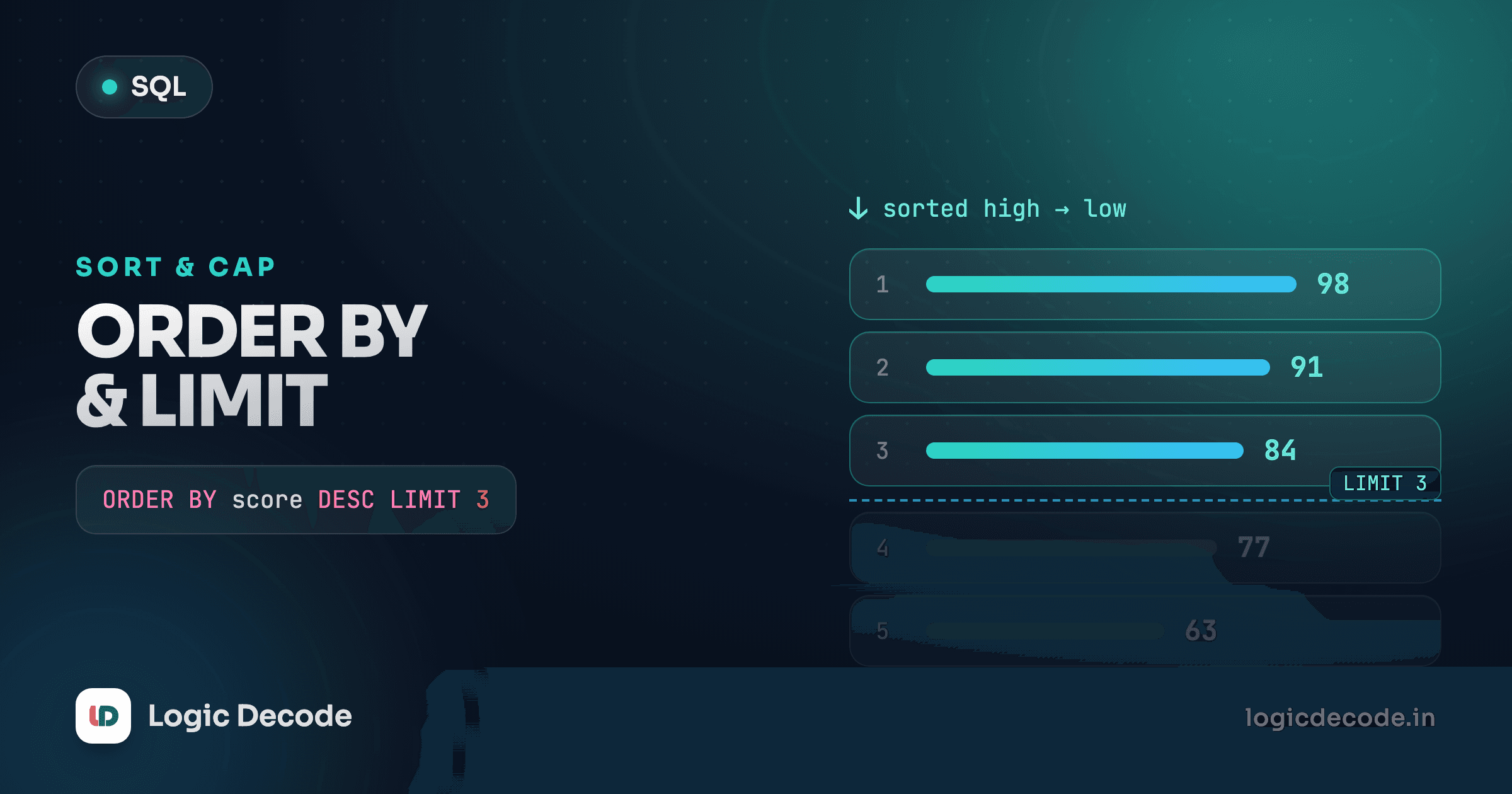
A SELECT with a WHERE clause gives you the right rows, but in whatever order the database feels like handing them back, and that order is not something you can rely on. "Show me the three most expensive products" is a different question, and it needs two more tools: one to sort the rows, one to keep only the top few. That's ORDER BY and LIMIT, and together they answer most "top N" questions you'll ever ask a database.
Sort with ORDER BY
Stick ORDER BY at the end of a query and name the column to sort on. Run this against the products table:
The cheapest product comes first, the priciest last. By default ORDER BY sorts ascending: low to high for numbers, A to Z for text, earliest to latest for dates. You can spell that out with ASC, but nobody does, because it's the default.
Flip it with DESC (descending) when you want the biggest first:
Now the Monitor is on top at 179.00 and the Notebook sinks to the bottom. DESC is the one you actually type, because "highest first" is what people usually want to see: top earners, newest sign-ups, biggest orders.
You can sort by text too, and it works exactly how you'd expect:
Sort by anything in the table
The column you sort on doesn't have to be in your SELECT list. SELECT name FROM products ORDER BY price DESC is perfectly valid: you sort by price but only show the name. The database can sort on a column it isn't returning to you.
Break ties with multiple columns
Sort the customers by city and you'll hit a question: three of them live in Mumbai, so which Mumbai customer comes first? Right now it's undefined. Add a second sort key to decide:
ORDER BY city, signup_date reads as a tie-breaker chain. Sort by city first. Whenever two rows share the same city, fall back to signup_date to order them. The first column is the primary sort, the second only matters within each group of ties, a third would only matter within its ties, and so on.
Each column gets its own direction. Want cities alphabetically but newest sign-up first inside each city? Mix ASC and DESC:
That DESC attaches only to signup_date. One direction per column, and it doesn't cascade.
Quick check
In ORDER BY category, price DESC, what does price DESC control?
Order by an expression or alias
You're not limited to plain columns. Sort by something you compute. Here we work out each order's line total. quantity * (the product's price) isn't in one table, but you can still sort on an arithmetic expression. A simpler version: sort products by a computed value and reuse the alias.
Two things to notice. You can ORDER BY an expression like price * 0.9 directly, and you can also order by the alias you gave it (sale_price). SQLite lets you reference the alias because ORDER BY runs after the SELECT list has been worked out, so the names from AS already exist by the time sorting happens. That's cleaner than repeating the whole expression.
Don't sort by column position
You may see ORDER BY 2 floating around, meaning "the second column in the SELECT list." It works, but it's a trap. Reorder your SELECT columns and the sort silently changes to mean something else. Sort by a name or an alias, always. Future-you will not remember what column 2 was.
Keep only the top rows with LIMIT
Sorting all eight products is fine. But "the three most expensive" means you want exactly three rows back, not the whole list. LIMIT n caps the result at n rows:
There's your top 3: Monitor, Backpack, Keyboard. The pattern ORDER BY <something> DESC LIMIT n is the single most common shape in real SQL: "top 10 customers by spend," "5 latest orders," "highest-rated reviews." Sort, then chop.
LIMIT without ORDER BY is almost always a bug. SELECT * FROM products LIMIT 3 gives you some three products, but which three is undefined and can change between runs. If you care about which rows you keep (and "top N" means you do) you must sort first. Order, then limit.
Page through results with OFFSET
LIMIT grabs from the top. To grab the next page, skip some rows first with OFFSET. LIMIT 3 OFFSET 3 means "skip the first 3, then give me 3," which is page two of a 3-per-page list:
Page one was Monitor, Backpack, Keyboard. This page is the next three down: Desk Lamp, Pen Set, Coffee Mug. The formula for paging is OFFSET = (page_number - 1) * page_size. Page 1 → offset 0, page 2 → offset 3, page 3 → offset 6, with LIMIT fixed at the page size. This is exactly what powers "Next →" buttons on a results listing.
One rule that bites people: OFFSET is meaningless without a stable ORDER BY. If the order can shift between requests, "skip the first 3" skips different rows each time, and your pages overlap or drop records. Always pin paging to a deterministic sort, ideally something unique like an id as the final tie-breaker.
The clause order is fixed
When you combine filtering, sorting, and limiting, the keywords go in one specific order, and SQL will reject anything else:
SELECT name, price        -- which columns
FROM products             -- which table
WHERE category = 'Electronics'  -- which rows
ORDER BY price DESC       -- in what order
LIMIT 2;                  -- how many
SELECT … FROM … WHERE … ORDER BY … LIMIT. Put ORDER BY before WHERE and you'll get a syntax error. A way to remember it: the database filters down to the rows that match, then sorts what survived, then slices off the top few. Try the full stack, the two priciest electronics:
Monitor and Keyboard. The Mouse, also electronics, gets cut by the LIMIT 2. Notice it filtered to electronics first, then picked the top two from that subset. Change LIMIT 2 to LIMIT 1 and you've got "the single most expensive electronic product," a question that would otherwise need more machinery.
Quick check
Which clause order is valid SQL?
A real "latest" query
Put it all together for something you'd actually write. The three newest customers, by sign-up date:
Rohan, Isha, Alex, sorted newest-first by signup_date, trimmed to three. Swap DESC for ASC and you get the three oldest customers instead, the people who've been around longest. Same shape, opposite end. Once this pattern clicks, "show me the top/bottom N by anything" becomes a query you write without thinking.
Recap and what's next
ORDER BY column sorts your rows, ascending by default, with DESC to flip it. List several columns to break ties, each with its own direction, and you can sort by an expression or the alias you gave it. LIMIT n keeps the first n rows. LIMIT n OFFSET m skips m and then keeps n, which is how paging works. And the clause order is locked: SELECT … FROM … WHERE … ORDER BY … LIMIT. The full reference for all of this lives in the SQLite SELECT docs if you want the exact grammar.
This came after filtering rows with WHERE. Next we stop looking at individual rows and start summarizing them: counting, summing, averaging across a whole table with aggregate functions.

Written by
Rhythm Bhiwani
Engineer and relentless builder, happiest reverse-engineering hard problems until they click.
Enjoyed this?
Tap the heart to leave some love.
Be the first to react
Comments
Join the conversation.
Loading comments…