Creating Tables and Schema in SQL
Design tables with SQL: CREATE TABLE, column data types, PRIMARY KEY, NOT NULL, DEFAULT, and UNIQUE constraints. Build and query a table live in your browser.

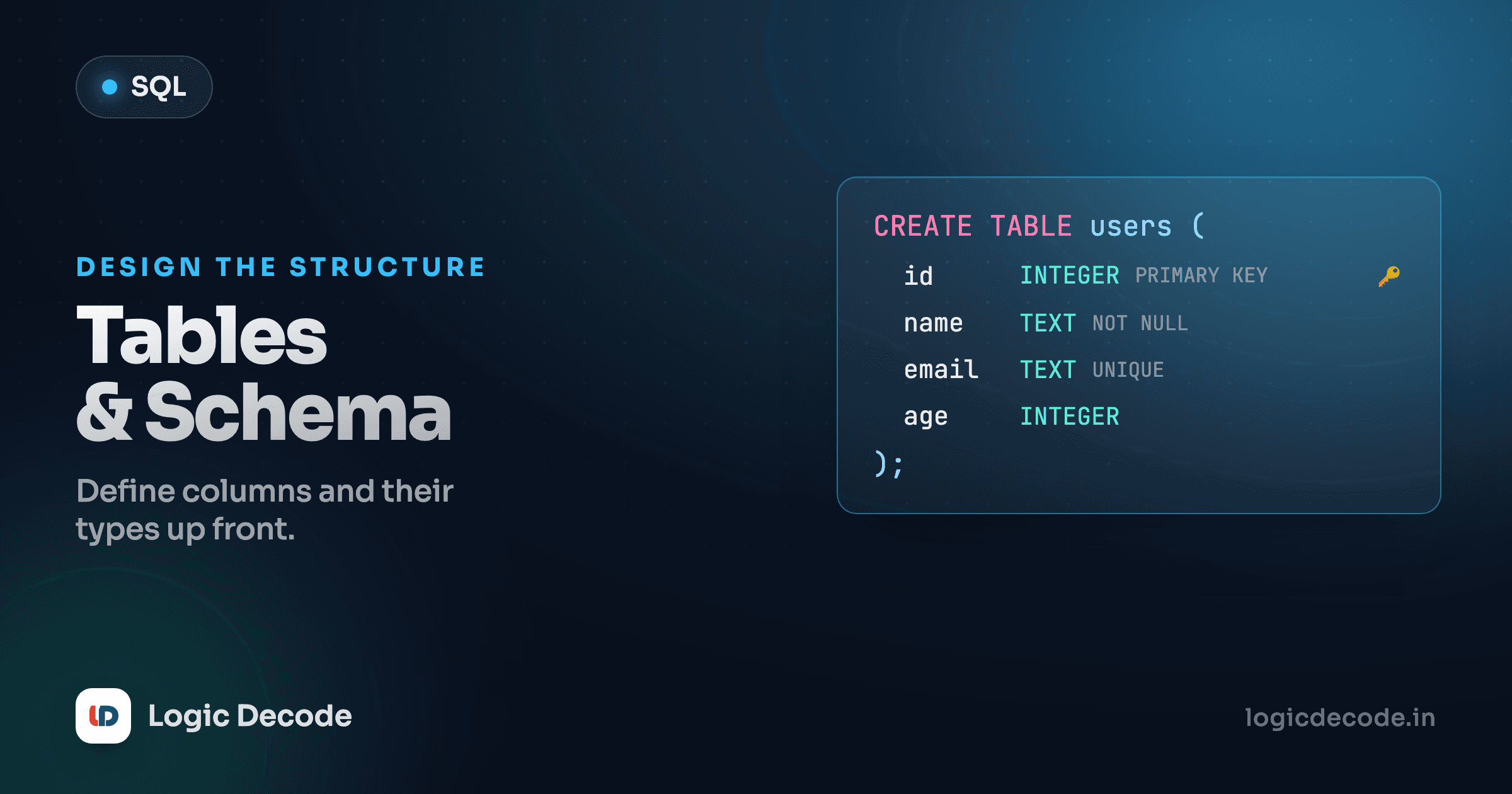
Up to now you've been a tenant in a database someone else built, querying, filtering, and changing rows in tables that already existed. This lesson hands you the keys. You design the table: name it, give it columns, pick the types, and set the rules that keep bad data out. Get the schema right and every query afterward is easier. Get it wrong and you'll be patching it for months.
CREATE TABLE: the basic shape
A table needs a name and a list of columns, each with a name and a type. That's the whole skeleton:
CREATE TABLE books (
  id     INTEGER,
  title  TEXT,
  pages  INTEGER,
  rating REAL
);
Read it top to bottom. CREATE TABLE books names the new table. Inside the parentheses, one line per column: the column name first, then its type. id and pages hold whole numbers, title holds text, rating holds a decimal. Commas separate the columns. The last one has no trailing comma, and a semicolon closes the statement.
Run a CREATE TABLE, then an INSERT, then a SELECT, and you've gone from nothing to a working, queryable table. Hit Run:
Two rows come back. That books table didn't exist a second ago. You defined it, filled it, and read it back in one go. The playground always has the seeded customers, products, and orders tables too, so books just joins as a brand-new fourth table for this lesson.
One playground, three engines worth knowing
This runs SQLite (sql.js, SQLite compiled to WebAssembly). The big three you'll meet on the job are SQLite, PostgreSQL, and MySQL. The CREATE TABLE syntax is nearly identical across all three. The differences are in the data types and a few constraint details, which we'll flag as we go.
Data types, and SQLite's loose grip on them
Every column declares a type. SQLite has a short list of real ones:
INTEGER: whole numbers like1,-40,352.TEXT: strings of any length, such as names, emails, dates-as-text.REAL: floating-point numbers like4.7,19.99.BLOB: raw bytes (images, files). You'll rarely declare this directly.NUMERIC: a catch-all for numbers that don't fit the above neatly.
Here's the part that trips people coming from other databases: SQLite doesn't strictly enforce these. The type you write is a suggestion, which SQLite calls type affinity. A column declared INTEGER will happily store the text 'hello' if you insist. SQLite tries to convert values toward the column's affinity, and when it can't, it stores them as-is rather than rejecting them.
CREATE TABLE loose (n INTEGER);
INSERT INTO loose VALUES ('not a number');  -- SQLite shrugs and stores it
In PostgreSQL or MySQL, that same insert throws an error on the spot. Those databases are strict: declare a column INTEGER and only integers go in, full stop. They also give you a far richer type menu (VARCHAR(255), DATE, TIMESTAMP, BOOLEAN, DECIMAL(10,2), and more), where SQLite collapses most of it down to its handful of affinities.
Don't lean on SQLite's leniency
Just because SQLite lets you put text in a number column doesn't mean you should. Write your schema as if the types were strict, declaring the type you actually want, so the same definition behaves correctly when you move to a real production Postgres or MySQL database later. Loose typing is a portability trap, not a feature to use.
PRIMARY KEY: every row needs an identity
A table without a unique identifier per row is a headache waiting to happen. You can't reliably point at "that one book" if three rows look identical. The fix is a primary key: a column whose value is unique for every row and is never empty.
CREATE TABLE books (
  id     INTEGER PRIMARY KEY,
  title  TEXT,
  pages  INTEGER
);
id INTEGER PRIMARY KEY does two jobs at once: it guarantees every id is unique and not null, and in SQLite it ties that column to the table's internal rowid. The practical payoff is that you can skip id entirely when inserting and SQLite fills it in for you, counting up from the highest existing value.
Notice the INSERT never mentions id, yet the result has 1 and 2 filled in. That's the rowid auto-numbering doing its thing.
AUTOINCREMENT and rowid
You may have seen AUTOINCREMENT in other people's schemas. In SQLite it's mostly redundant. An INTEGER PRIMARY KEY already auto-fills using rowid. Adding the keyword (id INTEGER PRIMARY KEY AUTOINCREMENT) only changes one subtle behavior: it stops SQLite from ever reusing an id from a deleted row. That guarantee costs a little overhead, and you rarely need it. The SQLite docs are blunt that you should avoid it unless you have a specific reason. For most tables, plain INTEGER PRIMARY KEY is the right call. (In MySQL the keyword is AUTO_INCREMENT, and in Postgres you'd use a SERIAL or GENERATED column. Same idea, different spelling.)
Quick check
In SQLite, what does declaring a column as INTEGER PRIMARY KEY give you for free?
Constraints: rules baked into the schema
A primary key is one kind of constraint, a rule the database enforces on every insert and update. Constraints are how you stop bad data at the door instead of hoping your application code remembers to check. Here are the four you'll reach for constantly.
NOT NULL: this column is required
By default a column can be left empty (NULL). Slap NOT NULL on it and the database rejects any row that doesn't provide a value.
CREATE TABLE books (
  id    INTEGER PRIMARY KEY,
  title TEXT NOT NULL
);
Now an insert with no title fails loudly instead of quietly creating a nameless book. Use NOT NULL on anything a row genuinely can't do without, like a user's email, an order's amount, or a book's title.
DEFAULT: a fallback value
When a column usually has the same starting value, give it a DEFAULT. If the insert omits that column, the database fills in the default instead of NULL.
CREATE TABLE books (
  id        INTEGER PRIMARY KEY,
  title     TEXT NOT NULL,
  in_stock  INTEGER DEFAULT 1
);
Skip in_stock on insert and every new book starts as in-stock (1) without you typing it each time.
UNIQUE: no duplicates allowed
UNIQUE says no two rows may share a value in this column. It's perfect for things that are supposed to be one-of-a-kind but aren't the primary key, like an ISBN, a username, or an email address.
CREATE TABLE books (
  id    INTEGER PRIMARY KEY,
  title TEXT NOT NULL,
  isbn  TEXT UNIQUE
);
Try to insert two books with the same isbn and the second one bounces. Note the difference from a primary key: a table has exactly one primary key, but as many UNIQUE columns as you like.
CHECK: a custom rule (briefly)
When the built-ins aren't enough, CHECK lets you write your own condition that every row must satisfy. Want to forbid negative page counts?
CREATE TABLE books (
  id    INTEGER PRIMARY KEY,
  title TEXT NOT NULL,
  pages INTEGER CHECK (pages > 0)
);
Any insert with pages of zero or less gets rejected. CHECK is the catch-all for "this value has to make sense" rules that no other constraint covers.
Putting it all together
Here's a books table using every constraint we covered, then a couple of inserts and a SELECT so you can see the finished thing. Hit Run, then try breaking the rules. Insert a row with the same isbn twice, or with pages set to -5, and watch the constraint stop you:
Every row got an auto-filled id, and in_stock shows 1 everywhere even though we never set it, which is the DEFAULT at work. The table now enforces its own rules: a missing title, a duplicate ISBN, or a non-positive page count all fail before they can corrupt your data. That's the whole pitch for constraints. The schema is the contract, and the database holds everyone to it.
Why design the schema carefully up front?
Changing a live table's structure later (adding a NOT NULL column to a table that already has rows, say) is fiddly and sometimes risky in production. Ten minutes thinking about types and constraints before the first row goes in saves you painful migrations down the line. Cheap insurance.
DROP TABLE: deleting it all
When you're done with a table (or you fumbled the schema and want a clean start), DROP TABLE removes it entirely: the structure and every row.
DROP TABLE books;There's no undo and no confirmation. It's gone. Because that's so final, guard it with IF EXISTS, which turns "error: no such table" into a quiet no-op when the table isn't there:
DROP TABLE IF EXISTS books;DROP is not DELETE
DELETE FROM books; empties the rows but keeps the table and its schema. DROP TABLE books; deletes the whole table, schema and all. Reach for DROP only when you truly want the table to stop existing. We covered emptying rows back in INSERT, UPDATE and DELETE.
Recap and what's next
You can now build a table from scratch: CREATE TABLE with named columns and types, the core SQLite types (INTEGER, TEXT, REAL) and how SQLite's loose type affinity differs from the strict typing in Postgres and MySQL, a PRIMARY KEY (and why plain INTEGER PRIMARY KEY beats AUTOINCREMENT in SQLite), the NOT NULL, DEFAULT, UNIQUE, and CHECK constraints that keep bad data out, and DROP TABLE for when you want it gone. The schema is the foundation everything else sits on. Spend the design time, and it pays back.
So far each table has stood alone. The real power of a relational database is in linking them: an order that points at a customer, a book that points at an author. Next we wire tables together with relationships and foreign keys, where one table's primary key becomes another's reference. For the exhaustive reference on everything CREATE TABLE can do, the SQLite CREATE TABLE docs are the source of truth for the engine running in these lessons.

Written by
Rhythm Bhiwani
Engineer and relentless builder, happiest reverse-engineering hard problems until they click.
Enjoyed this?
Tap the heart to leave some love.
Be the first to react
Comments
Join the conversation.
Loading comments…