SQL Subqueries and Nested Queries
Use a query inside a query: SQL subqueries in WHERE with IN and EXISTS, scalar subqueries, and subqueries in FROM, with live, runnable examples.

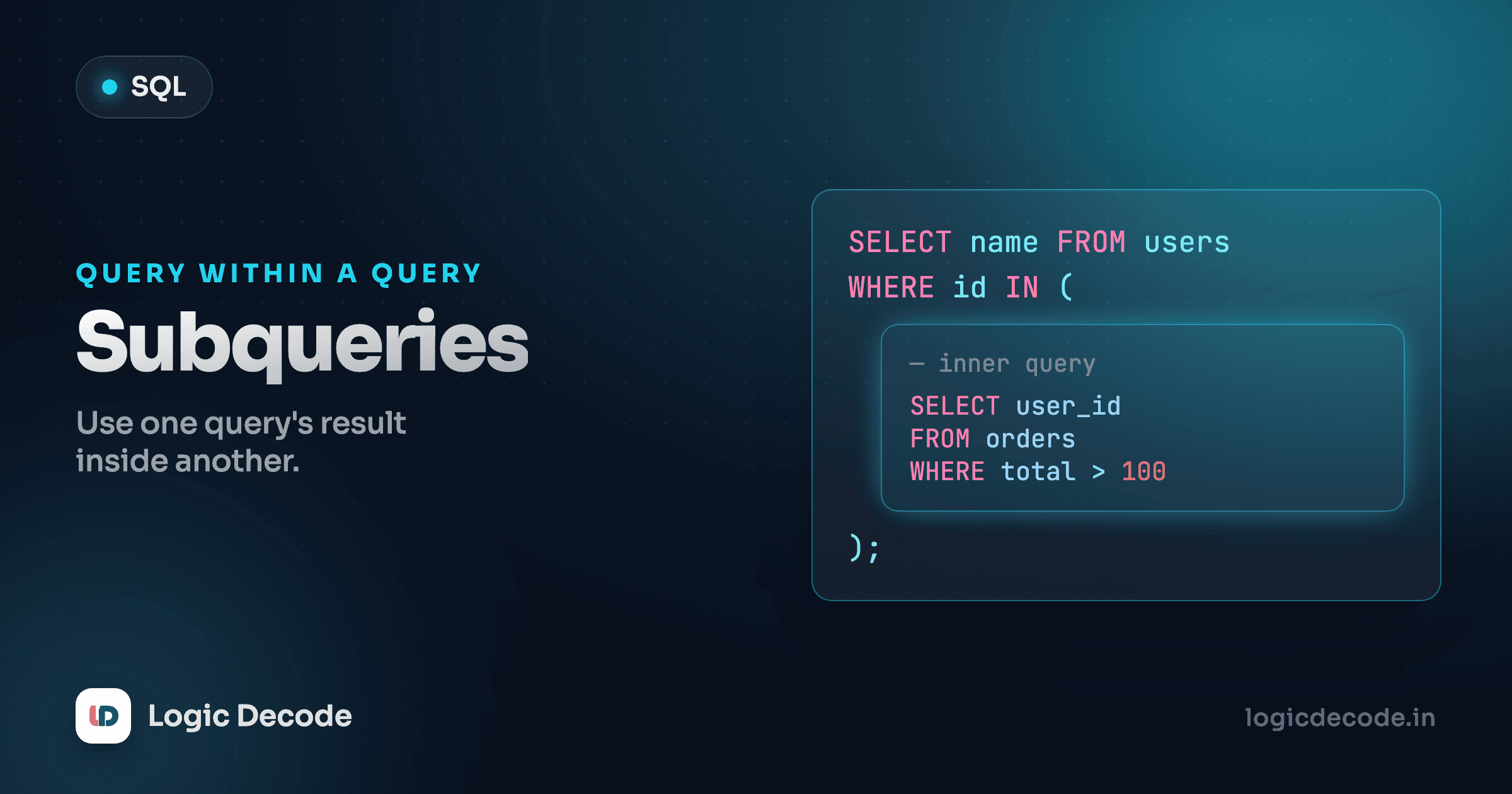
Some questions can't be answered in one pass. "Which products cost more than the average?" needs two facts: the average price, and then every product compared against it. You can't write the average as a literal number, because it changes the moment someone adds a product. So you let SQL work it out first, inside the same query. That inner query is a subquery, and it's how you ask a question whose answer depends on another answer.
A subquery is just a SELECT inside a query
Here's the average-price question, in one statement. Run it.
The part in parentheses, SELECT AVG(price) FROM products, runs first. It returns a single number (about 44.81 for our sample data), and the outer query then treats that number like a hardcoded value: keep every product whose price is greater than it. You get the Keyboard, the Monitor, and the Backpack.
The win is that nothing is hardcoded. Add a 500-rupee product tomorrow and the average shifts, but the query still asks the right question. You never touch it. That's the whole appeal of a subquery: it computes the comparison value at query time instead of you doing the arithmetic by hand.
The inner query is called the subquery (or inner query), and the one wrapping it is the outer query. SQL runs the inner one, plugs its result into the outer one, and runs that.
Scalar subqueries: when the inner query returns one value
The example above is a scalar subquery: it returns exactly one row and one column, a single value. Because it boils down to one value, you can drop it anywhere SQL expects a value, including the SELECT list itself.
Every row now shows how far its price sits from the average. The Monitor is way above, the Notebook is well below. The subquery ran once, produced one number, and that number got reused on every row.
Scalar means scalar
A scalar subquery must return one row and one column. If (SELECT AVG(price) FROM products) accidentally returned several rows, SQLite would error out (or silently take the first row, depending on the database). The moment you write a subquery inside =, <, or a SELECT list, make sure it can only ever produce a single value.
Subqueries with IN: matching against a list
Now a different shape of question: "Which customers have actually placed an order?" The order info lives in the orders table, and the names live in customers. One way to bridge them is to ask the inner query for a list of customer IDs that appear in orders, then keep the customers whose ID is in that list.
The subquery SELECT customer_id FROM orders returns a column of IDs, every customer who shows up on an order, with repeats. IN checks each customer's id against that whole set and keeps the matches. You get seven of the eight customers.
Flip it to NOT IN and you get the one customer who has never ordered anything:
That returns Rohan, on our books, but he's never bought a thing. This pattern is how you find the gaps: users with no posts, products no one has reviewed, invoices with no payment. The inner query builds the "has activity" set, and NOT IN gives you everyone outside it.
NOT IN hates NULL
There's a sharp edge here. If the subquery's list contains a NULL, NOT IN returns no rows at all. Not an error, just empty results, which is maddening to debug. Our orders.customer_id is never null so we're fine, but on real data, prefer NOT EXISTS (next section) or add WHERE customer_id IS NOT NULL to the subquery.
Quick check
What does the subquery in `WHERE id IN (SELECT customer_id FROM orders)` return on its own?
EXISTS vs IN: a quick comparison
EXISTS answers a yes/no question: does the inner query find any matching row? It doesn't care what the row contains, only whether one exists. Here's the "customers who have ordered" question again, written with EXISTS:
Same seven customers. Read it as: for each customer c, is there at least one order whose customer_id matches this customer's id? If yes, keep the customer. The SELECT 1 is a convention. EXISTS ignores the columns entirely, so there's no point listing real ones.
Notice the inner query mentions c.id from the outer query. That makes it a correlated subquery: it runs once per outer row, re-checking against that specific customer. IN, by contrast, ran its subquery once and reused the list. For our eight rows the difference is invisible, but the mental models differ:
IN: build a list once, then test membership. Reads naturally for "is this value one of these?"EXISTS: for each row, ask "is there a match?" and stop at the first hit. Safe withNULL, and often the one a query planner optimizes best on large tables.
I reach for IN when the inner list is small and self-contained, and EXISTS when I'm correlating against the outer row or when NULL might be lurking. For the "who has no orders" case specifically, NOT EXISTS is the safe default over NOT IN.
Subqueries in FROM: a derived table
So far the subquery sat in WHERE or SELECT. You can also put one in FROM, where it acts as a temporary table you query against, a derived table. This is how you query a summary.
Say you want each customer's total quantity ordered, but only the ones who've bought more than two items. You first roll up the orders per customer, then filter that rollup:
The inner query groups the orders and sums quantities per customer, a small result set with two columns, customer_id and total_qty. The outer query treats that result as a table named t and filters it down to the busy buyers. Maya tops it with nine items.
Two things to know about derived tables. First, you must give it an alias (AS t here), because SQL needs a name to refer to its columns. Second, any column you want in the outer query has to be selected by the inner one. If the subquery didn't return total_qty, you couldn't filter on it. The derived table is its own little world, and the outer query only sees what it hands out.
When a JOIN is clearer than a subquery
Plenty of subqueries are really joins in disguise, and the join usually reads better. The "customers who have ordered" question from earlier? A join expresses it directly:
Same seven customers, and arguably this says what it means more plainly: connect customers to their orders, and whoever survives the join has ordered. We covered this connecting move in SQL Joins.
Here's my rule of thumb after writing a lot of both:
- Use a JOIN when you need columns from both tables in your output, like customer name and order date. A subquery can't easily hand you both, while a join is built for exactly that.
- Use a subquery when you only need to filter or compute, and the inner table's columns don't appear in the result. "Products above the average price" is pure filtering, with no second table's columns wanted, so the subquery is the clean choice.
- Use a derived table (subquery in FROM) when you need to query a summary: aggregate first, then filter or join the aggregated result.
The honest answer is that on a good database the planner often turns an IN subquery and the equivalent join into the same execution plan, so it's rarely about speed for small queries. Write the one that reads clearest to the next person, and that's usually a join when you want both tables' data, a subquery when you're just filtering against a computed value or a list.
-- Same answer, different tools. Pick the one that reads clearly.
SELECT name FROM customers
WHERE id IN (SELECT customer_id FROM orders);

SELECT DISTINCT c.name
FROM customers c
JOIN orders o ON o.customer_id = c.id;
Quick check
You need each order's date alongside the customer's city. Subquery or JOIN?
Recap and what's next
A subquery is a SELECT nested inside another query, and SQL runs the inner one first. A scalar subquery returns a single value you can compare against or print, like the average price. IN and NOT IN test a value against a list the subquery builds, while EXISTS / NOT EXISTS ask whether any matching row exists, safer around NULL and natural for correlated checks. Drop a subquery in FROM and it becomes a derived table you query like any other, perfect for filtering a summary. And when your output needs columns from two tables, reach for a JOIN instead, the clearer tool for that job. For the full reference on these expressions, see the SQLite docs on subquery expressions.
So far every query has only read data. Next we start changing it: INSERT, UPDATE and DELETE, adding rows, editing them, and removing them, safely.

Written by
Rhythm Bhiwani
Engineer and relentless builder, happiest reverse-engineering hard problems until they click.
Enjoyed this?
Tap the heart to leave some love.
Be the first to react
Comments
Join the conversation.
Loading comments…