Docker Best Practices: Smaller, Safer Images
Ship leaner, safer containers: multi-stage builds, slim base images, running as a non-root user, pinning versions, and .dockerignore. The production checklist.

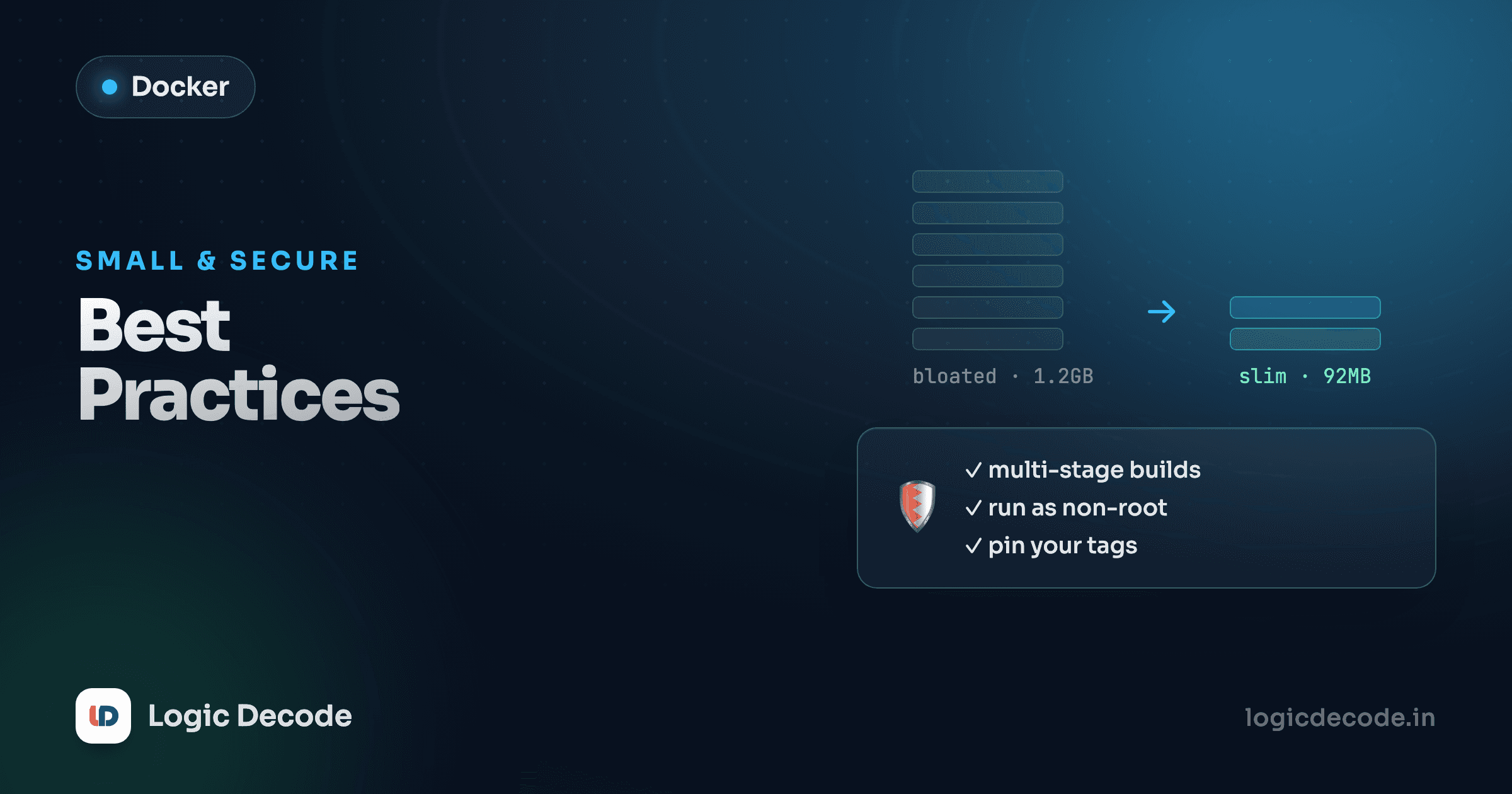
A naive Dockerfile for a small Node app can produce a 1.1 GB image that runs as root and bundles your entire .git history and a C compiler nobody asked for. The same app, built properly, lands around 120 MB, runs as an unprivileged user, and ships nothing it doesn't need at runtime. The code is identical. The difference is a handful of habits. This lesson is that handful, the checklist I run through before any image goes near production.
Start from the right base image
The base image you pick sets your floor for size and attack surface. Most official images publish several variants, and the default tag is usually the biggest one.
Take Node. node:22 is the full Debian image, around 1.1 GB unpacked, with build tools, package managers, and a shell zoo you'll never touch. node:22-slim is a trimmed Debian at roughly 200 MB. node:22-alpine is built on Alpine Linux and lands near 130 MB.
# Heavy: full Debian, ~1.1 GB, hundreds of packages you don't run
FROM node:22

# Better: slim Debian, ~200 MB
FROM node:22-slim

# Smallest: Alpine, ~130 MB
FROM node:22-alpine
Smaller isn't automatically correct. Alpine uses musl libc instead of glibc, and a few native modules (some Python wheels, certain binary dependencies) misbehave or need extra build packages to compile. My default is the -slim variant: most of the size win, none of the libc surprises. Reach for Alpine when you've confirmed your dependencies are happy on it, and keep an eye on distroless images (from Google) for runtime stages. They strip out the shell and package manager entirely, so there's almost nothing for an attacker to pivot through.
Fewer packages, fewer CVEs
Image size and security track together here. Every package in the base is something that can have a vulnerability, get flagged by a scanner, and demand a rebuild. A slim or distroless runtime isn't just lighter. It's a smaller list of things that can go wrong.
Fewer layers, and clean up in the same RUN
Each RUN, COPY, and ADD creates a layer. Layers are cached (great for build speed, the focus of the layers and caching lesson), but they're also permanent: once a file exists in a layer, deleting it in a later layer doesn't shrink the image. The bytes are still there in the earlier layer, just hidden.
So this does nothing for size:
RUN apt-get update
RUN apt-get install -y curl build-essential
RUN apt-get clean
RUN rm -rf /var/lib/apt/lists/*
The cache files got written in one layer and "removed" in a later one, so they're still baked in. Do the install and the cleanup in a single RUN, so the temporary files never survive into a committed layer:
RUN apt-get update \
    && apt-get install -y --no-install-recommends curl build-essential \
    && rm -rf /var/lib/apt/lists/*
--no-install-recommends skips the pile of suggested-but-unneeded packages apt pulls in by default, and chaining the cleanup onto the same command means the apt cache is gone before the layer is written. Same idea on Alpine with apk add --no-cache.
Multi-stage builds: the big win
Here's the one that drops your image size off a cliff. Most apps need a fat toolchain to build (compilers, dev dependencies, bundlers) but none of that to run. A multi-stage build uses one stage to compile and a second, tiny stage that copies out only the finished artifact.
Before, with everything in one stage, build tools and dev dependencies ship to production:
FROM node:22
WORKDIR /app
COPY package*.json ./
RUN npm install          # dev deps included
COPY . .
RUN npm run build        # produces /app/dist
CMD ["node", "dist/server.js"]
That image carries the full Node image, every dev dependency, and your source tree. After: a build stage compiles, then a clean node:22-slim stage takes only the built output and production dependencies.
# --- build stage ---
FROM node:22 AS build
WORKDIR /app
COPY package*.json ./
RUN npm ci
COPY . .
RUN npm run build && npm prune --omit=dev

# --- runtime stage ---
FROM node:22-slim
WORKDIR /app
COPY --from=build /app/dist ./dist
COPY --from=build /app/node_modules ./node_modules
COPY --from=build /app/package.json ./
CMD ["node", "dist/server.js"]
The runtime stage starts fresh from node:22-slim and only the COPY --from=build lines cross the boundary. The compiler, the dev dependencies, the source .ts files, the build cache: none of it makes it into the final image. For a typical service this is the difference between ~1.1 GB and ~150 MB, and the final image has a smaller attack surface because there's no compiler sitting in it.
The same pattern applies everywhere. A Go build stage outputs a single static binary copied into scratch or distroless. A Python stage builds wheels into a venv copied into a slim runtime. The shape is always "build big, ship small."
Quick check
In a multi-stage build, why is the final image smaller than a single-stage one?
Run as a non-root user
By default, containers run as root. If an attacker breaks out of your app, they're root inside the container, and a root process is one kernel bug away from being more dangerous on the host. There's almost never a reason for your app to run privileged. Create a user and switch to it before the app starts:
FROM node:22-slim
WORKDIR /app
COPY --from=build /app/dist ./dist
COPY --from=build /app/node_modules ./node_modules

# create an unprivileged user and own the app dir
RUN addgroup --system app && adduser --system --ingroup app app
USER app

CMD ["node", "dist/server.js"]
Everything after USER app runs as that account. The official Node images actually ship with a ready-made node user, so you can often skip the creation step and just write USER node. Two gotchas: switch users after you've installed things (you usually need root to write to system paths), and make sure the app user can read the files it needs and write to any directory it logs or caches into.
Pin your versions: no :latest in production
FROM node:latest is a time bomb. latest is just whatever the maintainer tagged most recently, so two builds a month apart can pull two different Node versions, and a "works on my machine, breaks in CI" mystery is born. Pin the version explicitly:
# Don't: reproducibility roulette
FROM node:latest

# Better: pinned to a major+minor line
FROM node:22.11-slim

# Strictest: pinned to an exact digest, fully immutable
FROM node:22.11-slim@sha256:9e1...c0d
Pinning to 22.11 still picks up patch and security fixes within that line, which is the sweet spot for most teams. Pinning to a full @sha256 digest gives you a byte-for-byte identical base every time, maximum reproducibility, at the cost of having to bump the digest yourself to get updates. Pin your application dependencies too: a package-lock.json (and npm ci instead of npm install) does for your libraries what the digest does for the base image.
.dockerignore: stop sending junk to the build
COPY . . copies your entire build context, and without a .dockerignore, that context includes node_modules, .git, local .env files, logs, and editor cruft. That bloats the image, slows the build (the whole context gets sent to the daemon), and can leak secrets straight into a layer. A .dockerignore works exactly like .gitignore:
# .dockerignore
node_modules
.git
.env
.env.*
*.log
dist
coverage
Dockerfile
.dockerignore
README.md
Excluding node_modules is the big one. You want the install to happen inside the image against the right platform, not a copy of your host's modules. Excluding .env and .git is the security one. This file is two minutes of work and it pays for itself on the first build.
Don't bake in secrets
This is the rule people learn the hard way. Anything you COPY or ENV into an image is permanent and inspectable. docker history and a quick docker run --rm yourimage env will happily print it. So this leaks your token to anyone who can pull the image:
# Never do this
ENV API_TOKEN=sk_live_8f3k...
COPY .env /app/.env
Even if you delete it in a later layer, it's still recoverable from the earlier one, the same trap as the apt cache. Pass secrets at runtime instead, with -e / --env-file or your orchestrator's secret store:
docker run --env-file .env.production myappFor secrets needed only during the build (a private registry token, say), use BuildKit's --mount=type=secret, which exposes the value to a single RUN without ever writing it to a layer. The principle underneath all of this is least privilege: give the container the narrowest access, the fewest packages, and the lowest user it can possibly run with.
Scan your images, and add a HEALTHCHECK
Two finishing touches. First, scan. A built image is a stack of third-party packages, and vulnerabilities show up in them constantly. docker scout is built into recent Docker, and Trivy is the popular standalone:
docker scout cves myapp:latest
trivy image myapp:latest
Run one of these in CI and fail the build on critical findings. It's the cheapest security win you'll get.
Second, tell Docker how to know your container is actually healthy, not just "running":
HEALTHCHECK --interval=30s --timeout=3s --retries=3 \
  CMD curl -f http://localhost:3000/health || exit 1
Now docker ps shows healthy / unhealthy, and orchestrators can restart a container that's up but wedged. A process that's running isn't the same as a process that's working. The health check is what closes that gap.
The checklist
Pin to a real version of a slim or distroless base. Use a multi-stage build so the compiler never ships. Collapse installs and clean up in the same RUN. Add a .dockerignore. Switch to a non-root USER before the app starts. Keep secrets out of layers and pass them at runtime. Scan in CI and add a HEALTHCHECK. None of these is hard on its own. Together they turn a sloppy 1 GB root-owned image into a lean, locked-down one you can ship without flinching.
For the canonical, always-current reference, Docker's own building best practices guide is the page to bookmark. You've got the mental model from the Docker Compose lesson and the build mechanics from earlier in the series. Next we put all of it together and containerize a real app end to end.

Written by
Rhythm Bhiwani
Engineer and relentless builder, happiest reverse-engineering hard problems until they click.
Enjoyed this?
Tap the heart to leave some love.
Be the first to react
Comments
Join the conversation.
Loading comments…