Prompts and the Message Format, Explained
How LLM prompts really work: the messages array, system/user/assistant roles, and keeping multi-turn conversation state in Python.

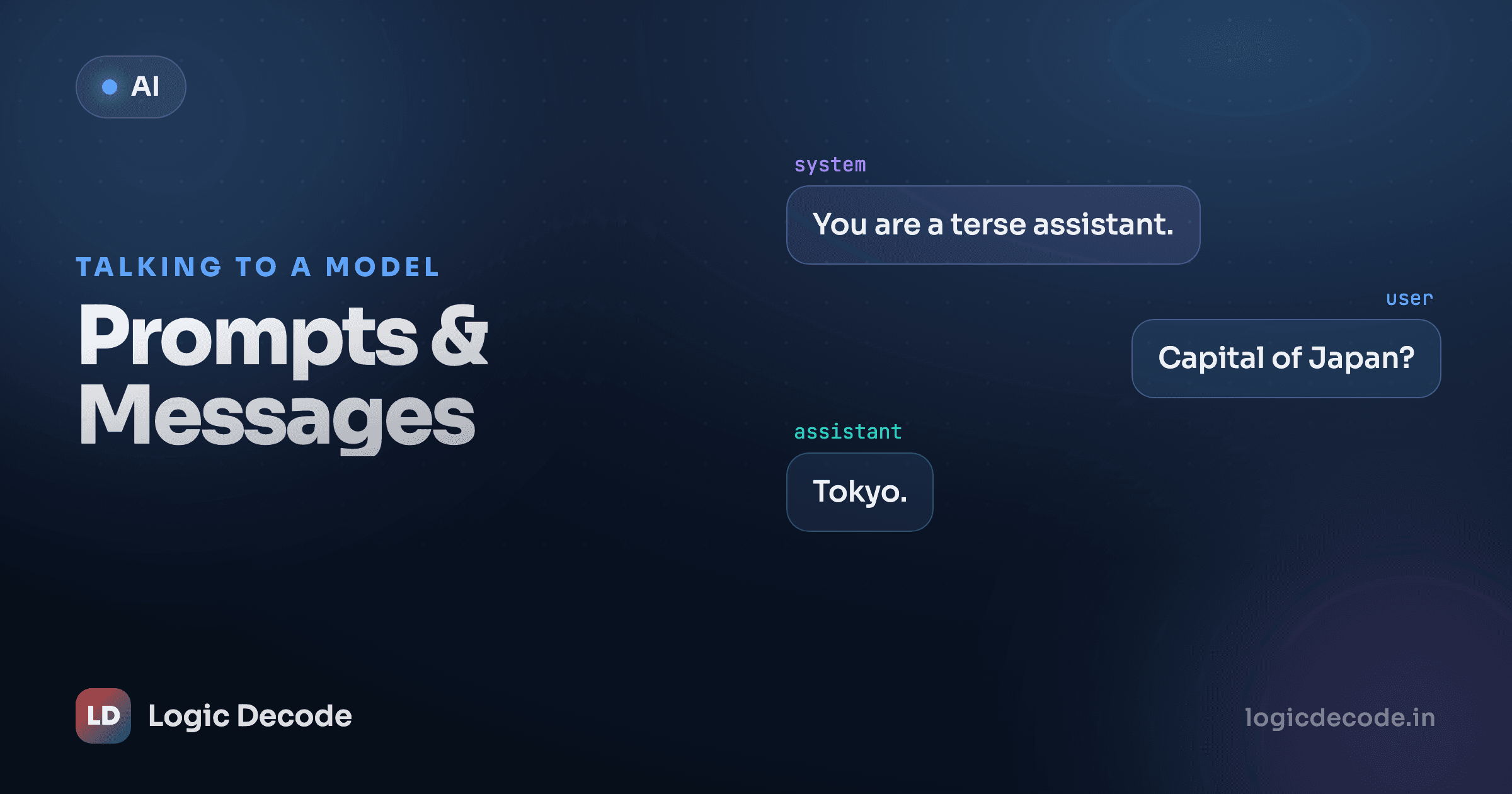
The word "prompt" makes it sound like you type a sentence and the model answers. That's the chat-box illusion. Under the hood you're not sending a string at all. You're sending a list of labelled messages, and getting one message back. Once you see the real shape, multi-turn chat, system instructions, and "why did it forget what I said" all stop being mysteries.
A prompt is a list, not a string
In the last lesson you set up the client and made a call. Here it is again, the part that matters:
from openai import OpenAI
import os

client = OpenAI(base_url=os.environ["LLM_BASE_URL"], api_key=os.environ["LLM_API_KEY"])
MODEL = os.environ.get("LLM_MODEL", "gpt-4o-mini")

resp = client.chat.completions.create(
    model=MODEL,
    messages=[
        {"role": "user", "content": "Name three uses for a paperclip."},
    ],
)
print(resp.choices[0].message.content)
Look at messages. It's a Python list, and every item is a dict with exactly two keys: role and content. If the dictionary shape feels familiar, good. That's all this is. A list of dicts. No magic format, no template language.
The model reads that whole list as the conversation so far, then writes the next message. The reply comes back at resp.choices[0].message.content, a plain string. One list in, one message out.
Why the deep path
resp.choices[0] exists because the API can return several candidate replies in one call. You'll almost always want the first, so choices[0].message.content becomes muscle memory fast.
The three roles
Every message carries a role. There are three you'll use:
system: standing instructions. The persona, the rules, the tone. Set once, applies to the whole conversation. The user usually never sees it.user: a turn from the human. Questions, requests, pasted text.assistant: a turn from the model. Its past replies live here.
A fuller call looks like this:
resp = client.chat.completions.create(
    model=MODEL,
    messages=[
        {"role": "system", "content": "You are a terse Python tutor. Answer in one sentence."},
        {"role": "user", "content": "What does len() do?"},
    ],
)
print(resp.choices[0].message.content)
# -> "len() returns the number of items in a sequence or collection."
The system message sits at the top and colours everything after it. Same question, different system message, completely different answer. That's the lever most people never touch, and it's the one that changes the most.
The system message is your biggest dial
Watch what one line does. Same user question, three system messages:
question = {"role": "user", "content": "My code throws KeyError. What's wrong?"}

for persona in [
    "You are a blunt senior engineer. No pleasantries.",
    "You are a patient teacher for absolute beginners. Use a simple analogy.",
    "You only ever reply in valid JSON with keys 'cause' and 'fix'.",
]:
    resp = client.chat.completions.create(
        model=MODEL,
        messages=[
            {"role": "system", "content": persona},
            question,
        ],
    )
    print(persona[:30], "->", resp.choices[0].message.content[:80])
The blunt one tells you a key doesn't exist and to use .get(). The teacher compares a dict to a labelled drawer you reached into for a label that isn't there. The JSON one hands back {"cause": "...", "fix": "..."} you could parse straight into code. Nothing about the question changed. The framing did all the work.
If your model is "ignoring" an instruction, nine times out of ten it's buried in a user message where it competes with the actual request. Move durable rules (format, role, what to refuse) into system. Put the task in user. That single split fixes more bad outputs than any clever wording.
Quick check
The model keeps replying in long paragraphs when you want short bullet points every time. Where does the 'always answer in bullets' instruction belong?
The model has no memory
Here's the part that surprises everyone. The model is stateless. It remembers nothing between calls. Each request is judged entirely on the messages list you send right now. Send a second call with a fresh list and it has no idea the first one ever happened.
So how does ChatGPT remember your name from three messages ago? It doesn't, really. The app resends the entire history every single time. "Memory" is just you keeping a list and shipping it back on each turn.
Try the broken version first so the fix lands:
# WRONG: each call is a fresh, empty-memory conversation
client.chat.completions.create(model=MODEL, messages=[
    {"role": "user", "content": "My name is Maya."},
])
resp = client.chat.completions.create(model=MODEL, messages=[
    {"role": "user", "content": "What's my name?"},
])
print(resp.choices[0].message.content)
# -> "I don't have access to your name."
It forgot, because the second call never mentioned Maya. Now do it right. To carry context, you build up one list: append the user's turn, get the reply, append the reply back as an assistant message, then send the whole thing next time.
messages = [
    {"role": "system", "content": "You are a friendly assistant."},
    {"role": "user", "content": "My name is Maya."},
]
r1 = client.chat.completions.create(model=MODEL, messages=messages)
# Append the model's reply so it's part of the history
messages.append({"role": "assistant", "content": r1.choices[0].message.content})

# Now ask the follow-up, with the full history attached
messages.append({"role": "user", "content": "What's my name?"})
r2 = client.chat.completions.create(model=MODEL, messages=messages)
print(r2.choices[0].message.content)
# -> "Your name is Maya."
The only difference is that the second call carries the first exchange along for the ride. That appended assistant message is the whole trick. Skip it and the model loses the thread of its own replies.
That loop is every chat app. There's no server-side conversation object doing the remembering — just a list you grow and resend.
A tiny chat loop
Put the loop in code and you have a working terminal chatbot in about fifteen lines. The history starts with a system message and grows by two messages per turn: yours, then the model's.
from openai import OpenAI
import os

client = OpenAI(base_url=os.environ["LLM_BASE_URL"], api_key=os.environ["LLM_API_KEY"])
MODEL = os.environ.get("LLM_MODEL", "gpt-4o-mini")

messages = [{"role": "system", "content": "You are a helpful, concise assistant."}]

while True:
    user_input = input("You: ")
    if user_input.strip().lower() in {"quit", "exit"}:
        break

    messages.append({"role": "user", "content": user_input})

    resp = client.chat.completions.create(model=MODEL, messages=messages)
    reply = resp.choices[0].message.content

    messages.append({"role": "assistant", "content": reply})
    print("Assistant:", reply)
Run it, tell it your name, ask for it back two turns later. It remembers, because messages carried every word. That's a real chatbot. The "AI" part is one create call. The rest is list bookkeeping you already know how to do.
Seed the assistant's voice
You can write assistant messages yourself before the user says anything — a couple of fake example turns to show the model the style you want. It treats them as things "it" already said and matches them. That's a sneak peek at few-shot prompting, the next lesson.
The catch: history isn't free
Every turn makes messages longer, and you resend all of it each call. That's not a problem at turn three. At turn three hundred, it's a real one. Two reasons:
The model has a context window, a hard cap on how much text fits in one request, measured in tokens. Overflow it and the call errors or the oldest turns silently fall off. And you're billed by tokens in plus tokens out, so a fat history means every new reply costs more than the last, even if your actual question is tiny.
A short chat won't notice. A long-running assistant will. Real apps trim or summarise old turns to stay under the cap. We'll get into tokens, context limits, and how to keep cost flat in the tokens, cost and safety lesson. For now, just know the bill grows with the conversation.
Recap and what's next
A prompt is a list of {"role", "content"} dicts, not a string. system sets standing rules and persona, user is the human's turn, assistant is the model's. The model is stateless: it remembers nothing, so you keep a Python list, append each user turn and each reply, and resend the whole thing. That list is the memory. And because you resend everything, the context grows and so does the cost.
If you want to go deeper on the message schema and every parameter the call accepts, the official OpenAI Python SDK is the primary source and works against any compatible provider.
You can now hold a real conversation. Next we make the model actually good at the task: prompt engineering that works, covering few-shot examples, structure, and the failure modes to design around.

Written by
Rhythm Bhiwani
Engineer and relentless builder, happiest reverse-engineering hard problems until they click.
Enjoyed this?
Tap the heart to leave some love.
Be the first to react
Comments
Join the conversation.
Loading comments…