Conditional Rendering in React, Explained
Show and hide UI in React: ternaries, the && operator, early returns, and clean patterns for conditional rendering, with a live editor.

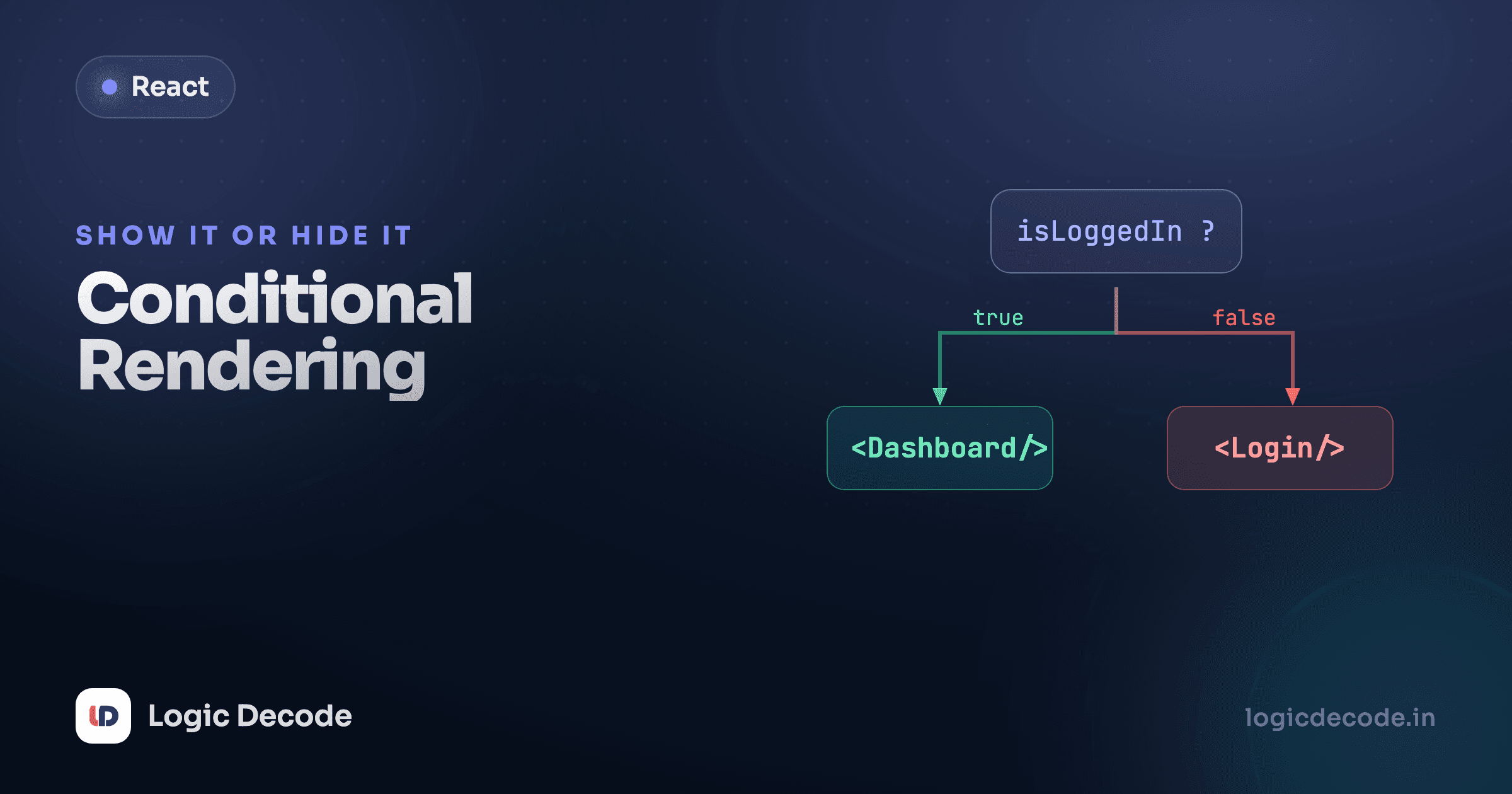
Half of building a UI is deciding what not to show. Logged out? Show a sign-in button. Cart empty? Show "your cart is empty" instead of a checkout total. React doesn't have a special {#if} block for this. It's just JavaScript expressions inside your JSX. Once that clicks, conditional rendering stops feeling like a React feature and starts feeling like writing normal code.
JSX is just expressions, so use expressions
There's no template directive to learn here. JSX lets you drop any JavaScript expression inside { }, and an expression that produces JSX renders that JSX. So "show A or B" is the same ternary you'd write anywhere else, just placed in the markup.
Flip isLoggedIn to false and the other paragraph renders. That's the whole idea: condition ? <A /> : <B /> evaluates to one element or the other, and React draws whichever it gets. The ternary works inline because it's an expression, it produces a value. An if statement isn't an expression, so it can't go directly inside { }. We'll get to where if does belong in a moment.
The && operator for "render this, or nothing"
Often you don't have a B case. You want to show something only when a condition is true, and otherwise show nothing. The clean way is the logical && operator:
a && b in JavaScript returns b if a is truthy, and a itself if it's falsy. So when unreadCount > 0 is true, the expression becomes the <p>, and React renders it. When the condition is false, the expression is just false, and React renders nothing for false, null, or undefined. No empty wrapper, no leftover node. Set unreadCount to 0 and the line vanishes.
The 0 gotcha: falsy numbers actually render
Here's the trap that bites everyone once. && doesn't return true/false. It returns the left side when that side is falsy. And React happily renders the number 0. So this looks right and isn't:
{cart.length && <Checkout />}When cart.length is 0, the expression evaluates to 0, not false, and React prints a stray 0 on the page. Strings work the same way. A messages.length of 0 leaks a 0. An empty string would render nothing, but a number won't. The fix is to give && a real boolean on the left:
{cart.length > 0 && <Checkout />}Now the left side is true or false, never 0, so you either get the component or nothing. Make the left side an honest comparison and the gotcha disappears.
Quick check
What does React render for {count && <Badge />} when count is 0?
Early return for whole-component branches
Ternaries and && are great for switching one chunk of UI. But sometimes the entire component looks different depending on the situation: a loading screen, an error state, an empty state. Cramming all of that into one giant ternary in the JSX gets unreadable fast. Reach for a plain if and a return at the top instead:
Each if handles one case and bails out early, so by the time you reach the final return you know you're in the happy path, with no nesting, no juggling three branches in your head at once. Change the status prop to "loading" or "error" and you get the matching screen. This is the React idiom for the if/else you couldn't put inside { }: pull the branching up to the top of the component where statements are allowed, and let each branch return its own JSX. It reads top to bottom like a checklist.
Pick the pattern that fits the size of the swap
Switching one element or word? Use a ternary. Showing something or nothing? Use && (with a real boolean on the left). Swapping the whole component? Use an early return. Reaching for a ternary nested three deep is the signal to break it into early returns or a small helper component.
Toggling with boolean state
The conditions above were hard-coded. In a real app they come from state, and the UI re-renders the instant that state changes. Here's the pattern you'll use constantly: a boolean in useState, a button that flips it, and JSX that reads it.
Click the button. setShowDetails(!showDetails) flips the boolean, React re-renders, and two things update from that single piece of state: the button label (a ternary) and whether the paragraph exists (an &&). You're not manually adding or removing DOM nodes. You change the state, describe what the UI should look like for that state, and React reconciles the difference. That declarative loop is the entire React model, and conditional rendering is where you feel it most directly.
A couple of habits worth forming early. Name boolean state and props as questions: isOpen, hasError, showDetails read better in a condition than open or error. And when a branch grows past a line or two, lift it into its own component (<EmptyCart />, <ErrorBanner />) so the parent's JSX stays a clean outline of what shows when, not a wall of inline markup.
Recap and what's next
Conditional rendering in React is plain JavaScript dropped into { }. Use a ternary to pick between two elements, && to show something or nothing (with a real boolean on the left so a stray 0 never leaks through), and an early return when a whole component branches by case. Wire any of those to boolean state and a button, and the screen updates itself. For the official rundown and a few more examples, react.dev's conditional rendering guide is the canonical reference.
This builds straight on lists and keys. You'll constantly combine the two, rendering a list and conditionally showing an empty state when it's empty. Next up: controlled forms, where inputs become state and you handle real user typing.

Written by
Rhythm Bhiwani
Engineer and relentless builder, happiest reverse-engineering hard problems until they click.
Enjoyed this?
Tap the heart to leave some love.
Be the first to react
Comments
Join the conversation.
Loading comments…