SQL SELECT Basics: Querying Your Data
The SQL SELECT statement, explained: choose columns, use SELECT *, rename with AS, and remove duplicates with DISTINCT, runnable live in your browser.

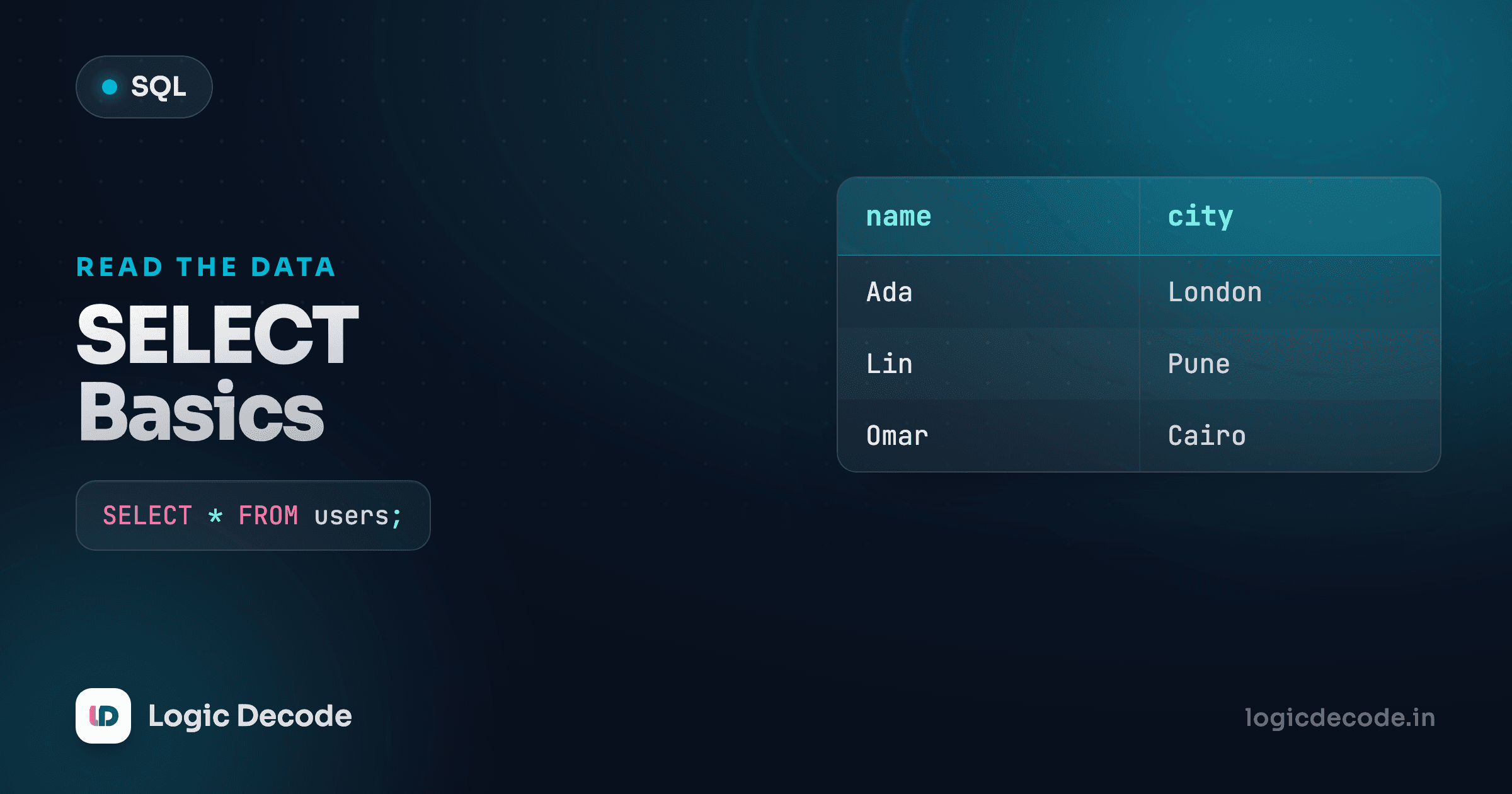
A database is just tables of rows, and SELECT is the one verb you'll type more than any other to read them. It answers a single question every time: which columns, from which table, for which rows? Get SELECT into your fingers and the rest of SQL is mostly variations on it. This lesson is the variations that matter on day one, and every query here runs live, against a real database, in the editor right below it.
The editors are seeded with three tables you'll use all series: customers(id, name, city, signup_date), products(id, name, category, price), and orders(id, customer_id, product_id, quantity, order_date). Roughly eight rows each. Run anything, edit it, run it again. It's an in-browser SQLite, nothing leaves your machine.
Picking columns from a table
Here's the smallest query that does something. Hit Run.
Wait. products doesn't have a city column, so that errored. Good. Read the error, then fix it: products have a category, not a city. That's the loop you'll live in. Try this instead:
Two parts, and that's the whole shape of a SELECT. After SELECT you list the columns you want, separated by commas. After FROM you name the table to pull them from. SQLite reads the list left to right and hands you back exactly those columns, in that order, for every row in the table.
Swap the order and the output columns swap with it:
You asked for three columns this time, and they came back in the order you wrote them. SQL doesn't care what order the columns sit in the actual table. It gives you the shape you asked for. That's worth internalizing early: a SELECT is you describing the result you want, not a fixed snapshot of the table.
A note on capitals and semicolons
SQL keywords like SELECT and FROM aren't case-sensitive. select, Select, and SELECT all work. The convention is uppercase keywords, lowercase column names, because it makes a long query scannable. The semicolon ends a statement. SQLite is relaxed about it for a single query, but get in the habit now. The moment you run two statements at once, it's required.
SELECT * grabs everything
You won't always know or care about exact column names while you're exploring. * means "all columns," and it's the fastest way to eyeball a table you've never seen:
That's the entire customers table — every column, every row. When you're poking at unfamiliar data in a console, SELECT * is exactly right. It's how you find out what's even in there.
In real application code, though, name your columns. Here's why I'd push you on this and not just hand-wave it. SELECT * means your query silently pulls whatever columns the table happens to have today. Someone adds a fat notes column or a password_hash next month, and now every SELECT * is dragging that across the wire and into your app, whether you wanted it or not. Name the columns and your query says exactly what it depends on. It keeps working the same when the table grows, and a reader can see what you actually use.
Same rows, but now the query is a contract: these three columns, nothing else. Use * to explore, name columns to ship.
Quick check
Why prefer naming columns over SELECT * in application code?
Renaming output with AS
The column names in your result don't have to be the raw table names. AS gives a column a friendlier label for this one query, an alias:
The underlying table still has columns called name and price. The alias only changes the heading on the result you get back. That matters more than it looks. The instant you compute a value instead of just reading a stored one, the database has to invent a column name for it, and the name it invents is ugly. It'll be something like the literal expression you typed. An alias gives that result a name a human chose.
The AS keyword is actually optional in most databases. SELECT name product aliases just as well. I'd keep the AS in. One extra word, and nobody skimming the query has to wonder whether you meant an alias or fat-fingered a comma.
Doing math in the SELECT list
A SELECT list isn't limited to plain columns. You can put expressions there, and the database computes them per row. This is where aliases stop being a nicety and start being necessary.
The orders table has a quantity, and each order points at a product. On its own, orders only knows quantities, but you can still do arithmetic on what a single table holds. Multiply quantity to see, say, a bulk count:
quantity * 2 is computed for every row, and AS double_qty names the result. Drop the alias and run it. The column header turns into the raw expression text, which is functional but ugly to read or refer to later.
The usual operators all work: +, -, *, /. A classic is line totals once you have a price and a quantity together. You'll do exactly that with real product prices in the JOINs lesson, once we can pull from two tables at once. For now, here's the arithmetic shape on prices alone, knocking 10% off each product:
Notice the result isn't stored anywhere. sale_price exists only in this result set. SELECT reads and computes. It never changes the table underneath. Running this a hundred times leaves products exactly as it was.
Integer division bites
In SQLite, 7 / 2 is 3, not 3.5. Divide two integers and you get an integer back, with the remainder thrown away. To get a decimal, make one side a decimal: 7 / 2.0 gives 3.5. This trips up everyone once. Most databases share this behavior, but the exact rules vary, so when a division looks wrong, check your types first.
DISTINCT drops duplicates
Pull a single column and you'll often get the same value over and over, because lots of rows share it. SELECT city FROM customers lists a city per customer, so Mumbai shows up several times. When you want the set of values, not one-per-row, add DISTINCT:
That's every city that appears, each exactly once. Drop the DISTINCT and run it again to feel the difference. The duplicates come back. DISTINCT is the quick answer to "what are the possible values here?" Which categories do we stock? Which cities do we ship to? One keyword.
It works across multiple columns too, and then "distinct" means distinct combinations:
A row only gets collapsed when the whole tuple matches another, same city and same date. Two customers in Mumbai who signed up on different days are two distinct rows here, because the pair differs. Keep that in mind: DISTINCT always applies to the entire selected list, not just the first column.
The order clauses go in
Every full query you'll write stacks the same clauses in the same fixed order. You've met the first two. Here's the whole skeleton so the upcoming lessons slot in cleanly:
SELECT   columns        -- which columns (this lesson)
FROM     table          -- which table  (this lesson)
WHERE    condition       -- which rows   (next lesson)
GROUP BY columns         -- collapse rows into groups
HAVING   condition        -- filter the groups
ORDER BY columns          -- sort the result
LIMIT    n;               -- cap how many rows
You don't need all of them — most queries use two or three. But the order is rigid: WHERE always comes after FROM and before GROUP BY, ORDER BY always near the end. Put them out of order and you get a syntax error. Memorize the sequence and half of SQL's "why won't this parse" errors disappear.
Here's a small taste with a clause you haven't formally met, just to show the shape holds, only the products over twenty currency units:
That's SELECT and FROM doing their job, with a WHERE filtering the rows, which is exactly where we go next.
Recap and what's next
SELECT reads data, and you now know its core moves. List columns after SELECT and the table after FROM. Reach for * to explore but name columns in code you ship. Rename results with AS. Compute expressions like price * 0.9 right in the select list. And collapse repeats with DISTINCT. None of it touches the stored table. SELECT only ever hands you back a result. For every nuance and the full SQLite grammar, the official SQLite SELECT reference is the primary source.
Right now you're pulling every row each time. That stops being useful the moment a table has more than a screenful. Next we add the clause that picks rows by a condition: filtering with WHERE. It's where querying starts to feel like asking real questions of your data.
If you landed here without the why, back up one step: Why Learn SQL makes the case for the whole series.

Written by
Rhythm Bhiwani
Engineer and relentless builder, happiest reverse-engineering hard problems until they click.
Enjoyed this?
Tap the heart to leave some love.
Be the first to react
Comments
Join the conversation.
Loading comments…