Git Branches, Explained Visually
Branch in Git with confidence: what a branch really is (a movable pointer), git branch and git switch, and why you branch for every feature, with gitGraphs.

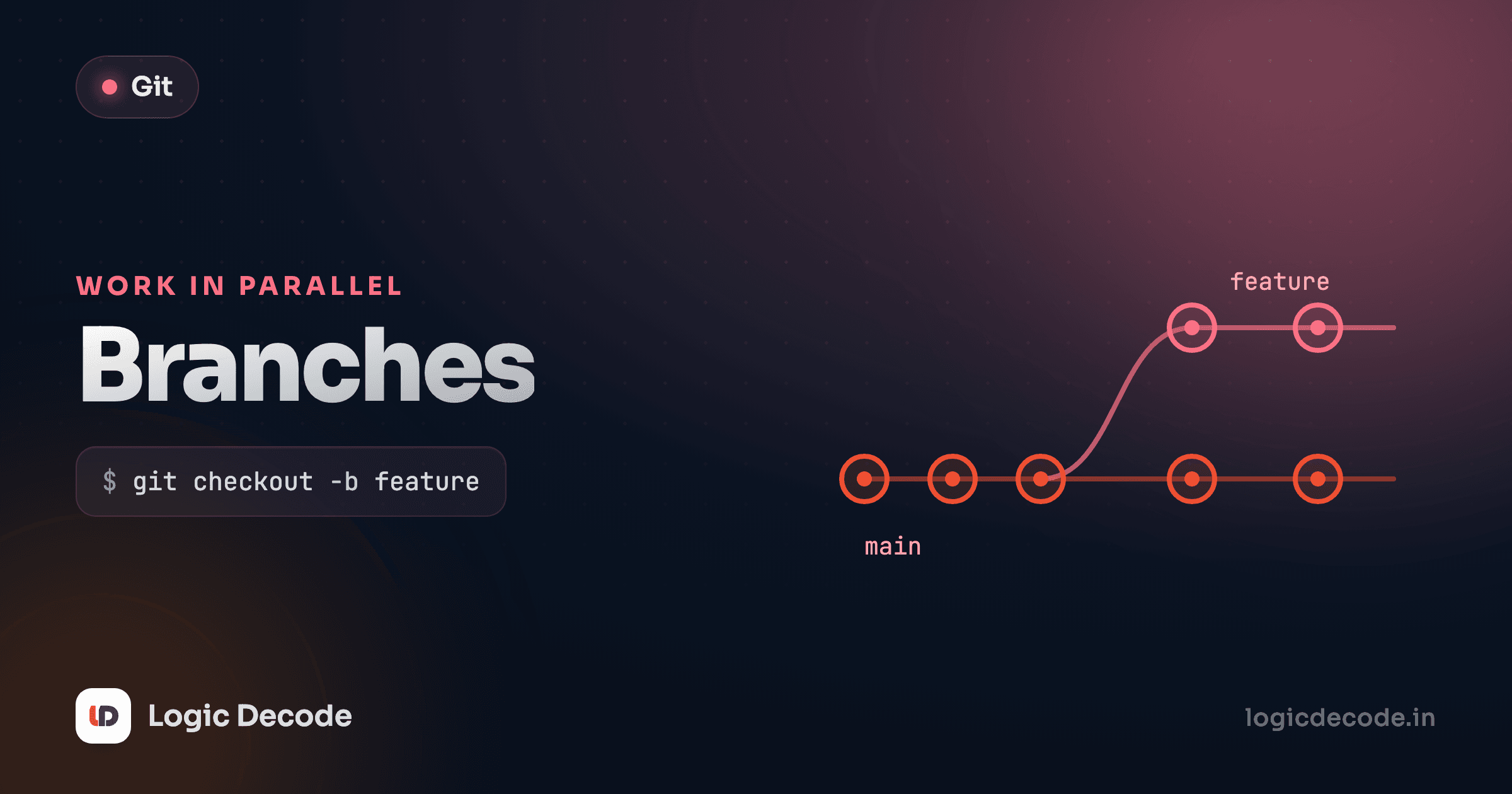
You're three hours into a risky change. It half works. Then a bug report lands that you have to fix now, on the version that's actually live. Without branches you're stuck. Your working code is buried under your experiment. With branches, you flip to a clean copy of the live code, fix the bug, ship it, and flip back to your half-done work exactly as you left it. That's the whole pitch. Branches let you keep several lines of work going without them stepping on each other.
What a branch actually is
Here's the part most tutorials get backwards. A branch is not a copy of your files. It's not a folder. It's a tiny text file that holds one thing: the ID of a commit. That's it. A branch is a movable pointer to a commit.
Remember from Git history that every commit knows its parent, so the commits form a chain back through time. A branch name just points at one commit in that chain, usually the latest one on that line of work. When you make a new commit, Git slides the pointer forward to the new commit automatically. The name follows you.
This is why branching in Git is instant and free. Creating a branch writes a single 40-character commit ID to a file under .git/refs/heads/. There's no copying, no duplicating gigabytes of code. Branches in older version-control tools were slow because they really did copy things. Git's are so cheap you make them without thinking, and you should.
The default branch is called main (you'll still see master on older repos, same idea, different name). It's just another pointer with no special powers, but by convention main holds the known-good version everyone agrees on.
That diagram is main with three commits. The dot on the far right is where the main pointer currently sits.
Why you branch
The rule that saved me more times than I can count: main stays shippable, everything else happens on a branch.
Say you're adding a search box. You could just start editing files on main. But now main is in a broken in-between state (half-built search, nothing working), and if anyone needs to ship a fix, they can't, because the latest code is your mess. Branch instead, and your search work lives off to the side. main stays clean and deployable the entire time. When search is done and tested, you fold it back in (that's merging, next lesson).
The other win is isolation. Two people, or two of your own ideas, can move in parallel without colliding. Each branch is its own sealed lane. You experiment freely on a branch because deleting it throws the experiment away with zero trace on main.
One branch, one job
Name a branch for the single thing it does: add-search, fix-login-redirect, update-readme. Keep it small and short-lived. A branch that lives for three weeks and touches forty files is a branch that's going to fight you when it's time to merge.
git branch: list and create
git branch with no arguments lists your branches and marks the current one with *:
git branch* mainOne branch so far. Give git branch a name and it creates a new pointer at your current commit, but note, it does not move you onto it:
git branch add-search
git branch add-search
* mainTwo branches now, both pointing at the same commit, and you're still on main (the * hasn't moved). The new branch is just a second sticky note on the same commit. Nothing has diverged yet because you haven't made any commits on the new branch.
git switch: move onto a branch
To actually start working on a branch, you switch to it. git switch moves you onto an existing branch:
git switch add-searchSwitched to branch 'add-search'"Switching" updates your working files to match that branch's commit and points HEAD (Git's "you are here" marker) at it. Now any commit you make moves the add-search pointer, leaving main untouched.
Creating a branch and immediately switching to it is so common that there's a shortcut, git switch -c ("c" for create):
git switch -c fix-login-redirectThat's one command for git branch fix-login-redirect followed by git switch fix-login-redirect. It's what you'll use most of the time.
git checkout still works
For years the command was git switch's older sibling, git checkout: git checkout add-search to switch, and git checkout -b add-search to create-and-switch. You'll see checkout -b all over Stack Overflow and old blog posts. It still works exactly the same. git switch (and git restore for files) were added in Git 2.23 to split checkout's many overloaded jobs into clearer commands. New code, prefer switch, and just don't be confused when you see checkout -b.
Quick check
You run git branch new-idea while on main, then make a commit. Which branch moves to the new commit?
Watching branches diverge
Here's where the pointer model pays off. Start on main with a couple of commits, branch off for a feature, and make commits there:
git switch -c add-search
git add .
git commit -m "Add search input"
git commit -m "Wire up search results"
Two new commits, but they're on add-search. main hasn't moved. It's still sitting where it was when you branched. The history has split into two lines:
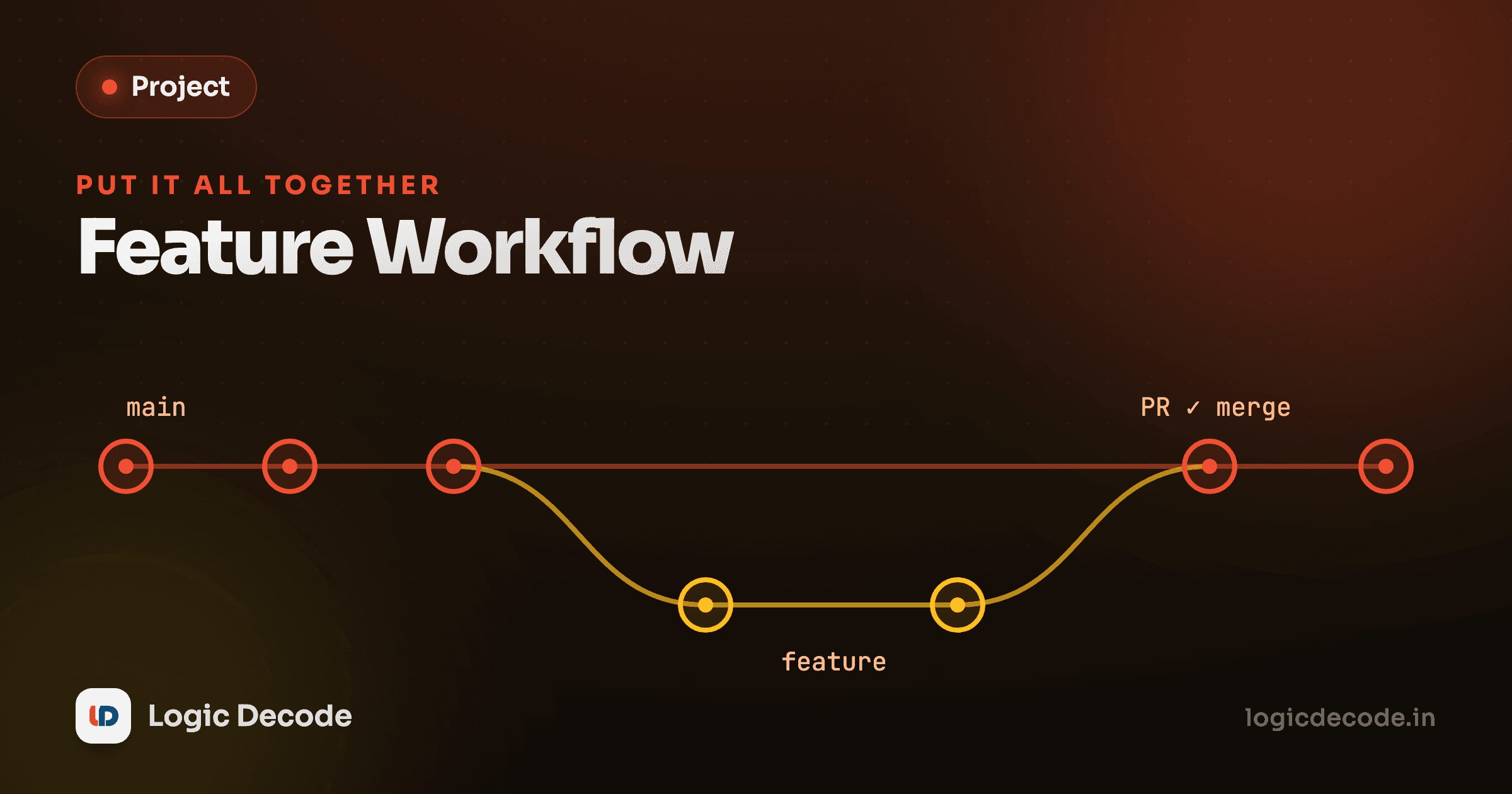
The add-search line carries your two search commits, while main stayed put at the branch point. They've diverged into two independent lines sharing a common ancestor. This is the normal, healthy shape of work in progress. Switch back to main and your files snap to the pre-search state. Switch to add-search and the search code reappears. Same repository, two realities, one git switch apart.
Both lanes can keep moving. If a bug fix lands on main while you're still building search, the picture just grows another commit on the main line, and the two branches drift further apart until you merge them back together.
A real feature-branch flow
Putting it together, here's the loop you'll run dozens of times a week:
# 1. Start from an up-to-date main
git switch main

# 2. Branch off for the feature and move onto it
git switch -c add-search

# 3. Do the work, committing as you go
git add .
git commit -m "Add search input"

# 4. Keep going — small commits are good commits
git add .
git commit -m "Filter results as you type"
Five commands and you've got an isolated lane for the feature, with main untouched behind you. You commit freely, you experiment, and if the whole idea turns out wrong you just delete the branch and main never knew it happened.
Deleting a branch
Once a branch is merged (its work safely folded into main), the pointer has done its job and you delete it to keep things tidy. git branch -d ("d" for delete) removes it:
git switch main
git branch -d add-searchDeleted branch add-search (was 3f9a1c2).You can't delete the branch you're currently on, which is why you switch to main first. The -d is the safe delete: Git refuses if the branch has commits that aren't merged anywhere, so you can't accidentally throw away work. If you really mean to discard an unmerged experiment, the capital -D forces it:
git branch -D dead-end-ideaUse -D only when you're sure. It's the "yes, trash those commits" button. Deleting the branch doesn't touch the commits that were already merged into main. It only removes the pointer.
Force-delete is permanent-ish
git branch -D on a branch whose commits were never merged leaves those commits unreferenced, and Git's garbage collector eventually clears them. There are recovery tricks (git reflog, covered in a later lesson), but treat -D as "I meant to lose this." Reach for plain -d by default and let Git protect you.
Recap and what's next
A branch is a movable pointer to a commit: cheap, instant, and the reason Git makes you fearless about experimenting. git branch lists or creates them. git switch <name> moves you onto one, and git switch -c <name> creates and switches in a single step (the older git checkout -b does the same). Commits move whatever branch you're standing on, so feature work on a branch leaves main clean and shippable. When the work's merged, git branch -d clears the pointer. For the full mental model, the Git book's Branches in a Nutshell walks the same pointer idea with more diagrams.
Branches are only half the story. The payoff is bringing them back together. Next up is merging and conflicts, where you fold a finished branch into main and learn what to do when two lanes changed the same line.

Written by
Rhythm Bhiwani
Engineer and relentless builder, happiest reverse-engineering hard problems until they click.
Enjoyed this?
Tap the heart to leave some love.
Be the first to react
Comments
Join the conversation.
Loading comments…