Python if, elif and else Statements Explained
Make decisions in Python with if/elif/else, understand indentation as scope, nest conditions, and meet the modern match/case statement.

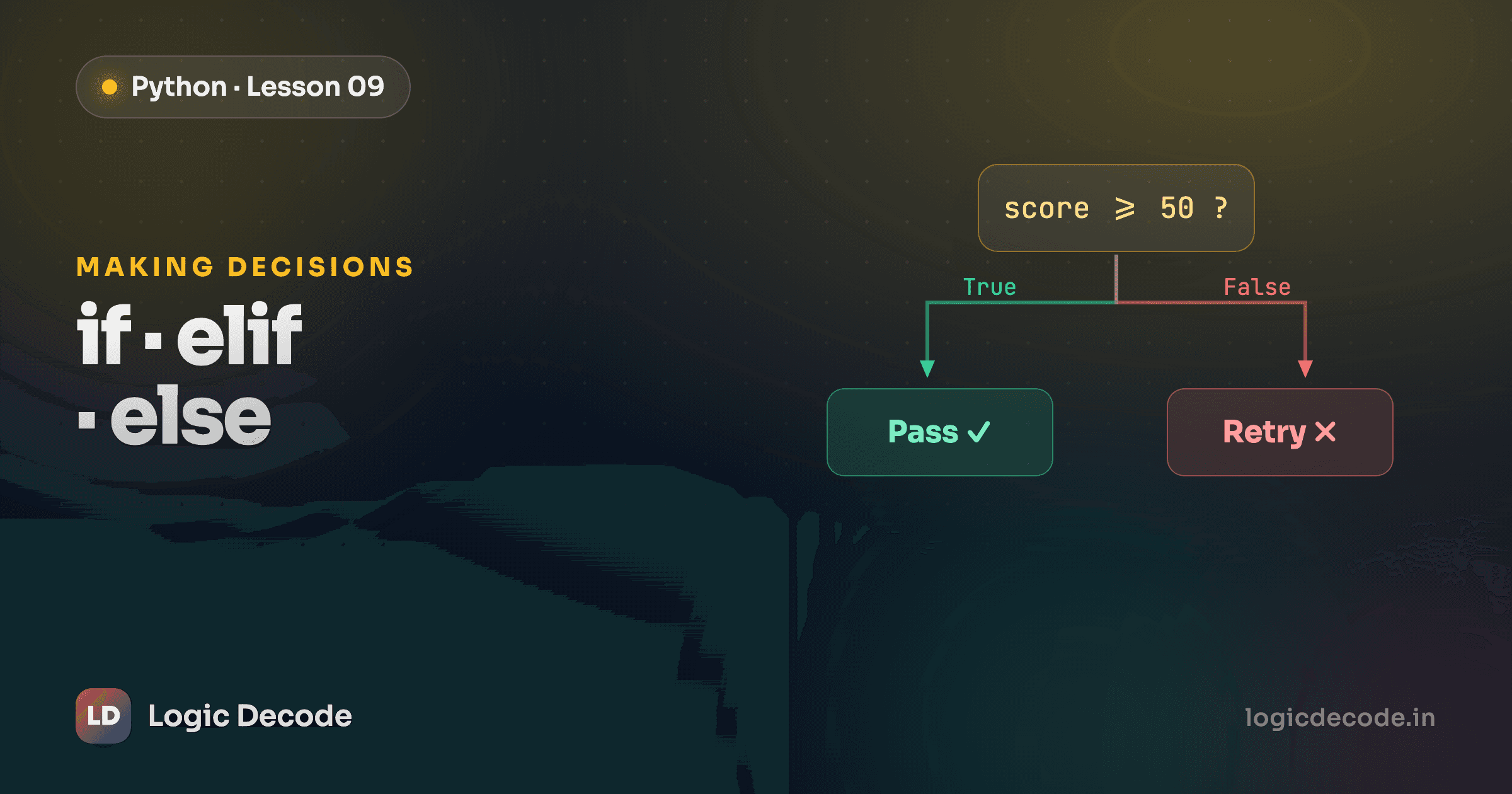
So far your programs have run top to bottom, every line, every time. Real programs don't do that. They look at the situation and pick a path: show the dashboard if you're logged in, charge the card if the balance covers it, print "try again" if the password is wrong. This is where code stops being a fixed script and starts making decisions.
The if statement
An if statement runs a block of code only when a condition is true. The condition is any expression that evaluates to True or False, exactly the kind you build with comparison and logical operators.
The syntax is a condition, a colon, and an indented block underneath:
temperature = 38
if temperature > 37.5:
    print("You have a fever.")
    print("Rest and drink water.")
print("Done checking.")
Both indented lines run only when temperature > 37.5. The last print isn't indented, so it always runs. It's outside the if.
That indentation isn't decoration. In most languages, you wrap a block in curly braces and the whitespace is just for looks. Here's the same idea in C:
if (temperature > 37.5) {
    printf("You have a fever.\n");
    printf("Rest and drink water.\n");
}
The { } mark where the block starts and ends. Python throws the braces out and uses the indentation itself to mark the block. The lines indented under if condition: are "inside" it. The moment a line dedents back to the left, you're "outside" again. Whitespace is the scope.
This is one of Python's most divisive choices and, honestly, one of its best. You were going to indent your code for readability anyway. Python just makes that indentation mean something, which is why Python almost always looks tidy.
Quick check
How does Python know which lines belong inside an if block?
Warning
Don't mix tabs and spaces for indentation. They can look identical on screen but they're different characters, and Python will reject the file with an IndentationError or TabError. Pick spaces (4 per level is the universal convention) and stay consistent. Most editors do this for you if you turn on "insert spaces" for the Tab key.
else
if handles the "yes" case. else is the catch-all for everything else, and it runs when the condition is false. No condition of its own, just a fallback:
age = 15
if age >= 18:
    print("You can vote.")
else:
    print("Not old enough to vote yet.")
Exactly one of those two branches runs, always. If the if is true, the else is skipped. If the if is false, the else fires. There's no path where both run and no path where neither does.
elif
What about more than two options? You could nest ifs inside elses, but that gets ugly fast. elif (short for "else if") chains conditions into a ladder:
score = 82
if score >= 90:
    print("Grade: A")
elif score >= 80:
    print("Grade: B")
elif score >= 70:
    print("Grade: C")
else:
    print("Grade: F")
Python checks the conditions top to bottom and runs the block for the first one that's true, then it stops. It never reaches the rest. With score = 82, the first test (>= 90) is false, the second (>= 80) is true, so it prints Grade: B and skips everything below. That "first match wins" rule is why order matters: if you put >= 70 at the top, every score above 70 would land there.
The else at the end is optional, but it's a good habit, since it catches anything none of your conditions expected.
Here's the classic example, an age classifier. Trace it in your head first, then hit Run:
Change age to 15 and run again: < 0 is false, < 13 is false, < 20 is true → "Teenager". Set it to 70 and every test up to < 65 fails, so the final else catches it → "Senior". The ladder reads like a sentence: under 13? child. Otherwise under 20? teenager. And so on.
Nested if
Sometimes a decision only makes sense after an earlier one passed. You don't check the balance until you know the PIN is right. That's a nested if, a condition inside the block of another condition. Each level just indents one step further:
Read the indentation like an outline. The balance check lives inside the "PIN accepted" branch, so it only runs once the PIN matches. With the values above, the PIN is right but 800 is more than the 500 balance, so you get "Insufficient funds." Change withdrawal to 300 and the inner if passes too.
Nesting is fine a level or two deep. Past that it gets hard to follow, and you're usually better off combining conditions with and or flattening the logic. But for "this only matters if that was true," nesting says exactly what you mean.
Modern aside: match / case
When you're comparing one value against a bunch of fixed options, a long if/elif chain gets repetitive, since you keep retyping the same variable. Python 3.10 added match/case for exactly this, borrowed from pattern matching in languages like Rust and Swift:
command = "north"

match command:
    case "north":
        print("You head north.")
    case "south":
        print("You head south.")
    case "quit":
        print("Bye!")
    case _:
        print("Unknown command.")
match takes the value once, and each case checks it against a pattern. The first matching case runs. The _ is a wildcard that matches anything, the else of the bunch.
This is genuinely newer, so two caveats. It needs Python 3.10 or later (released late 2021). And it shines specifically when you're dispatching one value across several known options. For ranges and combined conditions like the grade example above, plain if/elif is still clearer. Reach for match when it reads better, not just because it's the shiny option.
Recap and what's next
if runs a block when its condition is true. else is the fallback when it isn't. elif chains multiple conditions and only the first true one runs. You can nest conditions for decisions that depend on earlier ones, and indentation (not braces) is what defines every block, so keep it consistent (4 spaces, never mixed with tabs). For matching one value against fixed options on Python 3.10+, match/case is the tidy alternative.
Conditions let your code choose a path once. Next we make it repeat: for and while loops, where the same logic runs over a list, a range, or until something changes.

Written by
Rhythm Bhiwani
Engineer and relentless builder, happiest reverse-engineering hard problems until they click.
Enjoyed this?
Tap the heart to leave some love.
Be the first to react
Comments
Join the conversation.
Loading comments…