Handling Events in React, Explained
Respond to clicks, input and form events in React: event handlers, the synthetic event, and passing arguments, with runnable live examples.

In the last lesson you gave components memory with useState. But state that never changes is just a constant. Something has to trigger the change: a click, a keystroke, a form submit. That something is an event, and wiring events to state is where a React component finally starts behaving like an app instead of a picture.
If you've written plain JavaScript events, the good news is React keeps the mental model and drops the ceremony. No addEventListener, no hunting for elements by ID. You hand a function to a prop right in the JSX, and React calls it when the event fires.
Event handlers are just props
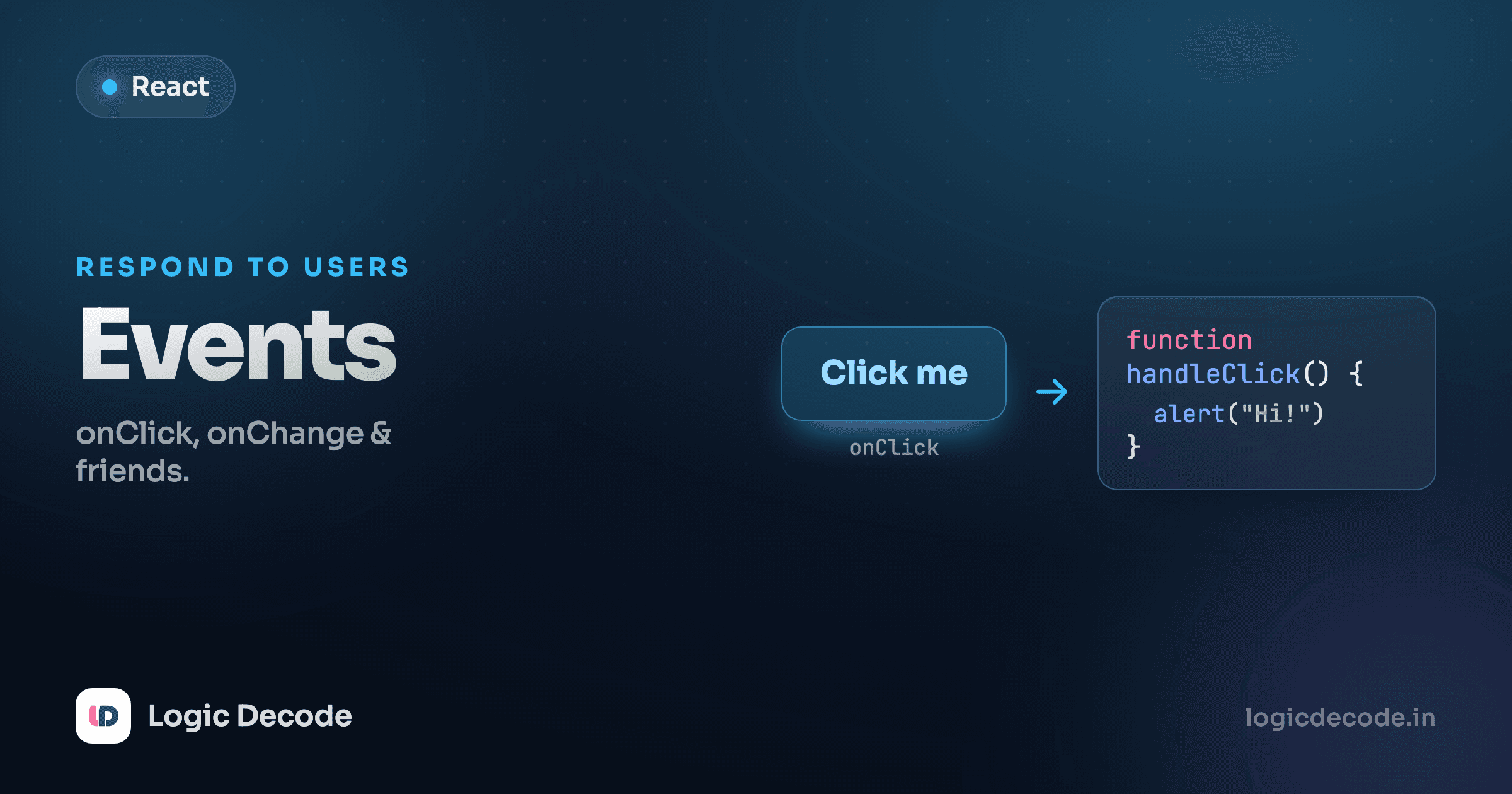
You attach a reaction by putting it on a prop like onClick. The value is a function, the handler, and React runs it when someone clicks. Hit the button below.
Three things to notice. The prop is onClick, camelCase, not the lowercase onclick you'd write in HTML. Its value sits in curly braces because it's a JavaScript expression, not a string. And what goes in those braces is handleClick, the function's name, with no parentheses. That last point trips up almost everyone, so it gets its own callout.
Pass the function, don't call it
Write onClick={handleClick}, not onClick={handleClick()}. The version with parentheses runs handleClick the moment the component renders and hands its return value to onClick, usually undefined, and often an infinite re-render if the handler sets state. You want to pass the function so React can call it later, when the click actually happens.
Inline vs named handlers
For a one-liner you don't need a separate function. Drop an arrow function straight into the prop:
<button onClick={() => setTaps(taps + 1)}>Tap me</button>That arrow is a function React calls on click, same as before. It just lives inline. So which style? Use a named handler when the logic is more than a line or two, or when you reuse it. It reads better and keeps the JSX clean. Use an inline arrow for trivial cases or when you need to pass an argument (coming up shortly). Both are correct. Don't let anyone tell you one is "the right way." Pick whichever keeps the component readable.
The events you'll meet most are the same family from the DOM, renamed to camelCase: onClick, onChange (text fields, every keystroke), and onSubmit (forms). The wiring is identical for all three: different prop, same idea.
The event object
When an event fires, React passes your handler an event object, exactly like the DOM does. By convention it's event or just e. The one you'll reach for constantly is event.target.value, the current contents of an input. Type in the box and watch it echo back.
onChange fires on every keystroke: type, delete, paste, all of it. Each time, event.target is the input element and event.target.value is its current text. We push that into state with setName, React re-renders, and the paragraph updates instantly. That loop (event fires, read the value, set state, UI follows) is the heartbeat of every React form.
It's a SyntheticEvent, not the raw DOM event
The object React hands you isn't the browser's native event. It's a SyntheticEvent, a thin wrapper React puts over the real thing. It exposes the same API (target, preventDefault, key, type), works identically across every browser, and is the reason event.target.value behaves the same in Chrome and Safari without you thinking about it. For everyday work, treat it exactly like a normal event. React's events guide has the full surface when you need it.
Passing arguments to a handler
Here's a real snag. Sometimes you want to tell the handler which thing was acted on: which button in a list, which item to delete. But you can't write onClick={remove(id)}, because that calls remove immediately during render. The fix is to wrap it in an arrow:
<button onClick={() => remove(id)}>Remove</button>Now onClick gets a brand-new function that, when clicked, calls remove(id). The arrow is a holding pen. It doesn't run until the click, and it remembers id. Here it is with three buttons, each passing its own colour to one shared handler.
One choose function, three buttons, and each arrow locks in its own color. Without the arrow you'd have no clean way to say "this button means red." The arrow-wrapping trick shows up the instant you have a list of things to act on, which in real apps is most of the time.
Quick check
Why wrap a handler in an arrow function when you need to pass an argument, as in onClick={() => choose(color)}?
Forms: preventing the default reload
A form's built-in behaviour is to reload the page when submitted. That made sense on the old web. In a React app it throws away your component's state and is almost never what you want. So the first line of nearly every submit handler is event.preventDefault().
Listen on the form's onSubmit, not the button's onClick, so you catch both the button click and the Enter key. This little form takes a name, greets you, and clears itself, all without a reload.
Walk through the handler. event.preventDefault() kills the reload. We check whether the name is blank and bail early with a message if so. Otherwise we set the greeting and reset the field by setting name back to "". Because the input's value is tied to state, clearing the state clears the box. The whole exchange happens with zero page reloads and no lost state. That shape (preventDefault, read the values, update state) is most of what form handling in React looks like.
Input values are always strings
event.target.value is text even from a number field. Type 5 and you get the string "5", so "5" + 1 is "51", not 6. When you need math, convert first with Number(event.target.value). This one bites everybody at least once.
Where this leaves you
Events in React are functions you hand to props: onClick, onChange, onSubmit, all camelCase, all in curly braces, all passing the function rather than calling it. The handler receives a SyntheticEvent whose event.target.value gives you what was typed and whose event.preventDefault() cancels defaults like a form's reload. To pass an argument, wrap the call in an arrow so it runs on the event, not during render. And every handler ties back to useState: read the event, set state, let React re-render. That's the full interactivity loop.
You just rendered a list of colour buttons with .map() and gave each a key. That key isn't decoration, and getting it wrong causes some of React's nastiest bugs. Next up: lists and keys, where you learn why React needs them and how to choose good ones. If you want to compare this to the plain-DOM way first, the JavaScript events lesson covers addEventListener and the native event object.

Written by
Rhythm Bhiwani
Engineer and relentless builder, happiest reverse-engineering hard problems until they click.
Enjoyed this?
Tap the heart to leave some love.
Be the first to react
Comments
Join the conversation.
Loading comments…